
The Ultimate ChatGPT Dress Change Prompt Guide for Women
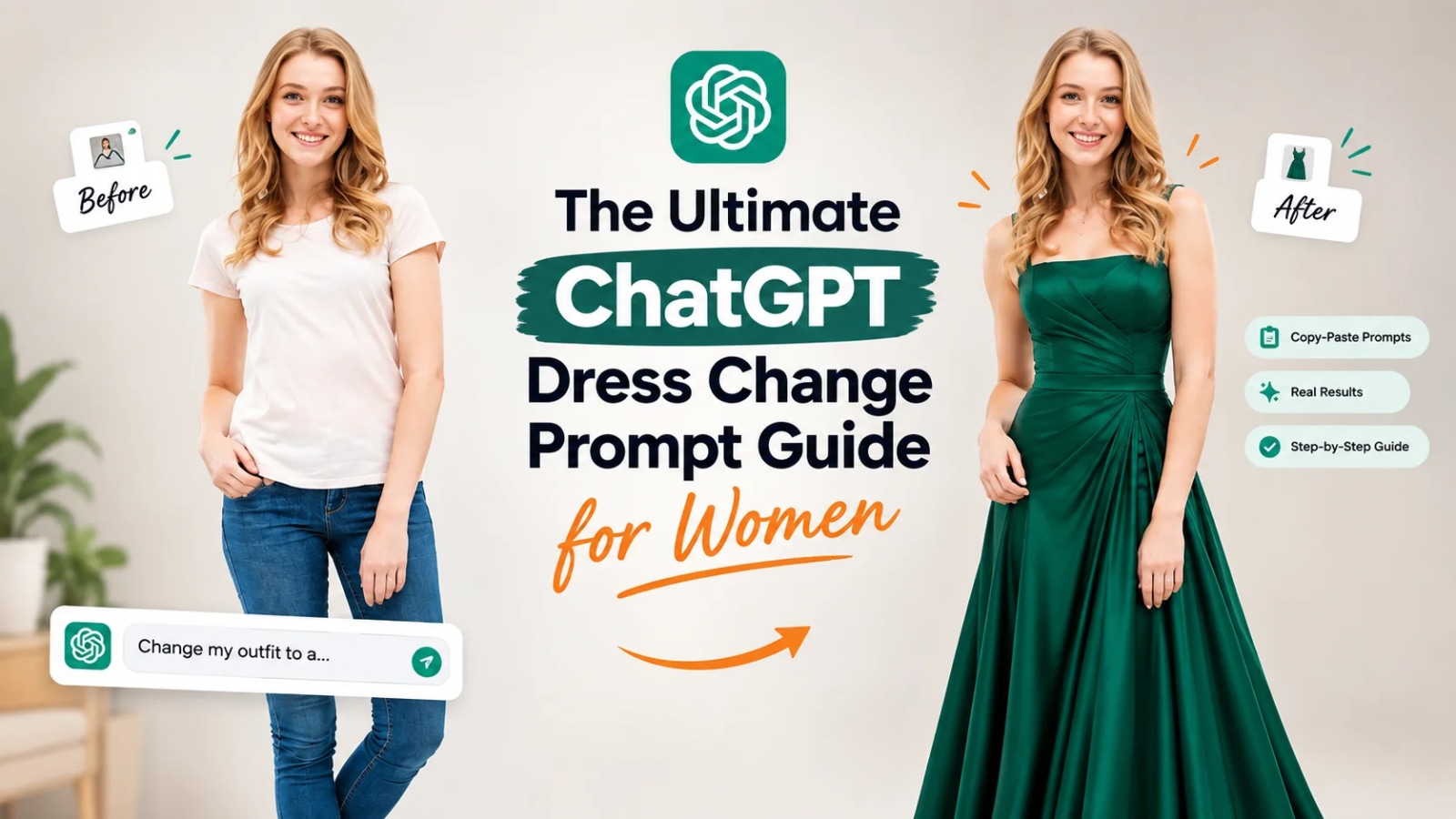
The Ultimate ChatGPT Dress Change Prompt Guide for Women
Summarize this blog post with: ChatGPT | Perplexity | Claude | Grok
You've probably already scrolled past a photo where someone's outfit was swapped into a flowing gown or a festive lehenga, while their face and pose stayed perfectly intact. What most people don't realize is that the difference between a flawless transformation and a warped, uncanny mess comes down to a handful of specific details in the prompt itself. In this guide, we'll break down exactly how ChatGPT's image generation handles outfit changes and give you ready-to-use prompt templates to get it right on the first attempt.
Key Takeaways
A ChatGPT dress change prompt is a text instruction paired with an uploaded photo that directs GPT-4o's image generation to replace clothing while preserving the subject's face, pose, and background.
Effective prompts specify four core elements: garment type, fabric or texture, color, and lighting, to avoid inconsistent or distorted results.
More than 130 million people generated over 700 million images in a single week after GPT-4o's image tool launched.
Dress change prompts fall into distinct categories — casual, formal, ethnic wear, and wedding — each requiring different descriptive vocabulary.
Photo quality (front-facing, evenly lit, uncluttered background) directly affects how realistic the outfit swap appears.
Free ChatGPT access has daily limits on image generation, so ChatGPT Plus is recommended for repeated experimentation.
Using only your own photos, or ones you have clear permission to edit, keeps your AI outfit experiments both realistic and responsible.
What Is a ChatGPT Dress Change Prompt?
A ChatGPT dress change prompt is a written instruction, combined with an uploaded photo, that tells GPT-4o's image generation feature to replace the clothing on the subject while keeping their face, pose, and background unchanged. For example, a user might upload a plain photo of themselves and write: "Change the outfit to a floor-length emerald green evening gown with a fitted bodice, keep the pose and background exactly the same."
This is different from generating an image from scratch. Instead, the model works from your existing photo as a reference, editing one element — the clothing — while holding everything else constant. That's why the prompt's wording matters so much: vague instructions leave the model guessing, while specific ones produce consistent, editorial-quality results.
Browse our ChatGPT image editing prompt collection.
Why Are AI Dress Change Prompts Trending Right Now?

AI dress change prompts are trending because GPT-4o's native image generation preserves facial likeness far more reliably than earlier AI image tools, which made outfit-swap experiments feel genuinely usable for the first time. Before this update, most AI image editors distorted faces or produced an entirely different-looking person, which limited how shareable the results were.
That changed almost overnight. ChatGPT's app weekly active users surpassed 200 million for the first time in the platform's history during the week GPT-4o's image generation rolled out, and both downloads and weekly active users kept climbing after the feature reached free users. At the same time, the broader AI fashion space has scaled just as quickly: the global AI-generated fashion market is estimated to reach $2.91 billion in 2025, up sharply from the year before.For everyday users, this shift means a trend that used to require a stylist, a studio, or expensive editing software can now be replicated with a well-written text prompt.
Explore our AI fashion photography prompts.
How Does ChatGPT Change an Outfit in a Photo?
ChatGPT changes an outfit in a photo by analyzing the uploaded image's pose, lighting, and proportions, then regenerating only the clothing region according to your prompt's description. As such, the model isn't literally "editing" pixels the way traditional photo software does — it's recreating the image with your requested garment layered onto the same visual structure.
For example, if you upload a photo standing in front of a plain wall and ask for a red saree, the model will keep your stance and the wall behind you while rendering the drape, pleats, and pallu of the saree in the requested color. That being said, results are strongest with GPT-4o's image tool specifically, since it was the version built for this kind of consistency.

What Makes a ChatGPT Dress Change Prompt Effective?
An effective dress change prompt specifies four elements clearly: garment type, fabric or texture, color, and lighting. Missing any one of these tends to produce results that look flat, mismatched to the original photo's lighting, or generic.
Garment Type
First, name the exact garment rather than a vague category. "Dress" is broad; "fit-and-flare midi dress with a sweetheart neckline" gives the model a specific silhouette to work with.
Fabric and Texture
Moreover, describing fabric changes how the garment catches light and falls on the body. Words like silk, chiffon, velvet, or raw cotton each produce visibly different draping and sheen in the output.
Color
In addition, be precise with color rather than generic terms. "Blue" can render dozens of ways, while "deep sapphire blue" or "dusty rose pink" narrows the model's interpretation.
Lighting
Finally, match the lighting description to your original photo's conditions. If your source photo was shot in soft daylight, requesting "dramatic studio lighting" can create a visible mismatch between the outfit and the rest of the image.

Read our full ChatGPT prompting guide for beginners.
What Are the Best ChatGPT Dress Change Prompts for Women?
Ready-to-use templates save time and reduce guesswork. Below are starting points across the most searched categories, each written to hit all four effectiveness elements.
Style | Key Descriptors to Include | Best Photo Setup | Example Prompt Snippet |
Casual | Fabric (denim, cotton), relaxed fit, everyday setting | Natural daylight, plain background | "Change the outfit to a relaxed linen shirt dress in sage green, soft natural lighting" |
Formal / Office | Structured fit, blazer or tailored lines, neutral tones | Even indoor lighting | "Change the outfit to a tailored charcoal blazer and matching trousers, soft office lighting" |
Ethnic / Traditional | Fabric drape (silk, chiffon), embroidery detail, regional style | Bright, front-facing light | "Change the outfit to a maroon silk saree with gold zari border, warm daylight" |
Wedding / Festive | Layering, embellishment, formal silhouette | Soft, diffused lighting | "Change the outfit to a blush pink lehenga with intricate embroidery, soft golden-hour lighting" |
Browse our traditional wear AI prompt templates and Couple photo prompt templates.
Which Tools Work Best for AI Dress Change Prompts?
ChatGPT Plus with GPT-4o's image generation is currently the most consistent option for dress change prompts, particularly for preserving facial likeness across edits. You can do this directly inside a ChatGPT conversation by uploading a photo and typing your prompt — no separate app required.

That said, it's worth mentioning free alternatives to keep your workflow flexible. The free tier of ChatGPT now includes limited image generation as well, following its rollout to all users. Other general-purpose AI image editors can also perform basic outfit swaps, though most currently trail GPT-4o on preserving the original face and pose accurately.
Read our full ChatGPT vs Gemini for Image Generation guide.
What's Next: Customizing Your AI Outfit Change Prompts
Once you've run a basic dress change prompt successfully, the natural next step is layering in more detail — background, lighting mood, or accessories — within the same request. For example, combining a dress change prompt with a specific setting ("outdoor garden background, soft evening light") produces a more editorial, styled result than isolated single-element edits.
The virtual try-on space is scaling fast enough that this kind of layered prompting will likely become standard practice. The global virtual try-on market is projected to reach $46.42 billion by 2030, growing at a compound annual rate of 26.4% which signals sustained investment in making these tools more precise.
A few practical tips worth keeping in mind as you experiment:
Start with a front-facing, evenly lit photo with an uncluttered background for the most realistic base result.
Only use your own photos, or images you have clear permission to edit, when running dress change prompts.
Iterate in small steps — change one element (garment, then color, then lighting) rather than everything at once, to isolate what's working.
Related AQPrompts guides
Conclusion
Writing a ChatGPT dress change prompt is less about clever wording and more about giving the model four clear anchors: garment, fabric, color, and lighting. Get those right, and you'll consistently produce the kind of polished, editorial-style transformations that made this trend take off in the first place. Start with one of the templates above, adjust it to your own photo's lighting, and build from there.
Written by The AQPrompts Team — AI prompt researchers and content creators focused on practical AI image-generation and prompting workflows.
Reviewed by Abdul Qudoos — reviewed for AI image-generation accuracy, practical prompting guidance, and current ChatGPT image-editing capabilities.
Disclaimer: This article was initially drafted using AI assistance. However, the content has undergone thorough revisions, editing, and fact-checking by human editors and subject matter experts to ensure accuracy.
Learn how we review our guides →
Topics:
Abdul Qudoos creates and reviews AQPrompts guides and prompt-library content for creators using AI image tools.
