
50+ ChatGPT Photo Editing Prompts for Boys: Copy-Paste AI Edits

50+ ChatGPT Photo Editing Prompts for Boys: Copy-Paste Ideas for Realistic AI Edits
Summarize this blog post with: ChatGPT | Perplexity | Claude| Grok
Editing a photo with ChatGPT doesn't have to mean asking it to "make the picture better" and hoping for the best. A much better approach is to describe what you want changed, what should stay the same, and how the final photo should look.
That's especially useful when you're working with boys' portraits, sports photos, school pictures, travel shots, gym photos, or Instagram content. You might want to clean up a background, change an outfit, improve the lighting, create a cinematic look, or turn an ordinary snapshot into something that feels more polished.
In this guide, you'll find 50+ ChatGPT photo editing prompts for boys, organized by practical use case. You can copy a prompt as-is, replace a few details, and refine the result after the first edit.
Key Takeaways
ChatGPT photo editing prompts are natural-language instructions for modifying an existing image or directing a specific visual transformation.
The most useful editing prompts clearly separate what should change from what should remain unchanged.
You can use prompts for portraits, sports photos, backgrounds, outfits, outdoor scenes, birthdays, graduation photos, Instagram content, and creative edits.
A clear source photo usually gives you more useful results than a heavily blurred, extremely dark, or poorly framed image.
For realistic edits, describe details such as lighting, clothing, environment, composition, skin texture, and shadows instead of relying on vague words like "professional" or "high quality."
ChatGPT Images lets you upload an existing image, describe the edit directly, or select a specific area before describing the change. You can also choose a different aspect ratio.
The current ChatGPT Images 2.5 experience is designed for more precise editing, stronger reference-image fidelity, and more consistent multi-turn edits.
You can reuse the same basic prompt structure across different photos by changing only the outfit, setting, lighting, or intended mood.
What Are ChatGPT Photo Editing Prompts?
ChatGPT photo editing prompts are written instructions that tell an AI image tool how you want an existing photograph changed. Instead of making every adjustment manually, you can describe the desired result in ordinary language.
For example, a vague request would be:
"Make this photo look better."
A more useful instruction would be:
"Replace the cluttered background with a clean modern studio wall. Keep the boy's face, hairstyle, clothing, pose, body proportions, and camera angle unchanged. Match the new background lighting to the original photo and keep the skin texture natural."
The second version gives the model a clear editing target and tells it which parts of the original image matter.
ChatGPT Images currently supports both creating new images and editing existing ones. You can upload a photo and describe the change directly, or select part of an image and explain what should be changed there.
For broader prompt-writing techniques, see our guide to the Photo Prompt Generator.

How Do You Get Better Results From ChatGPT Photo Editing Prompts?
Before jumping into the prompt list, there are a few things that make these edits easier to control.
1. Start With a Clear Photo
Use a source image where the subject's face is visible and the important parts of the photo aren't heavily blurred or hidden.
A reasonably well-lit portrait usually gives the model more information than a very dark selfie or an image with heavy compression.
2. Say What You Want Changed
Be direct about the main edit.
For example:
"Replace the background with a modern football stadium."
or:
"Change the casual shirt to a fitted black jacket."
3. Say What Should Stay the Same
This is one of the most useful instructions for existing-photo edits.
You can write:
"Keep the person's facial identity, hairstyle, expression, body proportions, pose, and camera angle unchanged."
You don't necessarily need this entire sentence every time. Keep the preservation instructions relevant to the edit.
4. Match the Original Lighting
If the original photo was taken in bright daylight, asking for a dark studio environment without explaining how the light should change can produce an inconsistent result.
Instead, describe how the new lighting should interact with the subject.
For example:
"Keep the subject naturally lit and match the direction of the new background light to the existing highlights and shadows."
5. Change One Major Thing at a Time
If the first result has the right outfit but the wrong background, don't rewrite the entire prompt.
Tell ChatGPT what needs fixing:
"Keep the current outfit and subject unchanged. Replace only the background with a clean city street at dusk."
This makes the refinement process much easier.
50+ ChatGPT Photo Editing Prompts for Boys
Portrait and Headshot Prompts
These prompts work well when you want a cleaner portrait without turning the photo into an obviously AI-generated image.

Prompt 1 — Clean School Portrait
Edit this school portrait of a boy into a clean, natural-looking school photo. Keep his facial identity, hairstyle, expression, clothing, and body proportions unchanged. Clean up distracting elements in the background, balance the exposure, reduce harsh shadows on the face, and keep natural skin texture visible. Use a simple neutral background with soft, even lighting.
Prompt 2 — Professional Headshot
Turn this existing portrait into a polished professional headshot. Keep the person's recognizable identity, hairstyle, facial structure, and natural skin texture unchanged. Use a clean neutral background, soft directional lighting, realistic skin tones, and a subtle depth-of-field effect. Keep the result natural rather than heavily retouched.
Prompt 3 — Outdoor Natural Portrait
Improve this outdoor portrait while keeping the boy's face, hairstyle, clothing, and pose unchanged. Reduce harsh shadows across the face, preserve natural skin texture, and soften distracting background details. Keep the original outdoor atmosphere and use a clean, realistic color treatment.
Prompt 4 — Moody Portrait
Give this portrait a darker editorial mood without changing the person's identity or facial structure. Keep the hairstyle, clothing, pose, and background composition consistent. Use soft directional light, deeper shadows, muted colors, and subtle film grain while keeping realistic skin texture.
Prompt 5 — Casual Lifestyle Portrait
Edit this casual photo into a polished lifestyle portrait. Keep the boy's natural expression and recognizable features unchanged. Improve exposure, clean up distracting background elements, add subtle background separation, and maintain realistic skin texture. The final image should feel like a professionally photographed candid moment rather than a heavily edited picture.
Prompt 6 — Black and White Portrait
Convert this portrait into a natural black-and-white editorial photograph. Preserve the person's identity, facial structure, hairstyle, clothing, and pose. Use controlled contrast, detailed midtones, realistic skin texture, and slightly deeper shadows without crushing facial detail.
Prompt 7 — Studio Portrait
Transform the existing photo into a clean studio portrait. Keep the boy's face, hairstyle, clothing, expression, and body proportions unchanged. Replace the background with a simple studio backdrop and use soft directional lighting with a realistic shadow behind the subject. Keep the skin natural and avoid excessive retouching.
Read ChatGPT Photo Editing.
Instagram and Social Media Photo Prompts
If the goal is an Instagram post, profile picture, or social-media portrait, composition matters just as much as the edit itself.
Prompt 8 — Instagram Profile Picture
Edit this photo into a clean Instagram profile portrait. Keep the person's face, hairstyle, expression, and recognizable identity unchanged. Improve facial lighting, simplify the background, add subtle depth of field, and keep the subject centered with enough space around the head and shoulders for a profile-picture crop.
Prompt 9 — Aesthetic Instagram Portrait
Turn this photo into a modern aesthetic Instagram portrait. Keep the boy's identity, clothing, hairstyle, and pose unchanged. Use soft natural lighting, a minimal background, neutral tones, realistic skin texture, and subtle contrast. Avoid excessive smoothing or artificial beauty effects.
Prompt 10 — Streetwear Instagram Edit
Edit this portrait into a modern streetwear-style Instagram photo. Keep the person's face, hairstyle, body proportions, and original outfit unchanged. Place the subject against a clean urban background with realistic evening lighting, subtle background blur, and controlled contrast. Keep the result photorealistic.
Prompt 11 — Luxury Social Media Portrait
Give this portrait a premium editorial feel suitable for a social-media profile. Keep the person's identity and facial proportions unchanged. Clean up the background, improve the lighting, add subtle depth, and create a sophisticated neutral color grade. Keep clothing texture and skin detail realistic.
Prompt 12 — Minimal Profile Photo
Simplify this portrait into a clean profile image. Keep the subject's face and hairstyle unchanged. Remove distracting background elements, use a soft neutral backdrop, improve facial lighting, and maintain realistic skin texture. Keep the composition simple and recognizable even at a small size.
Sports Photo Editing Prompts for Boys
Sports photos benefit from edits that emphasize movement and the athlete without making the scene look artificial.

Prompt 13 — Football Action Shot
Edit this football action photo while keeping the player, kit, ball, and original pose unchanged. Make the player and ball appear crisp while adding subtle directional motion blur to the background and crowd. Increase contrast slightly, preserve the original kit colors, and keep the stadium lighting realistic.
Prompt 14 — Cricket Action Photo
Improve this cricket action photograph of a boy. Keep his face, cricket kit, bat, and pose unchanged. Sharpen the player and bat while gently reducing background distractions. Preserve the original stadium or field lighting and add subtle contrast so the action feels more dynamic without looking artificial.
Prompt 15 — Basketball Jump Shot
Edit this basketball photo to emphasize the player's jump and the ball. Keep the player's identity, clothing, pose, and body proportions unchanged. Sharpen the subject and ball, soften the background slightly, improve contrast, and preserve realistic indoor court lighting.
Prompt 16 — Running Photo
Edit this running photo so the athlete remains sharp while the background shows subtle horizontal motion. Keep the runner's face, clothing, body proportions, and original pose unchanged. Preserve the track colors and lighting while increasing subject separation and overall clarity.
Prompt 17 — Gym Photo
Clean up this gym photo of a boy without changing his identity or body proportions. Improve the lighting on the subject, reduce distracting equipment in the background, preserve natural skin texture, and create realistic contrast. Keep the gym environment recognizable.
Prompt 18 — Martial Arts Photo
Edit this martial arts action photo with a crisp freeze-frame feel. Keep the subject's identity, clothing, pose, and body proportions unchanged. Improve subject sharpness, clean up the background, and use controlled contrast while preserving the original lighting direction.
Prompt 19 — Cycling Photo
Improve this cycling photo while keeping the rider, bicycle, clothing, and pose unchanged. Sharpen the rider and bicycle, add subtle background motion, clean up distracting elements, and preserve realistic outdoor lighting. Keep the road and surrounding environment natural.
Prompt 20 — Sports Celebration
Edit this celebration photo of a young athlete after a match. Preserve the person's facial identity and expression. Improve facial clarity, slightly brighten the subject, soften the background crowd, and maintain the original stadium atmosphere. Keep the result energetic but realistic.
Outdoor and Adventure Photo Prompts
Outdoor photos often benefit from better subject separation, controlled color, and stronger environmental detail rather than heavy effects.

Prompt 21 — Mountain Adventure
Edit this mountain photo of a boy while keeping his identity, clothing, pose, and original composition unchanged. Improve the detail in the mountains and clouds, add subtle atmospheric depth, and balance the exposure between the subject and bright sky. Keep the colors natural and the lighting believable.
Prompt 22 — Hiking Photo
Improve this hiking photograph while preserving the boy's face, clothing, backpack, pose, and surroundings. Sharpen the subject and nearby trail texture, reduce distracting background elements, and bring out detail in the trees and landscape without making the colors overly saturated.
Prompt 23 — Forest Portrait
Edit this forest portrait with a natural cinematic feel. Keep the boy's identity, clothing, hairstyle, and pose unchanged. Add soft directional light through the trees, preserve realistic green tones, and create subtle background depth while keeping the skin tone natural.
Prompt 24 — Beach Photo
Improve this beach photo of a boy without changing his identity, clothing, or pose. Balance the exposure between the subject and bright sky, bring out natural detail in the water and sand, and add subtle warmth while keeping the colors realistic.
Prompt 25 — Sunset Silhouette
Transform this sunset photo into a clean silhouette composition. Keep the boy's original pose and position unchanged. Preserve the sunset sky, deepen the subject into a natural silhouette, and enhance the warm colors near the horizon without creating an artificial glow.
Prompt 26 — Travel Portrait
Edit this travel photo into a polished environmental portrait. Keep the boy's face, clothing, pose, and recognizable identity unchanged. Improve the subject's exposure, clean up distracting objects, preserve the location in the background, and use natural travel-photography color grading.
Prompt 27 — Rainy Outdoor Portrait
Give this outdoor portrait a realistic rainy atmosphere. Keep the boy's face, hairstyle, clothing, pose, and identity unchanged. Add subtle wet environmental details and soft reflections where appropriate, darken the sky slightly, and match the lighting across the subject and background.
If you are editing portraits for male subjects, you can use these tailored ChatGPT photo editing prompts for boys to get realistic results.
Background Change Prompts
Background replacement is one of the easiest edits to control when you clearly tell the model what must remain untouched.

Prompt 28 — Studio Background
Replace the existing background with a clean professional photography studio. Keep the boy's face, hairstyle, clothing, pose, body proportions, and camera angle unchanged. Match the studio lighting to the original subject and add a realistic soft shadow.
Prompt 29 — Modern Office Background
Replace the current background with a modern, understated office interior. Keep the person's identity, clothing, pose, and facial expression unchanged. Match the light direction and color temperature to the subject so the new environment looks naturally photographed.
Prompt 30 — Luxury Hotel Background
Replace the background with an elegant modern hotel lobby featuring subtle warm architectural lighting. Keep the person's face, hairstyle, outfit, pose, and body proportions unchanged. Match the new environment's perspective, lighting, and shadows to the original photograph.
Prompt 31 — City Street Background
Replace the current background with a realistic modern city street at dusk. Keep the boy's identity, clothing, pose, and camera perspective unchanged. Add natural street lighting and shallow background depth while keeping the subject sharply defined.
Prompt 32 — Football Stadium Background
Replace the background with a realistic football stadium during an evening match. Keep the player, kit, ball, pose, and facial identity unchanged. Match the stadium lights to the existing subject lighting and add realistic depth to the crowd.
Prompt 33 — Mountain Background
Replace the existing background with a realistic mountain landscape. Keep the boy completely unchanged, including his face, hairstyle, clothing, pose, and proportions. Match the outdoor lighting and shadows so he appears naturally photographed in the new environment.
Prompt 34 — Blurred Background
Simplify the current background by creating a natural shallow depth-of-field effect. Keep the boy sharply focused and preserve his face, hair, clothing, and body proportions. Blur only the background and maintain realistic edge detail around the subject.
Prompt 35 — Clean Background Removal
Remove the distracting background and replace it with a simple neutral backdrop. Keep the subject's hair edges, face, clothing, hands, and body proportions natural. Add a subtle realistic shadow so the subject does not appear cut out.
Outfit and Fashion Editing Prompts
For outfit changes, specify the garment clearly and tell the model which parts of the original photo should remain unchanged.

Prompt 36 — Black Jacket
Change the boy's current top into a fitted black jacket over a plain dark shirt. Keep his face, hairstyle, expression, body proportions, pose, hands, background, and camera angle unchanged. Make the jacket fit naturally and match the original lighting with realistic fabric folds.
Prompt 37 — Casual Linen Outfit
Replace the current outfit with a relaxed cream linen shirt and tailored beige trousers. Keep the person's identity, hairstyle, pose, body proportions, background, and lighting unchanged. Make the fabric texture and folds realistic and consistent with the existing photograph.
Prompt 38 — Formal Suit
Replace the current outfit with a well-tailored charcoal suit, crisp white shirt, and simple dark tie. Preserve the person's face, hairstyle, expression, body proportions, pose, background, and lighting. Make the suit fit naturally with realistic fabric texture.
Prompt 39 — Streetwear Outfit
Replace the current outfit with modern oversized streetwear: a clean dark jacket, relaxed trousers, and simple sneakers. Keep the person's identity, pose, hairstyle, body proportions, background, and camera angle unchanged. Preserve realistic fabric folds and natural shadows.
Prompt 40 — Sports Kit
Replace the current clothing with a realistic football kit while preserving the person's face, hairstyle, body proportions, pose, and background. Keep the fabric natural, add realistic jersey folds, and match the kit's lighting to the original photograph.
If you want to swap out casual clothes for formal wear or athletic gear, check out our full collection of ChatGPT photo dress change prompts for seamless outfit transformations.
Creative and Cinematic Photo Editing Prompts
These are useful when you want a stronger visual transformation while still keeping the original person recognizable.

Prompt 41 — Cinematic Urban Portrait
Transform this photo into a cinematic urban portrait while keeping the person's recognizable identity, facial structure, hairstyle, clothing, and pose unchanged. Use a realistic evening city environment, soft directional light, subtle background bokeh, natural skin texture, and controlled cinematic contrast.
Prompt 42 — Vintage Film
Give this portrait a subtle vintage film appearance. Keep the person's identity, clothing, pose, and composition unchanged. Add gentle film grain, slightly faded blacks, muted colors, and natural contrast without making the image look artificially aged.
Prompt 43 — Dramatic Black and White
Convert this portrait into a dramatic black-and-white editorial photograph. Preserve the person's facial identity, hairstyle, expression, and clothing. Use directional light, detailed midtones, controlled highlights, and deep but detailed shadows.
Prompt 44 — Neon Night Portrait
Turn the existing portrait into a realistic night-time city scene with subtle cyan and magenta neon lighting. Keep the person's face, hairstyle, clothing, pose, and identity unchanged. Match the colored light naturally to the skin and clothing and avoid exaggerated glowing effects.
Prompt 45 — Rainy Cinematic Portrait
Transform this portrait into a realistic rainy evening scene. Keep the person's identity, hairstyle, facial structure, clothing, and pose unchanged. Add subtle rain in the environment, wet reflections in the background, soft practical lights, and realistic cool-toned lighting.
Prompt 46 — Editorial Fashion Look
Turn this portrait into a clean men's fashion editorial while preserving the person's recognizable identity and natural facial features. Use controlled directional lighting, realistic fabric texture, a simple architectural background, subtle depth of field, and refined neutral colors.
Prompt 47 — Film Still
Give this photo the visual character of a realistic cinematic film still without copying a specific movie or actor. Keep the subject's identity, clothing, pose, and facial structure unchanged. Use natural environmental lighting, restrained color grading, realistic shadows, and subtle film grain.
Prompt 48 — Moody Window Light
Edit this portrait as if it were photographed beside a large window on an overcast day. Keep the person's identity, hairstyle, clothing, and pose unchanged. Use soft directional window light, realistic skin texture, gentle shadows, muted colors, and a shallow depth of field.
School, Birthday and Milestone Photo Prompts
These edits work best when the goal is to clean up the photograph while keeping the moment recognizable.

Prompt 49 — Graduation Portrait
Improve this graduation photo while preserving the boy's identity, graduation clothing, pose, and original setting. Balance the exposure, clean up distracting background details, improve facial clarity, and keep the colors natural. The final image should feel polished but still look like the original event.
Prompt 50 — Award Ceremony
Edit this award-ceremony photo for a clean, professional result. Keep the boy, award, clothing, expression, and event setting unchanged. Improve exposure and facial clarity, reduce distracting background elements, and maintain realistic colors.
Prompt 51 — Birthday Party
Improve this birthday photo while keeping the boy's expression, clothing, and pose unchanged. Make the decorations and balloons slightly more vibrant, brighten the subject's face, reduce distracting background clutter, and preserve natural skin texture.
Prompt 52 — First Day of School
Edit this first-day-of-school photo into a clean family keepsake. Keep the boy's identity, school clothing, backpack, pose, and expression unchanged. Improve exposure, clean up the background, and use natural colors without making the image look overly edited.
Prompt 53 — Family Event
Improve this family-event photograph while preserving the people, expressions, clothing, and original setting. Balance the exposure across the group, reduce harsh shadows, improve facial clarity, and soften distracting background details without changing the atmosphere of the event.
Prompt 54 — Childhood Memory
Restore and gently improve this older childhood photo while preserving the person's original facial identity and recognizable features. Reduce distracting color shifts and image noise, improve overall clarity, and keep the result faithful to the original photograph rather than making it look newly generated.
How to Customize These Prompts
You don't need to rewrite an entire prompt every time you want a different result.
Change the elements that actually matter.
Change the Outfit
You can swap:
Black jacket
Oversized streetwear
Linen shirt
Formal suit
Football kit
Denim jacket
Traditional clothing
For example:
Replace the black jacket with a dark olive bomber jacket while keeping everything else unchanged.
Change the Background
Try:
Modern city street
Café
Rooftop
Football stadium
Mountain trail
Beach
Studio
Office
Luxury hotel
School corridor
Change the Lighting
Useful lighting descriptions include:
Soft window light
Golden-hour sunlight
Overcast daylight
Directional side lighting
Studio softbox lighting
Evening street lighting
Backlighting
Natural indoor light
Change the Mood
Instead of simply saying "make it aesthetic," describe the result:
Clean and minimal
Cinematic and restrained
Warm and nostalgic
Dark and atmospheric
Bright and energetic
Editorial and polished
Natural and documentary-style
What Aspect Ratio Should You Use?
The right aspect ratio depends on where you plan to use the final image.
ChatGPT Images supports different aspect ratios through the image editor, and you can also describe the desired format in your prompt.
Use Case | Recommended Aspect Ratio |
Instagram portrait post | 4:5 |
Instagram Story / Reel cover | 9:16 |
Profile picture | 1:1 |
Facebook cover | 16:9 or platform-specific |
YouTube thumbnail | 16:9 |
Website/blog image | 16:9 |
Original portrait preservation | Keep original ratio |
For example:
"Create the final image in a vertical 4:5 composition."
If you're editing an existing photo and don't need a different crop, keeping the original composition can help preserve the photograph you started with.
What If ChatGPT Changes the Face?
AI editing can sometimes change details you didn't ask it to change. When that happens, don't immediately rewrite the entire prompt.
First, identify what went wrong.
If the face changed:
"Keep the original person's recognizable facial identity and facial proportions unchanged. Modify only the background."
If the clothing changed:
"Keep the current clothing exactly as it is. Change only the background and lighting."
If the hands look unnatural:
"Keep the original hand position and anatomy. Do not add, remove, or reposition the fingers."
If the lighting doesn't match:
"Match the new background lighting to the direction, intensity, and color temperature of the original light on the subject."
ChatGPT Images 2.5 is designed to follow focused edits more precisely and maintain consistency across multiple editing turns, but results can still vary depending on the image and requested transformation.
A Simple Formula for Writing Your Own Photo Editing Prompts
You don't need a complicated prompt-engineering formula.
For most existing-photo edits, use:
Change + Preserve + Match + Finish
1. Change
Tell ChatGPT exactly what you want modified.
"Replace the background with a modern rooftop."
2. Preserve
Tell it what should remain unchanged.
"Keep the person's face, hairstyle, clothing, pose, and body proportions unchanged."
3. Match
Tell it how the new element should fit the original photograph.
"Match the lighting direction, perspective, and shadows to the original photo."
4. Finish
Add the visual treatment you want.
"Keep natural skin texture and use a subtle cinematic color grade."
Put together:
"Replace the background with a modern rooftop at sunset. Keep the person's face, hairstyle, clothing, pose, and body proportions unchanged. Match the sunset lighting and shadows naturally to the subject. Keep realistic skin texture and use a subtle cinematic color grade."
This structure is flexible enough for background changes, outfit edits, sports photos, portraits, and creative transformations.
For a broader explanation of prompt structure, see Photo Prompt Generator: Create Better AI Photos With Copy-Paste Prompts.

ChatGPT Photo Editing Tips That Actually Help
A few small changes can make a noticeable difference.
Don't Overload One Prompt
You don't need to request a new outfit, new background, dramatic lighting, different pose, cinematic color grade, extra objects, and a completely different composition all at once.
Start with the main edit.
Then refine.
Use Specific Details
Instead of:
"Make the background better."
Try:
"Replace the cluttered room with a clean concrete wall and softly blur the background."
Instead of:
"Make it realistic."
Try:
"Keep natural skin texture, realistic fabric folds, accurate shadows, and consistent lighting."
Preserve What Matters
If the person's face, clothing, or pose is important, say so.
Refine One Problem at a Time
If the first result is mostly correct, don't start over.
Say:
"Keep the current image unchanged except for the background. Make the background less bright."
That is usually easier to troubleshoot.
Where Can You Find More AI Photo Prompts?
If you want to experiment beyond boys' photo editing, AQPrompts has separate prompt collections for male portraits, photo editing, cinematic images, lifestyle portraits, celebrations, couples, and other creator-focused categories.
You can also browse the AQPrompts AI Image Prompt Library for copy-ready prompts that can be adapted to different image tools and aspect ratios.
For more general ChatGPT photo ideas, see:
11 Free ChatGPT Prompts for Photos — useful for portraits, headshots, aesthetic edits, and other common photo workflows.
ChatGPT Photo Editing: How to Edit Photos With AI — broader guide to AI-powered photo editing.
Photo Prompt Generator — useful when you want to build your own prompt instead of copying one.
ChatGPT Photo Dress Change Prompts — for changing clothing while preserving the rest of a photo.
Conclusion
Good ChatGPT photo editing prompts aren't about stuffing as many adjectives as possible into one sentence. They're about giving the image model a clear editing target.
Tell it what to change, what to preserve, and how the new elements should fit the original photo. Then refine the result instead of starting from scratch every time.
Whether you're cleaning up a school portrait, improving a football photo, changing a background, creating an Instagram profile picture, or giving an outdoor shot a cinematic treatment, the prompts above give you a practical starting point.
Pick the category that matches your photo, copy a prompt, replace the details you want to change, and make small adjustments after the first result. Once you find a version that works consistently, save it as your own reusable template.
Once you find a prompt that works consistently, save it as your own reusable template. To learn the complete step-by-step process of modifying images with AI, check out our full guide on ChatGPT Photo Editing: How to Edit Photos With AI.
Written by The AQPrompts Team — AI prompt researchers and content creators focused on practical AI image-generation and prompting workflows.
Reviewed by Abdul Qudoos — reviewed for AI image-generation accuracy, practical prompting guidance, and current ChatGPT image-editing capabilities.
Disclaimer: AI image-editing results vary depending on the source image, model, prompt, settings, and requested transformation. Use images you own or have permission to edit.
Learn how we review our guides →
Topics:
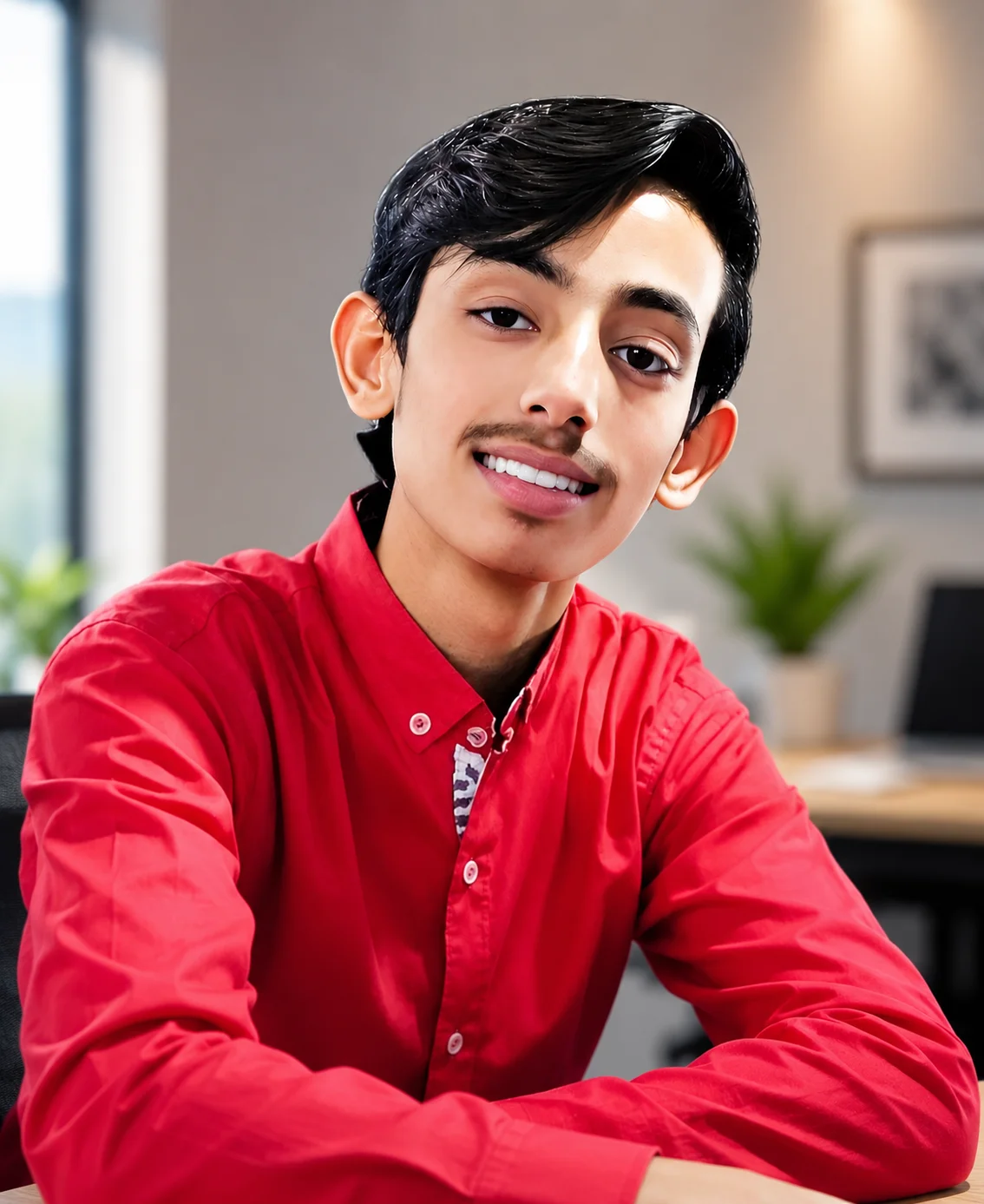
Abdul Qudoos creates and reviews AQPrompts guides and prompt-library content for creators using AI image tools.
