Professional AI Prompts for Better Profile Photos
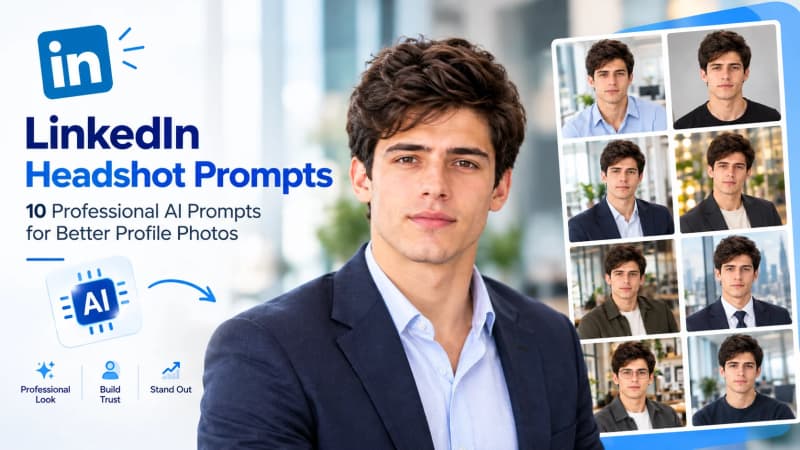
LinkedIn Headshot Prompts: 10 Professional AI Prompts for Better Profile Photos
A professional LinkedIn headshot can make your profile look more credible, polished, and approachable. But you don't always need an expensive studio session to create one.
With AI image generators, you can transform a clear reference photo into a professional-looking LinkedIn portrait while keeping your facial identity recognizable. The key is using a detailed prompt that controls the wardrobe, lighting, background, pose, expression, and overall photography style.
In this guide, you'll find 10 professional LinkedIn headshot prompts designed for different careers and professional situations. The collection includes corporate executives, technology professionals, startup founders, consultants, finance professionals, real estate agents, creatives, managers, and other professionals.
These prompts are designed for use with modern AI image-generation tools and can be adapted to your preferred workflow.
1. Corporate Executive LinkedIn Headshot
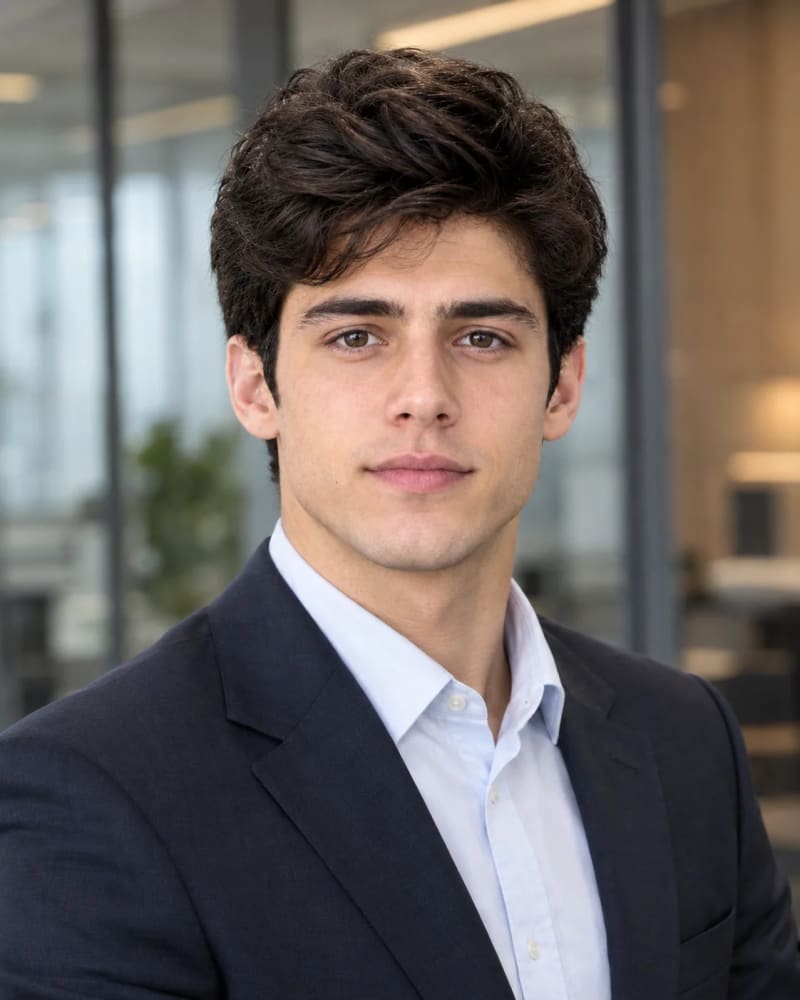
This prompt is designed for senior professionals who want a polished corporate appearance. It works particularly well for executives, directors, vice presidents, and senior managers.
Prompt
Use the uploaded image as the PRIMARY FACE REFERENCE and preserve the person's facial identity as closely as the selected AI tool supports, including face shape, eyes, nose, lips, jawline, skin tone, and hair characteristics. Do not beautify or alter facial proportions.

Create a professional corporate executive LinkedIn headshot. The person wears a well-fitted charcoal or navy business suit with a crisp white or light blue dress shirt, no tie or a subtle tie, and a neat, natural hairstyle. Chest-up framing, shoulders angled slightly away from the camera with the face turned toward it, a confident and calm expression with a subtle closed-mouth or soft natural smile. The background is a softly blurred modern glass-walled corporate office with neutral gray and warm wood tones. Soft key light from camera left with gentle fill, subtle rim light separating the subject from the background. Eye-level camera, 85mm portrait look, shallow depth of field. Natural skin texture with visible pores and subtle imperfections, restrained retouching, neutral professional color grading.

No distorted facial features, no plastic-looking skin, no beauty filter, no exaggerated proportions, no text, no logos, no watermark, no AI artifacts.

Aspect ratio: 4:5 portrait
Best For: C-suite executives, board members, directors, and senior managers.
2. Modern Tech Professional Headshot
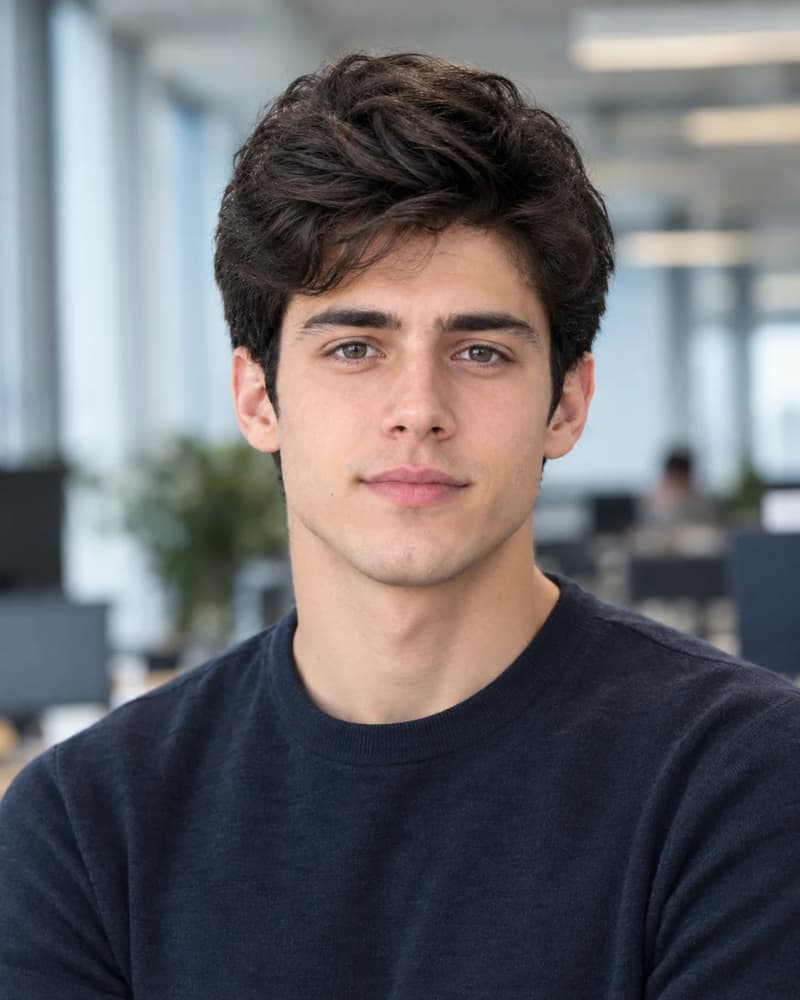
Technology professionals often need a profile photo that feels professional but not overly formal. This prompt creates a contemporary look suitable for people working in software, product, data, UX, and related fields.
Prompt
Use the uploaded image as the PRIMARY FACE REFERENCE and preserve the person's facial identity as closely as the selected AI tool supports, including facial structure, eyes, nose, lips, skin tone, and hair characteristics. Do not make the person look artificially more attractive.

Create a modern tech professional headshot. The person wears a clean, well-fitted crew-neck sweater or casual button-up shirt in muted tones such as heather gray, deep green, or navy, with no jacket. Relaxed upright posture, body angled slightly, looking directly at the camera with a friendly, genuine half-smile. The background is a blurred modern technology office with open workspace, large windows, and soft monitors out of focus, with no readable screens. Bright, soft natural window light from the side with gentle fill, slightly cool-neutral tones. Chest-up framing, eye-level camera, 50mm to 85mm portrait look, moderate background blur. Realistic skin texture, natural hair detail, light retouching only.

No distorted features, no plastic skin, no artificial glow, no readable text on screens, no logos, no watermark, no AI artifacts.

Aspect ratio: 4:5 portrait
Best For: Software engineers, product managers, data scientists, and UX professionals.
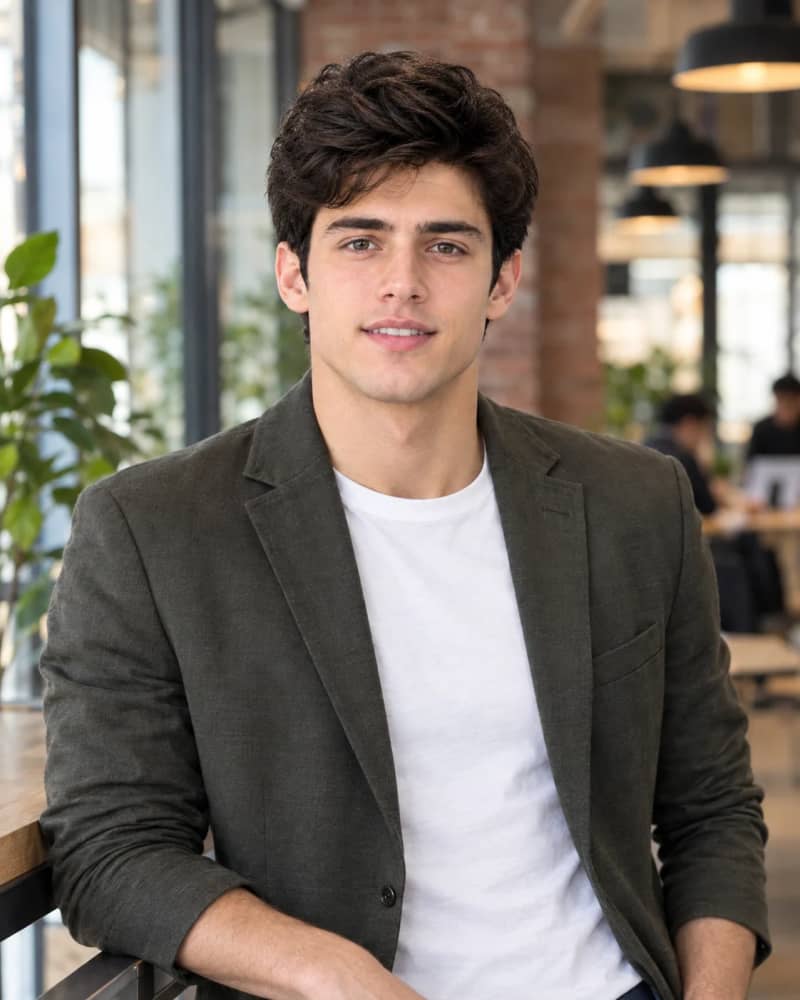
3. Startup Founder Headshot in Coworking Space
Startup founders often benefit from a headshot that feels polished while still showing personality. This concept combines professional clothing with a modern coworking environment.
Prompt
Use the uploaded image as the PRIMARY FACE REFERENCE and preserve the person's facial identity as closely as the selected AI tool supports, including face shape, eyes, nose, lips, jawline, skin tone, and hair texture. Keep natural facial proportions.

Create a startup founder portrait taken in a bright modern coworking space. The person wears a smart-casual outfit: a tailored unstructured blazer in olive, tan, or dark gray over a plain crew-neck tee or open-collar shirt. Waist-up framing, standing and leaning slightly against a high table or glass partition with arms relaxed, a confident, warm, open expression with a natural smile showing slight teeth. The background shows blurred exposed brick, plants, and warm pendant lights, with a few out-of-focus colleagues far in the background. Natural daylight mixed with warm ambient practical lights, soft shadows, shallow depth of field. 35mm to 50mm environmental portrait look. Authentic skin texture, minimal retouching, natural editorial color grading.

No distorted facial features, no extra fingers, no plastic skin, no readable text, no logos, no watermark, no AI artifacts.

Aspect ratio: 4:5 portrait
Best For: Founders, entrepreneurs, and startup CEOs.
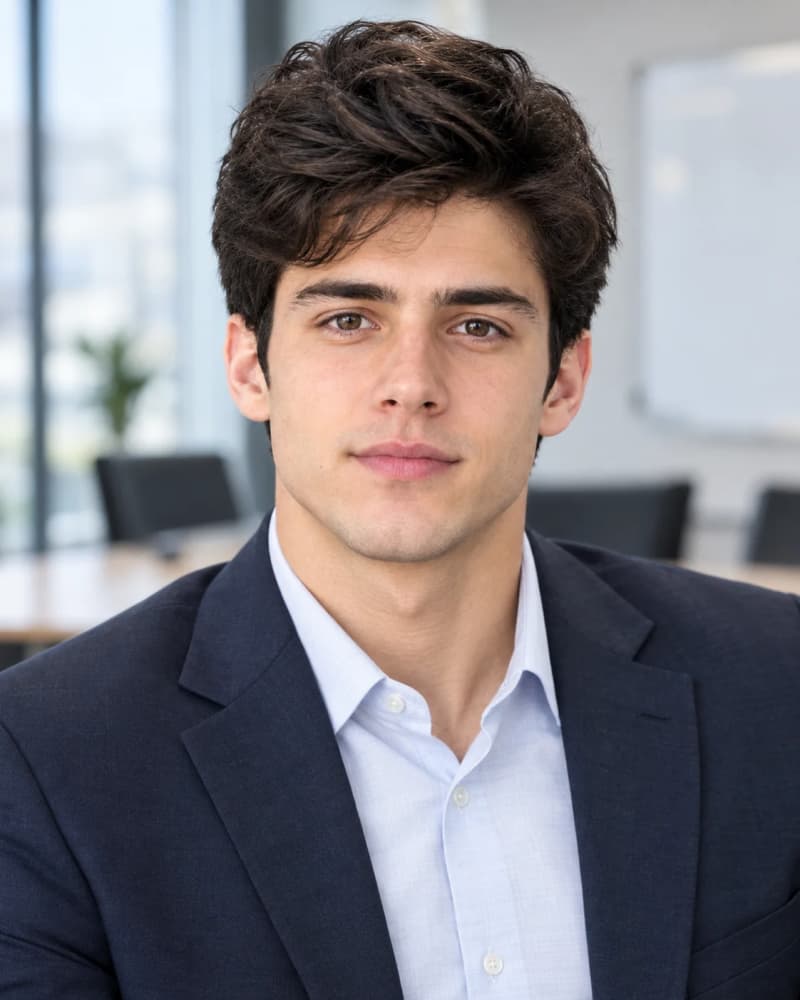
4. Business Consultant Headshot, Trusted Advisor Style
Consultants need to communicate both expertise and approachability. This prompt creates a professional portrait with a subtle consulting-office environment.
Prompt
Use the uploaded image as the PRIMARY FACE REFERENCE and preserve the person's facial identity as closely as the selected AI tool supports, including eyes, nose, lips, face shape, skin tone, and hair characteristics. Do not alter age or facial proportions.

Create a business consultant headshot with a trusted-advisor feel. The person wears a tailored blazer in medium gray or navy with a light, collared shirt, clean and minimal styling. Chest-up framing, shoulders squared but relaxed, a slight head tilt, an attentive and thoughtful expression with a soft professional smile. The background is a softly blurred consulting firm conference room with a light wall, glass, and a hint of a whiteboard, with no readable writing. Soft, even light from a large window or softbox at 45 degrees with subtle fill, balanced neutral color grading. Eye-level camera, 85mm portrait look, gentle background blur. Natural skin texture with fine detail, restrained retouching.

No distorted features, no plastic skin, no heavy retouching, no readable text, no logos, no watermark, no AI artifacts.

Aspect ratio: 4:5 portrait
Best For: Management consultants, strategy advisors, coaches, and independent consultants.
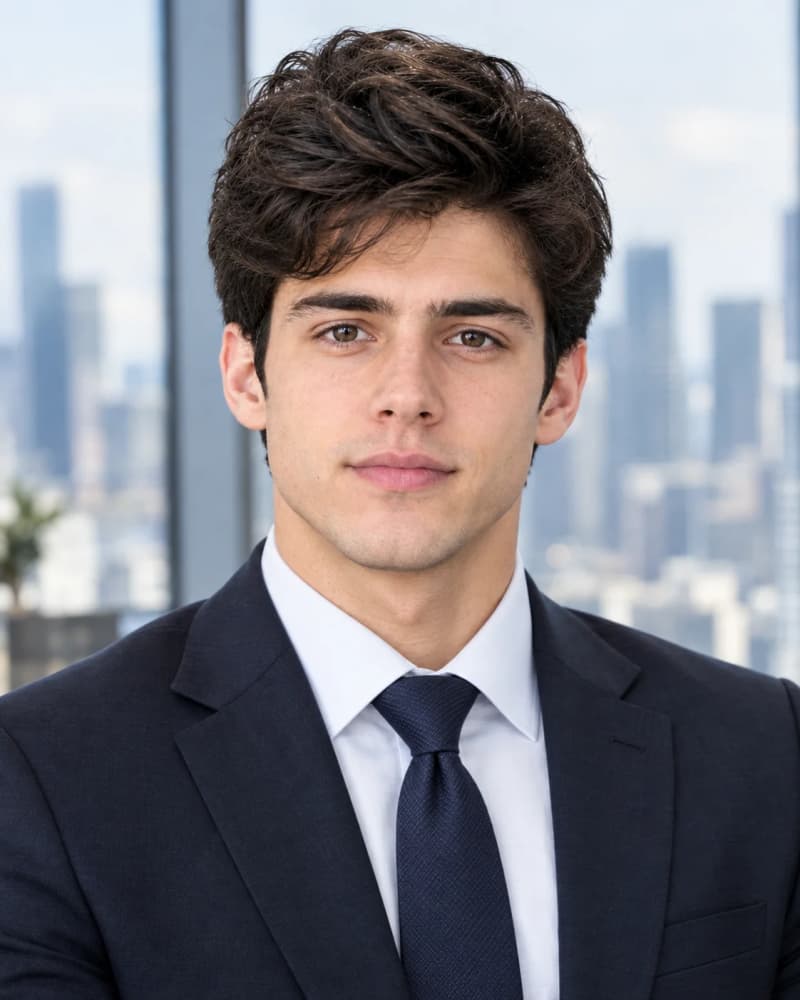
5. Finance Professional Headshot, Downtown Office
Finance and accounting professionals may prefer a more conservative and trustworthy visual style. This prompt uses traditional business clothing and a modern downtown office setting.
Prompt
Use the uploaded image as the PRIMARY FACE REFERENCE and preserve the person's facial identity as closely as the selected AI tool supports, including facial structure, eyes, nose, lips, jawline, skin tone, and hair characteristics. Keep the look natural and unretouched beyond light cleanup.

Create a finance professional headshot suited to banking, wealth management, or accounting. The person wears a classic dark suit (navy or charcoal) with a white or pale blue dress shirt, and a conservative tie or a neat collar for a more modern look. Chest-up framing, upright posture, direct eye contact, a composed, reliable expression with a restrained smile. The background is a blurred high-rise office with a downtown city skyline visible through large windows in soft daylight, muted blues and grays. Soft diffused key light from the front-left, subtle fill, clean highlights on the face without glare. Eye-level camera, 85mm portrait look, shallow depth of field. Natural skin texture, traditional corporate color grading.

No distorted facial features, no shiny or plastic skin, no exaggerated proportions, no readable text, no logos, no watermark, no AI artifacts.

Aspect ratio: 4:5 portrait
Best For: Bankers, financial advisors, accountants, and analysts.
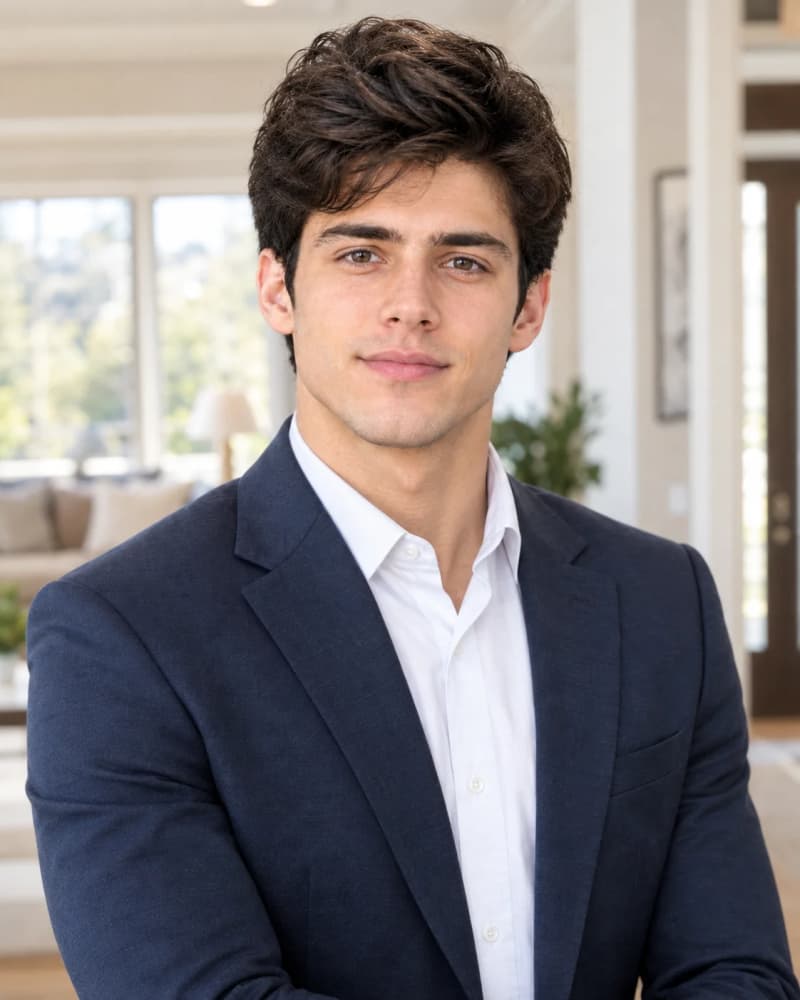
6. Real Estate Professional Headshot, Warm and Welcoming
Real estate professionals often want their profile photo to feel trustworthy and approachable. This prompt places the subject inside a bright modern home rather than a traditional studio.
Prompt
Use the uploaded image as the PRIMARY FACE REFERENCE and preserve the person's facial identity as closely as the selected AI tool supports, including face shape, eyes, nose, lips, skin tone, and hair characteristics. Do not smooth or reshape facial features.

Create a real estate agent headshot with a warm, approachable feel. The person wears a polished business-casual outfit: a fitted blazer in navy, camel, or soft gray over a simple blouse or collared shirt, with minimal accessories. Waist-up framing, standing in the bright entryway of a modern American home with a blurred living room, large windows, and neutral decor behind. A genuine, friendly smile with relaxed shoulders and arms naturally positioned or lightly crossed. Bright natural daylight from windows with soft fill, airy but not overexposed, warm neutral color grading. 50mm to 85mm portrait look, moderate depth of field with the home interior softly blurred. Natural skin texture, light retouching only.

No distorted features, no extra fingers, no plastic skin, no readable signs or text, no logos, no watermark, no AI artifacts.

Aspect ratio: 4:5 portrait
Best For: Real estate agents, brokers, mortgage professionals, and property managers.
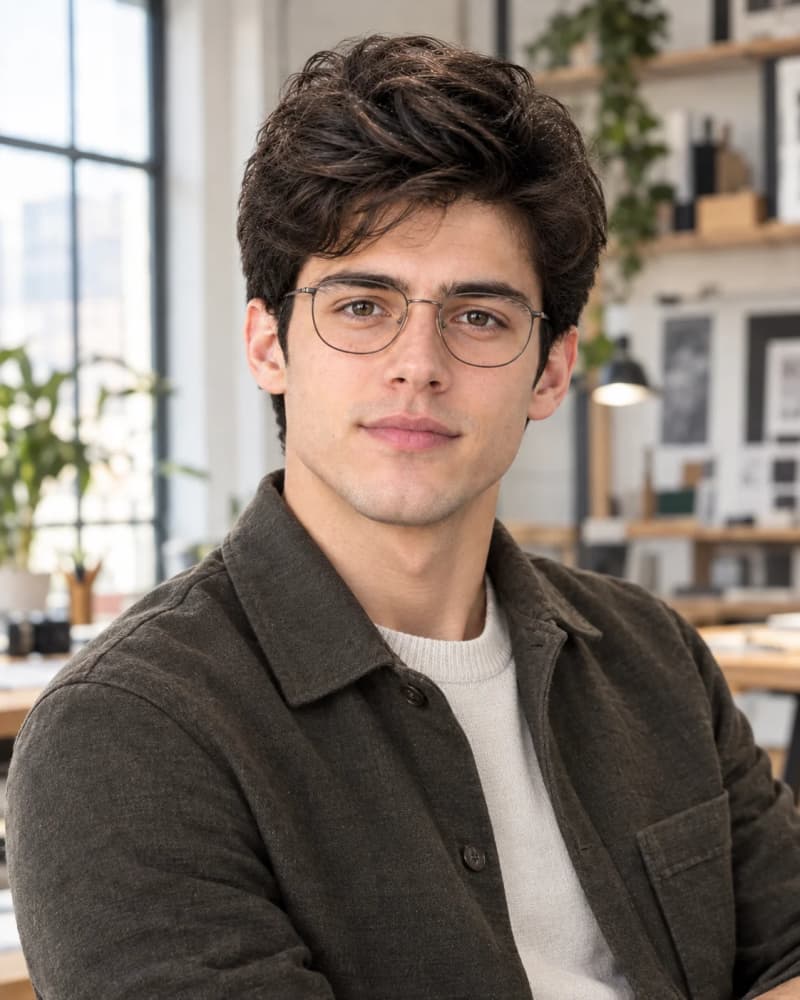
7. Creative Professional Headshot, Studio Loft
Creative professionals can use a more personality-forward portrait while keeping the image appropriate for LinkedIn.
Prompt
Use the uploaded image as the PRIMARY FACE REFERENCE and preserve the person's facial identity as closely as the selected AI tool supports, including facial structure, eyes, nose, lips, skin tone, and hair texture. Keep proportions realistic.

Create a creative professional headshot in a bright design studio or loft. The person wears a stylish but understated outfit, such as a textured overshirt, a minimalist jacket, or a simple knit in earthy or muted colors, with a subtle personal accessory like thin-frame glasses if consistent with the reference. Chest-up to waist-up framing, body turned about 30 degrees, a relaxed and confident expression with a slight natural smile. The background is a softly blurred creative workspace with large windows, shelves, and neutral-toned design materials, with no readable text. Soft directional window light with gentle shadows for dimension, slightly warm editorial color grading. 50mm portrait look, shallow depth of field. Realistic skin texture, minimal retouching.

No distorted features, no plastic skin, no heavy filters, no readable text, no logos, no watermark, no AI artifacts.

Aspect ratio: 4:5 portrait
Best For: Graphic designers, art directors, marketers, photographers, and content creators.
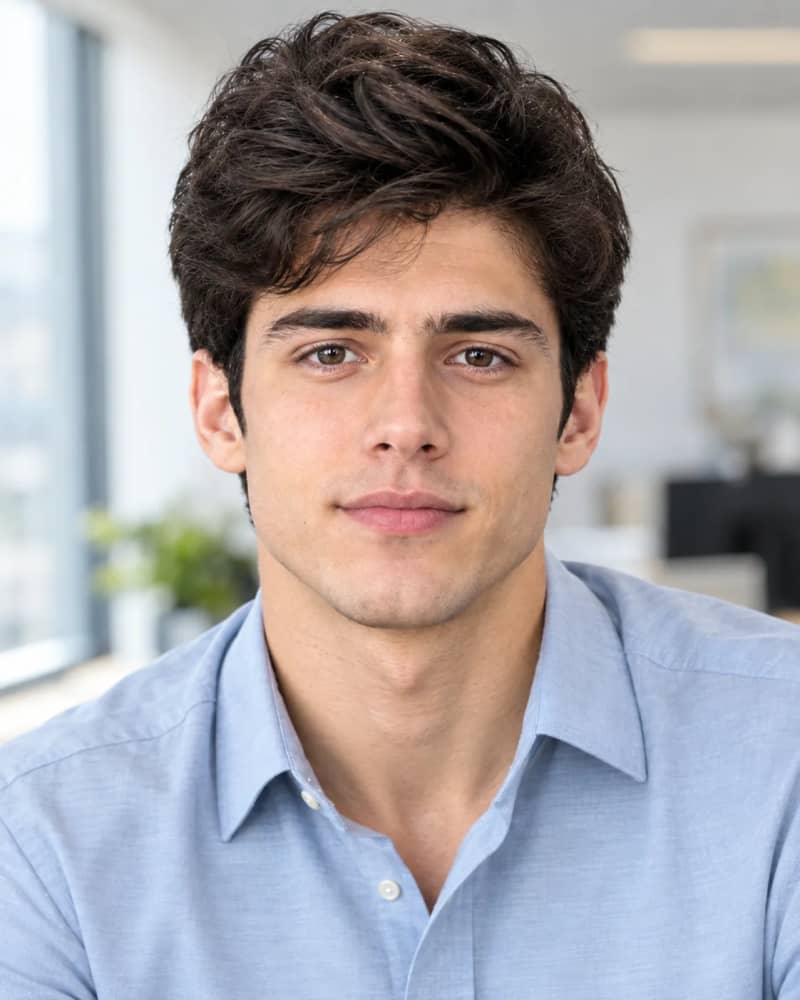
8. Business Casual Professional Headshot, Everyday Office
Not every LinkedIn profile requires a formal suit. This prompt is designed for professionals who want a relaxed but polished everyday business look.
Prompt
Use the uploaded image as the PRIMARY FACE REFERENCE and preserve the person's facial identity as closely as the selected AI tool supports, including face shape, eyes, nose, lips, jawline, skin tone, and hair characteristics. Do not enhance or reshape the face.

Create a business casual LinkedIn headshot in a typical modern American office. The person wears an open-collar button-down shirt or a simple blouse with a light cardigan or no jacket, in solid mid-tone colors such as sky blue, sage, or soft gray. Chest-up framing, relaxed shoulders, slight forward lean toward the camera, a natural, friendly smile. The background is a softly blurred bright office with desks, light walls, and a window, with nothing distracting. Soft natural daylight from a window on one side with light reflected fill, neutral color grading. Eye-level camera, 85mm portrait look, moderate background blur. Natural skin texture with subtle imperfections, light retouching.

No distorted facial features, no plastic skin, no artificial glow, no text, no logos, no watermark, no AI artifacts.

Aspect ratio: 4:5 portrait
Best For: Mid-career professionals, HR, sales, operations, and general LinkedIn profiles.
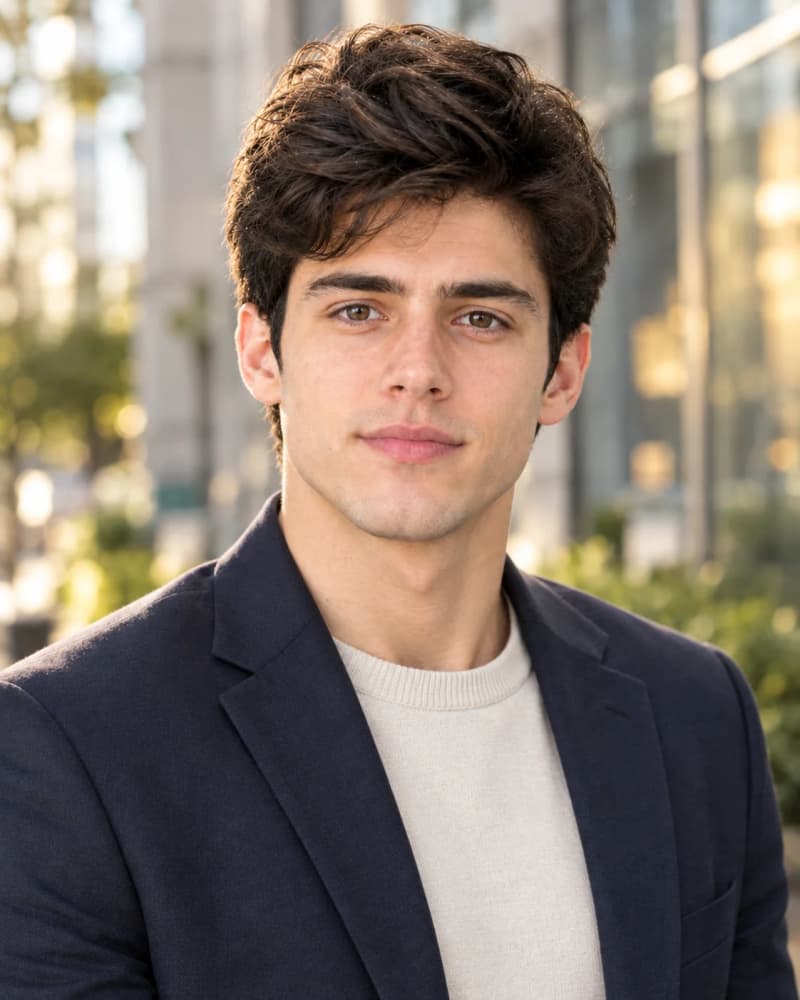
9. Warm Leadership Portrait, Outdoor Urban Setting
A professional outdoor portrait can make a leadership profile feel more human while maintaining a polished appearance.
Prompt
Use the uploaded image as the PRIMARY FACE REFERENCE and preserve the person's facial identity as closely as the selected AI tool supports, including facial structure, eyes, nose, lips, skin tone, and hair characteristics. Keep natural proportions and age.

Create a warm leadership portrait taken outdoors in a downtown business district. The person wears a tailored blazer over a simple shirt or knit top in neutral tones such as navy, camel, or charcoal. Chest-up framing, standing near a modern building with glass and stone surfaces, softly blurred in the background with hints of greenery and city light. A warm, sincere smile with a relaxed, open posture. Soft golden-hour or open-shade light with gentle warm rim light on the hair and shoulders, balanced exposure with detail retained in the highlights. 85mm portrait look, wide aperture for smooth background separation. Natural skin texture, true-to-life skin tones, natural color grading.

No distorted features, no plastic skin, no oversaturated colors, no heavy lens flare, no text, no logos, no watermark, no AI artifacts.

Aspect ratio: 4:5 portrait
Best For: Team leads, nonprofit leaders, managers, and speakers.
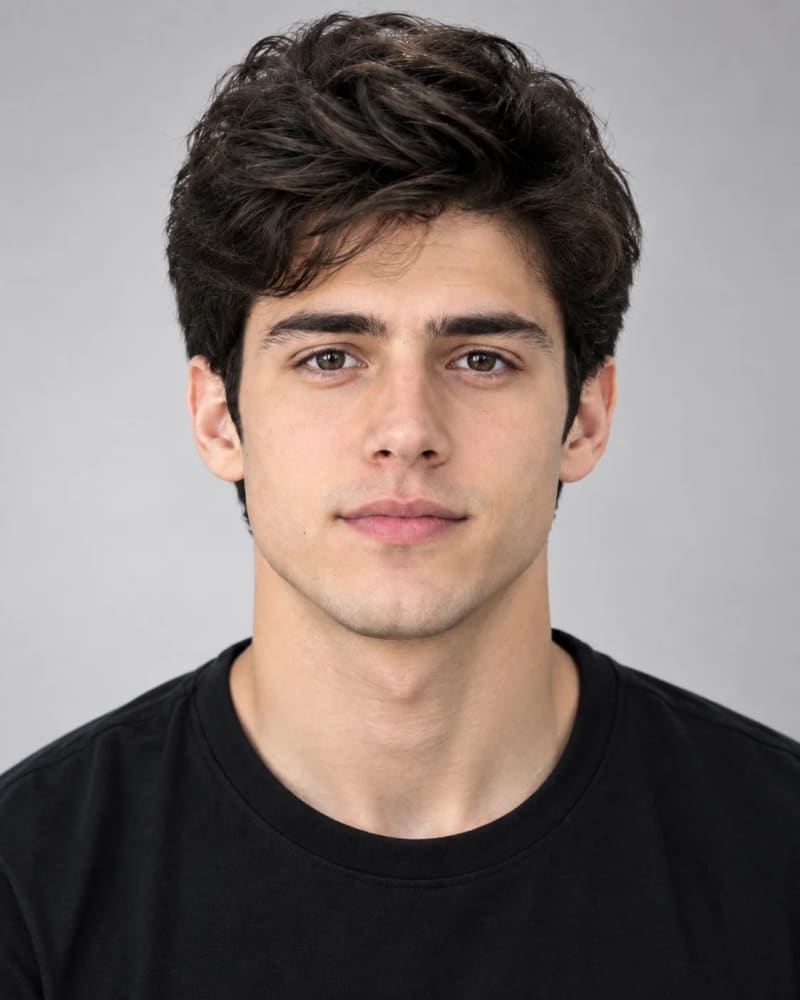
10. Minimal Studio Headshot, Clean Background
For professionals who want a timeless profile image that works across different industries, a clean studio portrait can be a strong choice.
Prompt
Use the uploaded image as the PRIMARY FACE REFERENCE and preserve the person's facial identity as closely as the selected AI tool supports, including face shape, eyes, nose, lips, jawline, skin tone, and hair characteristics. Do not apply beauty retouching or alter facial proportions.

Create a minimalist professional studio headshot on a seamless light-gray or soft off-white backdrop. The person wears a simple, well-fitted solid-color top, such as a dark crew neck, a plain collared shirt, or a minimal blazer, with no patterns or distracting accessories. Tight chest-up framing, centered composition, shoulders slightly angled, a calm, confident expression with a soft natural smile. Classic two-light studio setup: a large softbox as key light slightly above eye level, gentle fill, and a subtle backdrop gradient. 85mm to 105mm portrait lens look, sharp focus on the eyes, soft falloff. Natural skin texture with visible fine detail, minimal retouching, clean neutral color grading.

No distorted facial features, no plastic skin, no harsh shadows, no background clutter, no text, no logos, no watermark, no AI artifacts.

Aspect ratio: 4:5 portrait
Best For: Any profession, as well as company team pages, speaker bios, and resumes.
How to Get Better Results From AI LinkedIn Headshot Prompts
The quality of the reference image can have a major effect on the final result. Start with a clear, front-facing photograph with good lighting and minimal filters.
If the AI tool supports reference images, upload a photo where your face is clearly visible. Avoid sunglasses, extreme angles, heavy shadows, or photographs with strong beauty filters.
If the generated result changes your face too much, keep the identity-preservation instructions at the beginning of the prompt. You can also generate several variations and select the one that looks most natural.
Remember that the goal is not to make your profile photo look perfect. A credible LinkedIn headshot should still look like you.
Which LinkedIn Headshot Style Should You Choose?
Your profession and personal brand can help determine the right style.
Choose a Corporate Executive Style
Use the corporate executive prompt if you work in senior leadership, corporate management, banking, or another traditional business environment.
Choose a Modern Tech Style
The modern tech professional prompt works well for software engineers, product managers, data professionals, and technology professionals who want a less formal appearance.
Choose a Startup Founder Style
Founders and entrepreneurs can use the coworking-space concept to create a professional image that still feels energetic and personal.
Choose a Business Consultant Style
Consultants and advisors can benefit from the trusted-advisor approach, which combines authority with approachability.
Choose a Real Estate Style
A bright residential setting can make a real estate profile feel more welcoming than a traditional studio portrait.
Choose a Minimal Studio Style
If you want a versatile headshot that can work across LinkedIn, resumes, speaker profiles, and company pages, the minimalist studio option is a strong choice.
LinkedIn Headshot Prompt Tips
When creating an AI-generated LinkedIn profile photo, keep these practical tips in mind:
Use a clear reference image. A sharp, well-lit photo generally gives the AI model better information about your facial characteristics.
Keep the expression natural. A subtle smile or relaxed confident expression usually looks more credible than an exaggerated smile.
Avoid excessive retouching. Professional does not mean flawless. Natural skin texture can make an AI-generated portrait look more realistic.
Match the background to your profession. A corporate office can work well for executives, while a modern workspace may fit technology or creative professionals better.
Choose professional clothing. Your wardrobe should match the type of work and professional audience you want to attract.
Related AI Image Prompts
Looking for more professional and creative AI image ideas? Explore these related prompt collections:
AI Portrait Prompts — Create realistic portraits for professional profiles, social media, and personal branding.
Male Portrait Prompts — Explore professional, editorial, and lifestyle portrait ideas for men.
Female Portrait Prompts — Find polished portrait concepts for professional and creative photography.
AI Photo Editing Prompts — Transform existing photos with AI by changing backgrounds, outfits, lighting, and more.
Professional AI Portrait Prompts — Create polished portraits for LinkedIn, resumes, websites, and other professional uses.
ChatGPT Photo Editing Prompts — Try ready-to-use prompts for editing and improving your existing photos with ChatGPT.
Final Thoughts
A strong LinkedIn headshot does not need to look overly polished or artificial. The best result is usually a professional portrait that preserves your identity, uses realistic lighting, and fits your career and personal brand.
These 10 LinkedIn headshot prompts give you different starting points for corporate leadership, technology, startups, consulting, finance, real estate, creative work, business casual profiles, leadership portraits, and minimalist studio photography.
Choose the prompt that best matches your professional identity, upload a clear reference photo, and generate several variations until you find a result that looks natural and professional.
Frequently Asked Questions
What is the best prompt for a LinkedIn headshot?
The best prompt depends on your profession and the image style you want. A corporate executive prompt works well for traditional business roles, while a modern tech or business-casual prompt may be more appropriate for technology and creative professionals.
What aspect ratio is best for a LinkedIn headshot?
A 4:5 portrait ratio is a useful starting point for professional profile images because it provides a vertical composition with enough room for the face and shoulders.
Can AI create a professional LinkedIn headshot from my photo?
Yes. Modern AI image tools can use a reference image to create a professional portrait while attempting to preserve the person's facial identity. Results vary by tool, so using a clear reference photo and detailed identity-preservation instructions can help.
Should an AI LinkedIn headshot look completely perfect?
No. Excessive smoothing, beauty filters, and unrealistic facial changes can make a profile image look artificial. A professional headshot should retain natural skin texture and recognizable facial characteristics.
Can I use these prompts with different AI image generators?
These prompts are written as general image-generation instructions and can be adapted to many modern AI image-generation tools. The exact result will depend on the model and its reference-image capabilities.
Learn how we review our guides →
Topics:
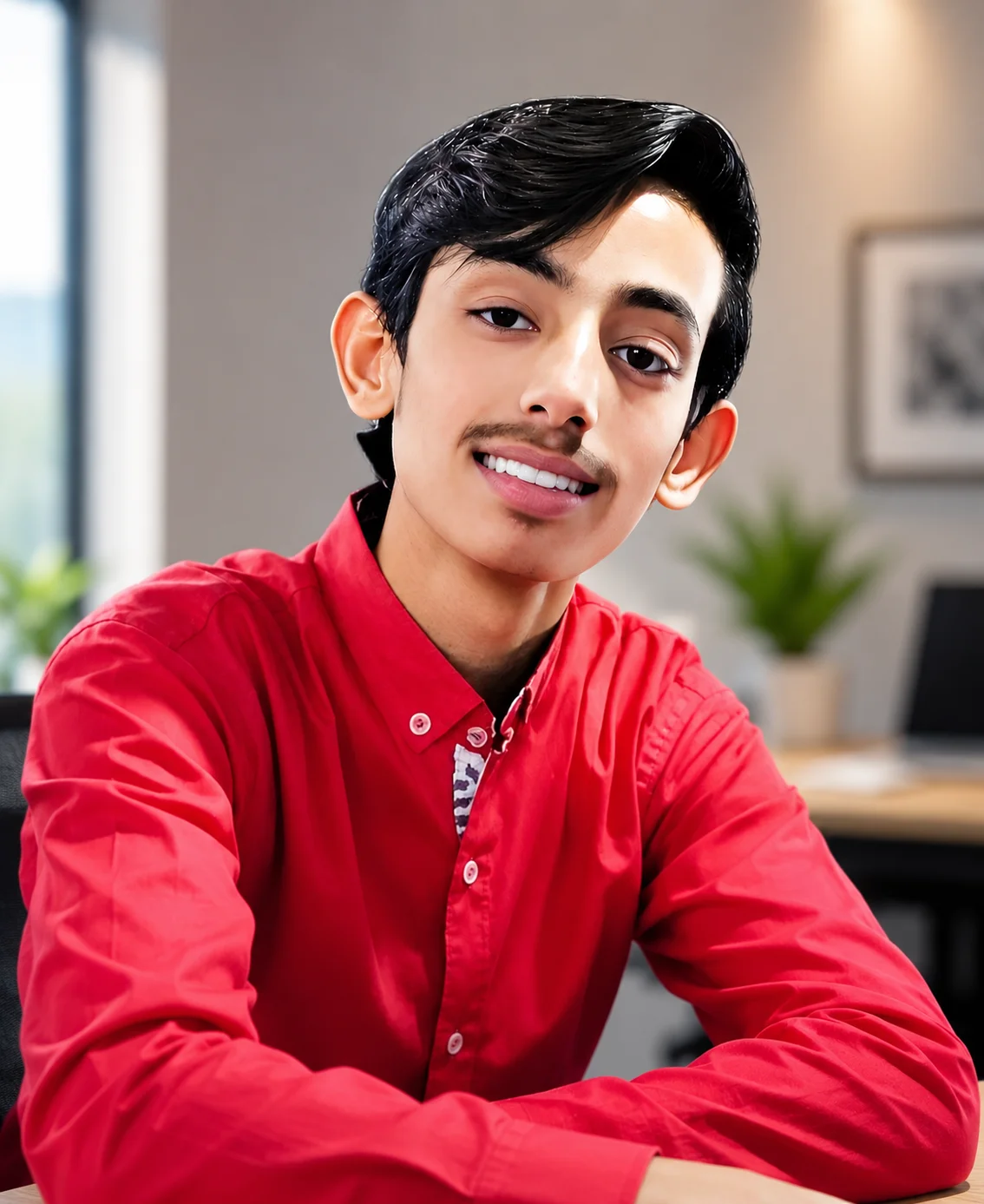
Abdul Qudoos creates and reviews AQPrompts guides and prompt-library content for creators using AI image tools.