25+ ChatGPT Photo Editing Prompts for Selfies & Portraits
ChatGPT Photo Editing Prompts: 9+ Selfie & Portrait Ideas
Looking for the best ChatGPT photo editing prompts to turn ordinary selfies into polished, realistic AI photos? With the right prompt, you can change the lighting, background, camera angle, color grading, clothing, and overall mood of an image while keeping the result natural-looking.
This guide includes 10 detailed ChatGPT selfie editing prompts covering everything from golden-hour portraits and mirror selfies to beach photos, café shots, urban scenes, and cozy bedroom portraits. You can use them as-is or customize them for your own photos.
These prompts are designed primarily for ChatGPT's image generation and editing capabilities, but they can also be adapted for other AI image tools that accept detailed natural-language instructions. Results can vary between platforms, so you may need to adjust individual instructions depending on the tool you're using.
1. Natural Window-Light Selfie
This prompt creates a clean, realistic portrait with soft daylight and subtle skin details. It's a good choice for profile pictures, social media photos, or an everyday selfie that looks professionally photographed without appearing overly edited.

Prompt
Front-facing smartphone selfie of a young woman with natural freckles and loosely tied dark hair, standing by a large window in a bright apartment, soft diffused overcast daylight from the left, gentle shadow falloff on the right cheek, arm-extended selfie perspective, 24mm-equivalent phone lens, f/1.8, ISO 100, 1/120s, face centered with eye line on the upper third, shallow depth of field on a blurred bookshelf background, visible pores, fine baby hairs, natural lip texture, neutral color grading, aspect ratio 4:5, resolution 2160x2700.Negative prompt:blurry, low-res, watermark, logo, text, oversharpening, bad anatomy, extra fingers, deformed hands, unrealistic skin, plastic skin, cartoon, illustration, distorted face2. Golden-Hour Car Selfie
Want a warm, cinematic selfie? This prompt uses golden-hour sunlight to create natural highlights around the face and jawline. It's especially effective for casual portraits with a relaxed, masculine aesthetic.

Prompt
Three-quarter angle selfie of a bearded man in his 30s wearing a gray crewneck sweater, sitting in a parked car at golden hour, warm sunlight streaming through the side window and casting a rim light along his jaw, slight squint from the sun, phone held at chest height and tilted upward, 26mm-equivalent lens, f/1.9, ISO 64, 1/250s, subject placed on the right third with dashboard and headrest softly blurred, realistic beard texture, stray hairs catching light, warm natural tones, aspect ratio 4:5, resolution 2160x2700.Negative prompt:blurry, low-res, watermark, logo, text, oversharpening, bad anatomy, extra fingers, deformed hands, unrealistic skin, plastic skin, cartoon, illustration, distorted face3. Minimalist Mirror Selfie
Mirror selfies can easily produce distorted reflections or unnatural hands. This prompt specifically describes the mirror geometry, hand position, room, and composition to encourage a more realistic result.
Use it for outfit posts, fashion photos, or full-body portraits.

Prompt
Mirror selfie of a woman in a fitted denim jacket and white tee inside a minimalist bedroom, phone held at chest level with her other hand relaxed at her side showing five natural fingers, soft window light from behind the camera, full-length mirror with a clean wooden frame, light oak floor and a potted fiddle-leaf fig at left, 28mm-equivalent lens, f/2, ISO 200, 1/100s, vertical composition with diagonal leading lines from the floorboards, realistic fabric folds, accurate reflection geometry, aspect ratio 4:5, resolution 2160x2700.Negative prompt:blurry, low-res, watermark, logo, text, oversharpening, bad anatomy, extra fingers, deformed hands, unrealistic skin, plastic skin, cartoon, illustration, distorted face, warped mirror4. Rooftop Blue-Hour Selfie
Blue hour is perfect for a dramatic portrait because it combines cool ambient light with warmer artificial lights. Use this prompt for a cinematic city aesthetic without making the image look like an illustration.

Prompt
Close-up selfie of a smiling man with short curly hair on a city rooftop at blue hour, cool ambient sky light mixed with warm string lights behind him, bokeh circles across the skyline, slight wind moving his hair, arm-extended high angle looking slightly up at the lens, 24mm-equivalent lens, f/1.8, ISO 800, 1/60s, face on the left third with skyline receding on the right, natural skin sheen, subtle under-eye shadows, faint stubble, film-like natural color grading, aspect ratio 4:5, resolution 2160x2700.Negative prompt:blurry, low-res, watermark, logo, text, oversharpening, bad anatomy, extra fingers, deformed hands, unrealistic skin, plastic skin, cartoon, illustration, distorted face5. Cozy Café Selfie
This is one of the more versatile ChatGPT photo editing prompts for lifestyle content. It combines warm café lighting, shallow depth of field, natural clothing texture, and small environmental details such as a latte and storefront window.

Prompt
Casual selfie of a young woman with curly hair and round glasses in a sunlit café, sitting at a small marble table with a ceramic cup of latte in the lower frame, soft side light from a large storefront window, faint lens reflections on the glasses, phone held slightly below eye level, 26mm-equivalent lens, f/2, ISO 160, 1/125s, shallow depth of field blurring other patrons and shelves, rule-of-thirds framing, realistic latte foam, knit sweater texture, warm muted color palette, aspect ratio 4:5, resolution 2160x2700.Negative prompt:blurry, low-res, watermark, logo, text, oversharpening, bad anatomy, extra fingers, deformed hands, unrealistic skin, plastic skin, cartoon, illustration, distorted face6. Misty Forest Selfie
Not every realistic AI portrait needs perfect skin. This prompt deliberately includes wrinkles, natural eyebrows, hair moisture, and other small imperfections to create a more authentic result.
It's a good option for outdoor portraits and nature-themed social media content.

Prompt
Outdoor selfie of an older woman with silver hair and laugh lines on a misty forest trail, wearing an olive rain jacket, soft flat overcast light with no harsh shadows, tiny droplets on her collar and hair, arm slightly extended, camera at eye level, 24mm-equivalent lens, f/2.2, ISO 200, 1/160s, face centered with tree trunks receding into fog behind her, depth layering, detailed skin wrinkles, natural eyebrows, muted green and gray tones, aspect ratio 4:5, resolution 2160x2700.Negative prompt:blurry, low-res, watermark, logo, text, oversharpening, bad anatomy, extra fingers, deformed hands, unrealistic skin, plastic skin, cartoon, illustration, distorted face7. Moody Parking-Garage Selfie
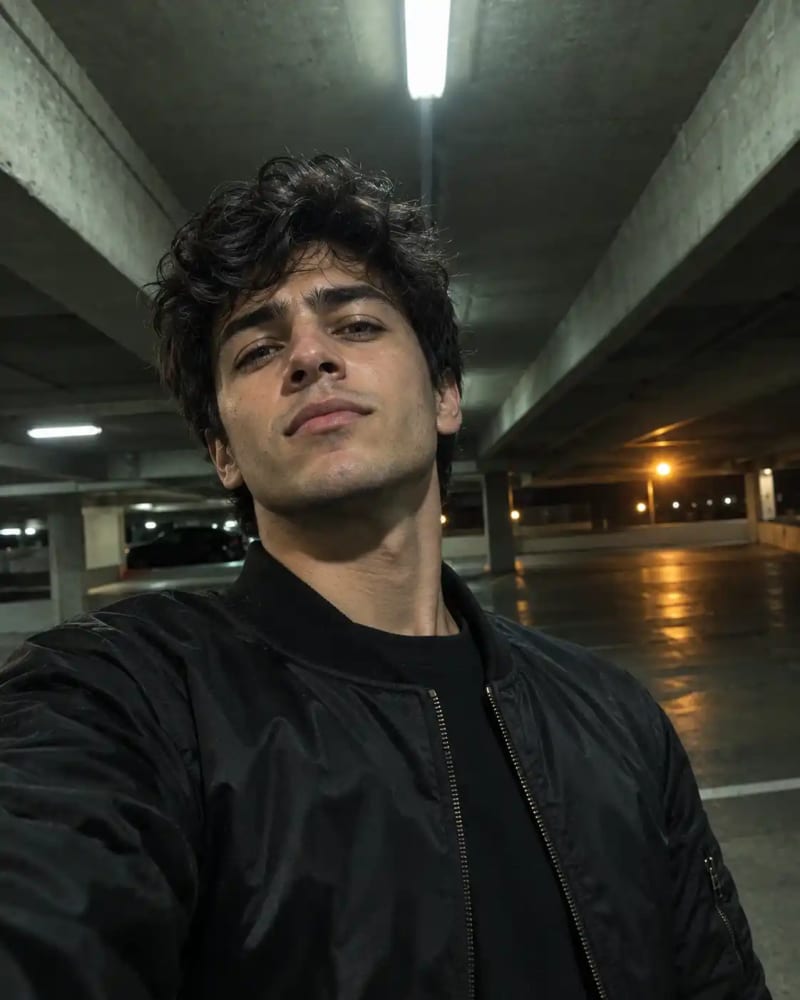
For something more dramatic, try a low-angle urban portrait. Fluorescent lighting, hard shadows, concrete architecture, and a cool-green color cast give this prompt a darker editorial feel.
Prompt
Low-angle selfie of a young man in a black bomber jacket standing in a concrete parking garage at night, harsh overhead fluorescent light creating defined cheekbone shadows, a warm sodium lamp glowing far behind him, phone held near his waist tilted upward, 24mm-equivalent lens, f/1.8, ISO 1000, 1/50s, strong leading lines from ceiling beams converging behind his head, slight grain, realistic nylon sheen, visible skin oil on the forehead, moody cool-green cast, aspect ratio 4:5, resolution 2160x2700.Negative prompt:blurry, low-res, watermark, logo, text, oversharpening, bad anatomy, extra fingers, deformed hands, unrealistic skin, plastic skin, cartoon, illustration, distorted face8. Beach Sunset Selfie
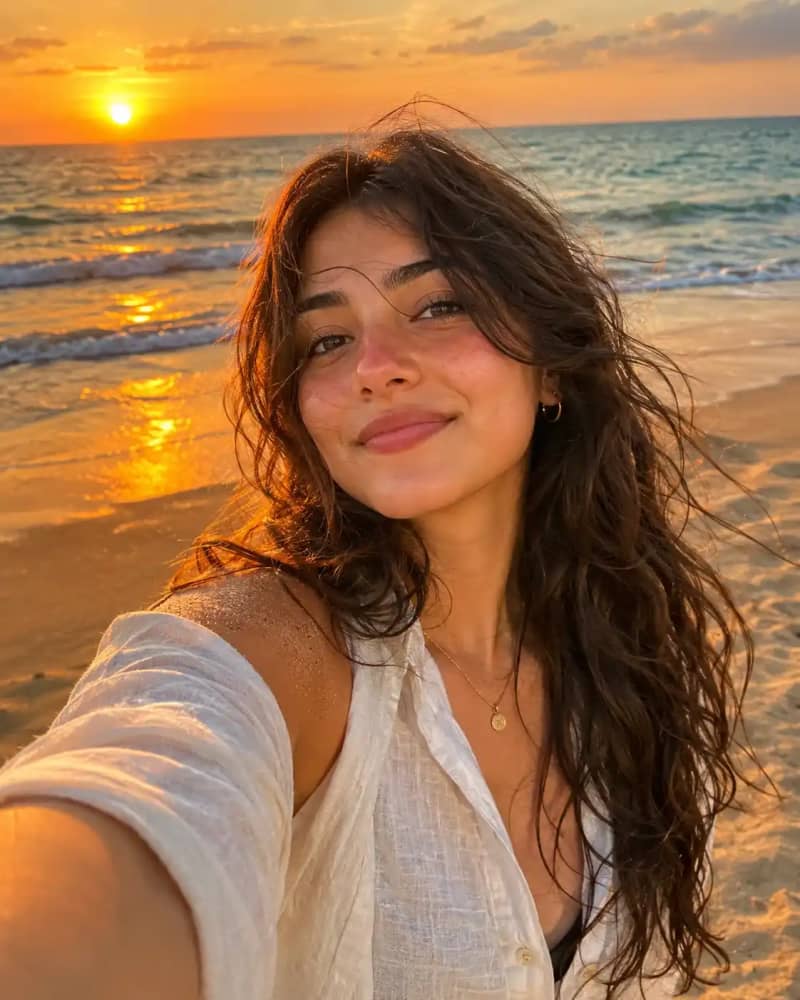
This is a strong choice for vacation photos and summer content. The prompt combines backlighting, wind-blown hair, warm skin tones, ocean depth, and a subtle sunset color palette.
Prompt
Beach selfie of a woman with wind-tossed wavy hair and sun-kissed skin at sunset, wearing a linen shirt, low golden sun behind her creating a soft rim light and a warm glow on her face, phone held at arm's length and slightly above eye level, 24mm-equivalent lens, f/2, ISO 50, 1/500s, horizon line on the upper third with gentle surf blurred behind her, tiny sand grains on her shoulder, realistic sunburn tint on the nose, warm orange and teal palette, aspect ratio 4:5, resolution 2160x2700.Negative prompt:blurry, low-res, watermark, logo, text, oversharpening, bad anatomy, extra fingers, deformed hands, unrealistic skin, plastic skin, cartoon, illustration, distorted face9. Subway Platform Selfie
For a more candid and urban aesthetic, use this subway portrait prompt. The combination of cool fluorescent lighting and a moving train creates depth while keeping the subject sharp.

Prompt
Side-profile selfie of a man in his 20s wearing wired earbuds and a navy hoodie on a subway platform, cool fluorescent overhead light mixed with the soft glow of an approaching train, slight motion blur in the background, phone held at cheek height turned toward him, 26mm-equivalent lens, f/1.9, ISO 640, 1/80s, subject on the left third with tiled walls and platform edge lines leading to depth, realistic hoodie fabric, faint stubble, natural skin tones with a slight cool cast, aspect ratio 4:5, resolution 2160x2700.Negative prompt:blurry, low-res, watermark, logo, text, oversharpening, bad anatomy, extra fingers, deformed hands, unrealistic skin, plastic skin, cartoon, illustration, distorted face10. Cozy Sunday Morning Selfie
This prompt is designed to feel intentionally imperfect. Instead of creating a heavily retouched portrait, it uses details such as morning puffiness, natural lip texture, messy hair, and subtle cheek redness.

Prompt
Top-down selfie of a woman lying on a rumpled white bed on a lazy Sunday morning, phone held directly above her face, soft window light from the side, cozy knit blanket, tousled hair spread across the pillow, faint morning puffiness, 24mm-equivalent lens, f/2, ISO 125, 1/100s, face centered with symmetrical composition and a gentle vignette from bedding folds, realistic skin texture, subtle redness on the cheeks, natural lip cracks, soft neutral pastel palette, aspect ratio 4:5, resolution 2160x2700.Negative prompt:blurry, low-res, watermark, logo, text, oversharpening, bad anatomy, extra fingers, deformed hands, unrealistic skin, plastic skin, cartoon, illustration, distorted face
How to Use These ChatGPT Photo Editing Prompts
For the best results, upload the photo you want to edit and describe what you want the AI to change while being specific about what should remain unchanged.
For example, you can tell ChatGPT to preserve your facial identity, hairstyle, expression, or body proportions while changing the environment and photography style.Before using these templates, learn how to edit photos with ChatGPT and how to give the AI precise editing instructions.
Detailed prompts work particularly well when they specify:
Lighting and time of day
Camera angle and perspective
Background and environment
Clothing and accessories
Skin and hair texture
Color grading
Composition
Depth of field
Aspect ratio
Realistic photographic details
How to Make Your Own ChatGPT Selfie Editing Prompts
The prompts above work because they don't simply say “make this selfie look better.” They describe the photograph in terms that resemble a real photography brief.
You can create your own ChatGPT selfie editing prompts by combining a few important elements.
1. Start With the Type of Photo
Tell ChatGPT what you're trying to create:
Front-facing selfie
Mirror selfie
Full-body portrait
Close-up portrait
Side-profile photo
Low-angle selfie
Top-down selfie
Travel photo
Lifestyle portrait
The type of shot establishes the basic composition before you add stylistic details.
2. Describe the Lighting
Lighting can completely change the mood of an AI-generated photo.
Try descriptions such as:
Soft window light
Golden-hour sunlight
Blue-hour ambient light
Overcast daylight
Warm café lighting
Neon city lighting
Harsh overhead fluorescent light
Soft sunset backlighting
Instead of simply asking for “good lighting,” describe where the light comes from and how it interacts with the subject.
3. Specify the Camera Perspective
Adding camera details can make your prompt considerably more precise.
For example:
phone held slightly above eye level
or:
low-angle selfie with the camera tilted upward
You can also specify a lens perspective, such as a 24mm- or 26mm-equivalent smartphone lens, when that look is important.If you're creating a more formal portrait rather than a selfie, explore these ChatGPT Couple portrait prompts.
4. Ask for Natural Skin Texture
One common problem with AI portraits is overly smooth, plastic-looking skin.
If you want a realistic result, include details such as:
Visible pores
Fine facial hairs
Natural wrinkles
Subtle under-eye shadows
Natural lip texture
Realistic skin sheen
Minor imperfections
Natural freckles
These details can help steer the image away from an artificial beauty-filter appearance.
5. Control the Background
A detailed background can make a selfie feel much more believable.
Instead of saying:
Put me outside.
Try:
Standing on a city rooftop at blue hour with warm string lights behind me and a softly blurred skyline receding into the distance.
The second instruction gives the AI far more information about the environment, lighting, and depth.
6. Tell the AI What Not to Change
When editing an existing photo, this is particularly important.
You can add instructions such as:
Preserve my recognizable facial features, facial proportions, natural expression, hairstyle, and overall identity. Do not change my face or make me look like a different person.
This helps distinguish photo editing from generating an entirely new person.
7. Use Aspect Ratios for Social Media
If you're creating images for social media, specify the intended format.
For example:
aspect ratio 4:5
is useful for a vertical portrait composition.
You can also tell the AI that the subject should remain within the safe central area so important facial or clothing details aren't awkwardly cropped.Want more viral-style ideas? Check out our collection of trending ChatGPT photo editing prompts.
ChatGPT Photo Editing Prompts for Different Styles
You don't always need a completely new prompt. You can take one of the examples above and change the style.
For a cinematic photo
Add:
cinematic natural lighting, subtle film grain, realistic contrast, soft highlight rolloff, film-like color grading
For a professional portrait
Add:
polished editorial portrait photography, controlled studio-quality lighting, natural skin texture, subtle background separation
For a vintage look
Add:
subtle analog film grain, muted colors, gentle contrast, slightly faded highlights, authentic film photography aesthetic
For a casual social-media photo
Add:
authentic smartphone photography, natural imperfections, realistic exposure, candid composition, minimal retouching
For a luxury editorial look
Add:
sophisticated editorial photography, refined neutral color palette, controlled lighting, premium fashion-magazine aesthetic, realistic fabric texture
The key is to modify the style while keeping the core subject and composition consistent.
Tips for Getting Better Results From ChatGPT Photo Editing Prompts
Be Specific Instead of Generic
“Make my selfie better” gives the AI very little direction.
A stronger instruction might describe the lighting, environment, camera position, composition, skin texture, and color palette.
Change One Thing at a Time
If your first generation is close to what you want, don't completely rewrite the prompt.
Instead, try:
Keep everything the same, but make the background more softly blurred.
Or:
Keep the face and composition unchanged, but replace the cool lighting with warm golden-hour light.
This makes iterative editing easier.
Don't Over-Retouch the Face
For realistic portraits, avoid stacking too many beauty-related instructions.
Terms such as “flawless skin,” “perfect face,” and “airbrushed skin” can produce results that look less authentic.
Natural imperfections often make an AI portrait more convincing.
Keep the Negative Prompt Relevant
Negative prompts can help address common generation problems such as:
Extra fingers
Distorted hands
Warped faces
Plastic-looking skin
Unwanted text
Watermarks
Cartoon-like rendering
Low-resolution details
However, not every AI image tool interprets negative prompts in exactly the same way. If your tool doesn't support a dedicated negative-prompt field, incorporate the desired constraints into your main instruction instead.
Upload a High-Quality Source Photo
When editing an existing selfie, start with the best source image available. A clear, well-lit photo gives the AI more useful information about facial features, hair, clothing, and composition.
Experiment With Different Angles
A simple change from eye-level to low-angle or top-down photography can completely transform the result.Looking for more ways to use ChatGPT? Explore our collection of best ChatGPT prompts for different use cases.
Final Thoughts
The best ChatGPT photo editing prompts don't need to be complicated for the sake of being complicated. They work because they give the AI a clear visual direction.
If you're specifically looking for ChatGPT selfie editing prompts, start with one of the 10 templates above and customize the setting, lighting, clothing, camera angle, and color palette to match your photo.
For the most realistic results, focus on three things: specific photography instructions, natural facial and skin details, and clear instructions about what should remain unchanged.
You can also combine elements from different prompts. For example, take the natural skin treatment from the window-light selfie, the sunset lighting from the beach prompt, and the composition of the rooftop portrait to create an entirely new look.
The more precisely you describe the photograph you have in mind, the more control you'll have over the final result.
Learn how we review our guides →
Topics:
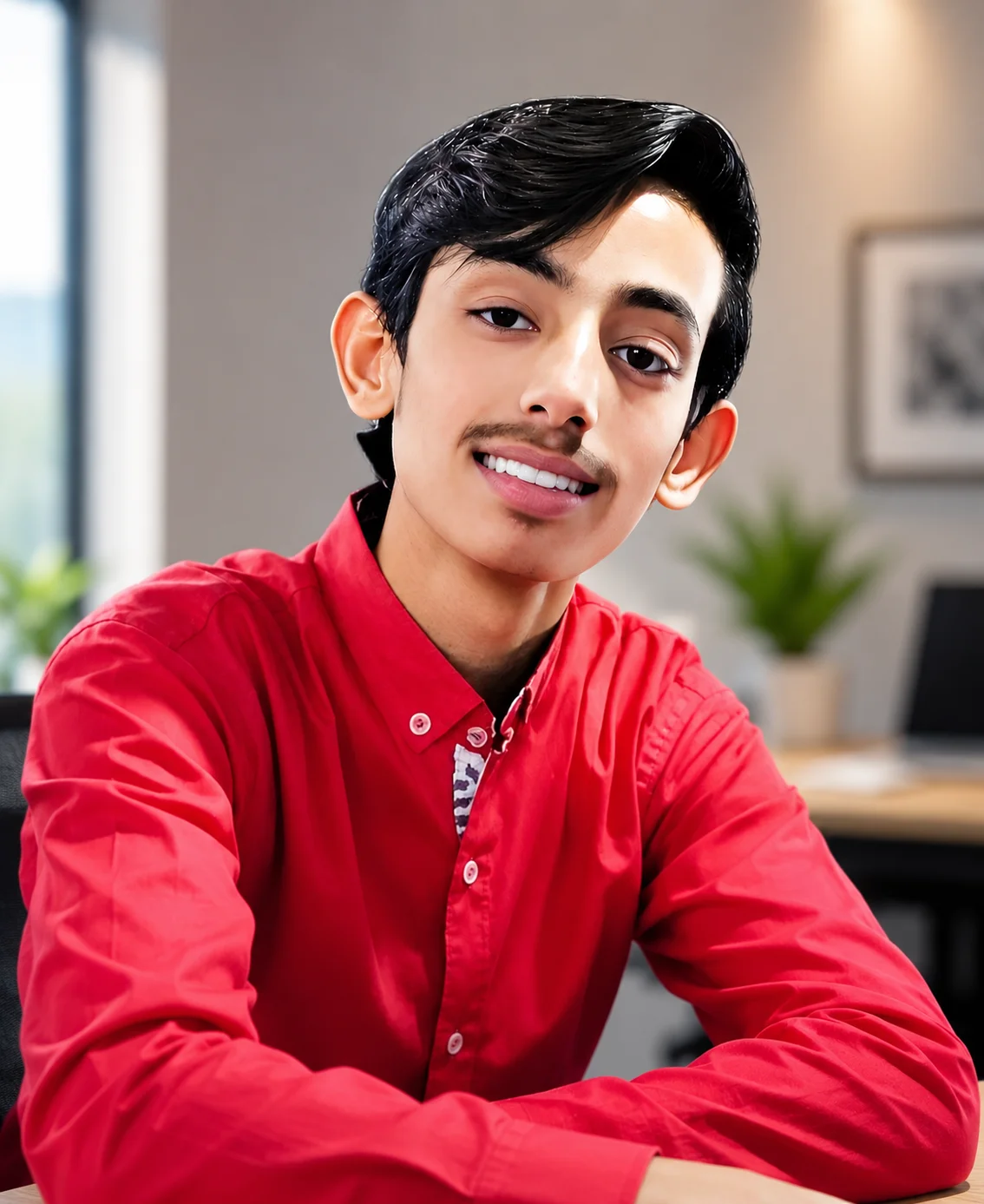
Abdul Qudoos creates and reviews AQPrompts guides and prompt-library content for creators using AI image tools.