Undone Black Tie White Wall Shadow Portrait Prompt
Female Portrait Prompts
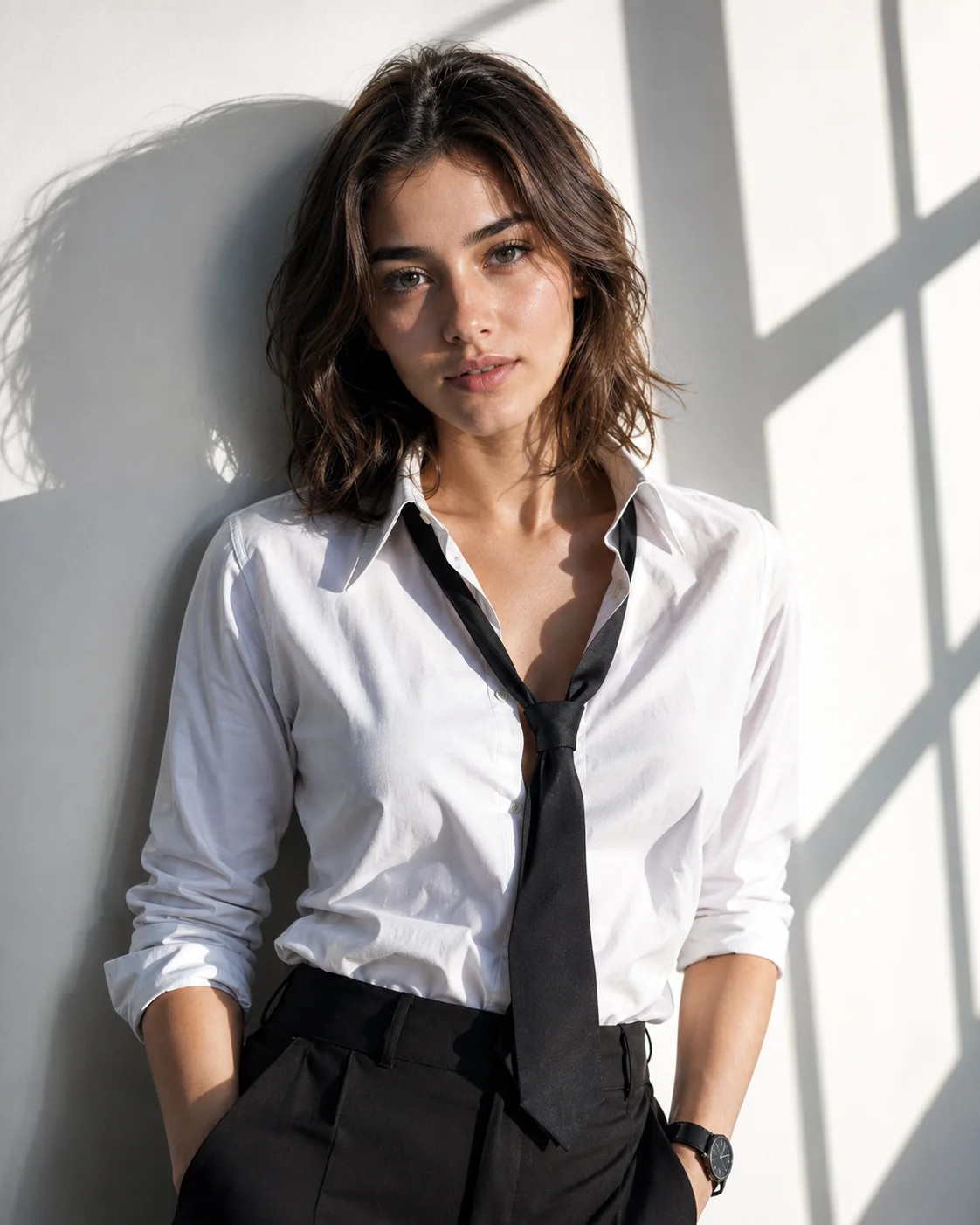
Infuse your website's high-fashion lookbooks with raw, gender-fluid sophistication using this minimalist editorial portrait prompt. By juxtaposing a sharply tailored, undone formal wardrobe against a stark white wall sliced by sharp geometric window shadows, this composition commands an intense, haute couture presence. The high-contrast interaction between natural window highlights and deep architectural shadows beautifully carves out the jawline and fabric textures, providing digital artists with an exceptional template for high-end personal branding and modern style portfolios.
Identity preservationPhotorealistic outputEditorial lightingDepth of field
Aspect Ratio
Select before copying
Recommended: 4:5 — 4:5 vertical framing captures the full-body composition from head to toe while maintaining portrait-style intimacy.
Rate this prompt
Be the first to rate
Free prompt — one-click copy, no login required
Visual Character
Lighting
Strong directional natural window light comes from the upper right, creating bold high-contrast highlights and sharp shadows, modern editori
Color
Ultra-realistic cinematic fashion photograph of a young woman, preserving exact facial structure, hairstyle, skin tone, and features from a
Background
Background is a clean white wall with dramatic geometric rectangular window shadow patterns cast diagonally across the upper right
Camera
She features short wavy tousled dark brown hair, a sharp feminine jawline, and deep-set brown eyes gazing directly into the camera with an i
Composition
Upper body visible in a three-quarter portrait shot, wearing a crisp fitted white dress shirt with the top two buttons undone, sleeves rolle
Full Prompt
Best For
Modern menswear-inspired female lookbookshigh-impact minimalist personal brandingand premium avant-garde fashion campaigns.
How To Use This Prompt
Step 01
Copy the prompt
Use the copy button above to grab the complete prompt with your selected aspect ratio.
Step 02
Open your AI tool
Use a generator that supports the input and reference-image features you need.
Step 03
Generate your image
Create variations, pick the best result, then download and use it in your content.
Common Output Problems
Issues you may encounter and how to fix them
The face doesn't look like the reference photo or appears distorted+
Why it happens
AI models sometimes reinterpret facial features rather than preserving them exactly, especially with complex poses, unusual lighting, or low-quality reference images.
Fix
Use a well-lit, front-facing reference photo with clear facial features. Add "preserve exact facial structure, proportions, and likeness from the reference" at the beginning of the prompt.
The full-body composition distorts proportions or creates awkward limb positioning+
Why it happens
Full-body portraits require the model to correctly render hands, feet, and body proportions simultaneously — a known challenge for AI image generators.
Fix
Specify "natural relaxed pose, correct body proportions, anatomically coherent limbs and hands" and keep the pose simple to minimize proportion errors.
The depth of field doesn't match the lens specifications described in the prompt+
Why it happens
AI models don't physically simulate lens optics — they interpret depth-of-field instructions as general blur rather than accurate f-stop rendering.
Fix
Be explicit about what should be sharp vs. blurred: "tack-sharp focus on the face, gradual blur beginning at the shoulders, creamy circular bokeh highlights in the background."
Customize This Prompt
Adapt these elements to fit your vision
Swap the white dress for a white alternative to shift the mood — different fabric colors dramatically change the overall tone of the portrait.
Adjust the lighting direction to create more dramatic shadows and depth — try moving the key light from front to a 45-degree angle.
Change the expression from intense to direct eye contact for a more engaging, connection-driven portrait.
Remove the wristwatch for a cleaner, less accessorized look, or swap it for a different style to match your branding.
Which AI Tools Can I Use?
This prompt works with popular AI image generators.
Links to official tool websites. Not a claim that this prompt was tested in every tool or model version.
Frequently Asked Questions
Quick answers before you copy this prompt
Do I need to upload a reference photo for this prompt to work?+
Yes, this prompt is designed for reference-image workflows. Upload a clear, well-lit photo of the subject's face. A front-facing photo with visible facial features produces the best identity preservation. Removing the identity-preservation instructions will cause the model to generate a new face.
How do I adapt this full-body portrait for different social media platforms?+
Use 4:5 for Instagram feed posts (best vertical coverage), 1:1 for profile pictures and square grids, and 9:16 for Stories and Reels. For landscape platforms like Twitter/X, try 16:9 but note the full-body composition may need adjustment.
Can I change the lens focal length without breaking the composition?+
Yes. Replace the lens specification (e.g., "85mm") with a different focal length — wider (35mm) for more environment, tighter (135mm) for more compression. Keep the aperture (f-stop) consistent to maintain similar depth of field.
How do I make the silhouette more defined or more subtle?+
For a sharper silhouette: "strong backlight, crisp edge definition, dark subject against bright background." For a softer look: "soft diffused backlight, gentle edge glow, semi-transparent silhouette effect."