Use the reference face exactly. Create a cinematic autumn lifestyle portrait, of a young woman leaning against the front of a black muscle car on a road covered in red fallen leaves, keeping her facial features, skin tone and hairstyle identical to the reference photo. FRAMING AND POSE: A full-length shot with her body slightly angled to the camera. She leans casually against the front of the car with one hand relaxed and the other holding a pair of sunglasses. Her head is slightly tilted and she looks at the camera with a soft, confident smile. HAIR AND FACE: Dark brown curly hair in a high ponytail, with loose curls framing her face. Soft natural makeup with peachy-pink lips. Clean, realistic skin with natural texture. OUTFIT: A cream knit off-shoulder cropped sweater with loose sleeves, brown high-waist cargo pants and white chunky sneakers. The knit texture and the cargo pocket details are clearly visible. THE CAR: A black sports car with dark alloy wheels and red brake calipers. The glossy paint reflects the red leaves and the warm light around it. BACKGROUND: A tunnel of vivid red and orange autumn trees arching over the road. Golden sunlight filters through the branches, creating a soft bokeh sun flare. A thick carpet of red leaves covers the ground. COLOUR PALETTE: Warm reds, oranges and golds, balanced by the black car and the cream sweater for a clean, elegant contrast. LIGHTING: Warm golden-hour lighting with soft highlights on the hair, shoulders and car body. Gentle shadows and a glowing atmosphere through the leaves. CAMERA AND QUALITY: Shallow depth of field with sharp focus on the subject, and the tree tunnel softly blurred behind her. Realistic skin texture, visible knit and fabric detail, photorealistic detail, premium editorial lifestyle photography style, high-resolution., aspect ratio 4:5
How to Use This Prompt
Step 1: Copy the prompt using the Copy button above.
Step 2: Open your preferred AI tool (ChatGPT, Midjourney, Leonardo AI, Gemini, or Stable Diffusion).
Step 3: If the tool supports reference images, upload your photo first, then paste the prompt.
Step 4: Select the recommended aspect ratio before generating.
Step 5: Adjust keywords like clothing color, background, or lighting to personalize the result.





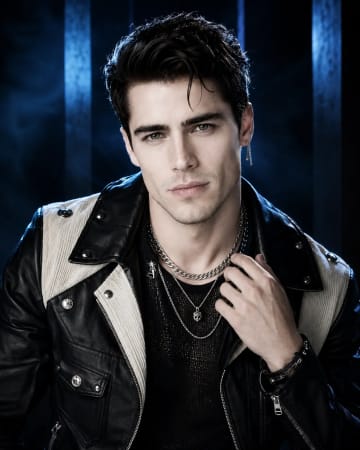 Black and Cream Cinematic Luxury Fashion Portrait PromptBlack and Cream Cinematic Luxury Fashion Portrait Prompt
