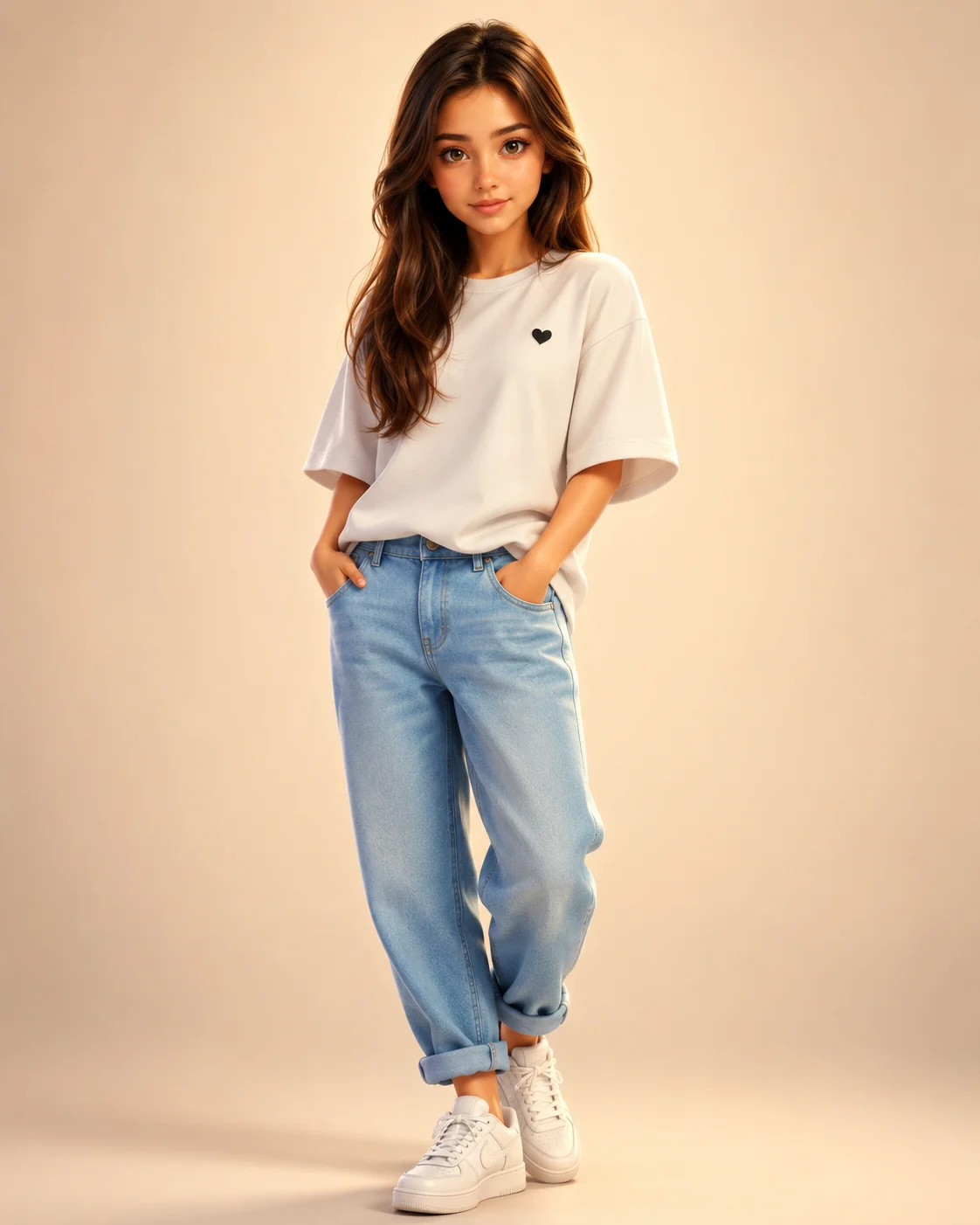
stylized 3D animation White Heart Tee Denim Character Prompt
Photo Editing Prompts
Bring the beloved magic of global animation blockbusters to your personal image catalog with this flawless stylized 3D animation-inspired 3D character prompt. Expertly balancing caricature design principles with tight identity preservation rules, this template rebuilds a subject's facial structure into a cinematic CGI format. Clad in a clean streetwear wardrobe of an oversized heart-logo tee and cuffed light denim, this full-body asset is an absolute goldmine for designers building eye-catching digital avatars, custom personal branding graphics, and modern lifestyle illustrations.
Identity preservationPhotorealistic outputEditorial lightingDepth of field
Aspect Ratio
Select before copying
Recommended: 4:5 — 4:5 vertical framing captures the full-body composition from head to toe while maintaining portrait-style intimacy.
Rate this prompt
Be the first to rate
Free prompt — one-click copy, no login required
Visual Character
Lighting
Set against a clean minimalist warm cream gradient background with soft studio lighting, ambient global illumination, and subtle shadows ben
Color
Premium stylized 3D animation and family-friendly 3D animation-inspired 3D animated character of a young man, transforming a reference photo
Full Prompt
Best For
Creative personal branding graphicscustomized 3D streaming avatarshighly unique social media landing gridsand high-quality character concept art portfolios.
How To Use This Prompt
Step 01
Copy the prompt
Use the copy button above to grab the complete prompt with your selected aspect ratio.
Step 02
Open your AI tool
Use a generator that supports the input and reference-image features you need.
Step 03
Generate your image
Create variations, pick the best result, then download and use it in your content.
Common Output Problems
Issues you may encounter and how to fix them
The face doesn't look like the reference photo or appears distorted+
Why it happens
AI models sometimes reinterpret facial features rather than preserving them exactly, especially with complex poses, unusual lighting, or low-quality reference images.
Fix
Use a well-lit, front-facing reference photo with clear facial features. Add "preserve exact facial structure, proportions, and likeness from the reference" at the beginning of the prompt.
The anime style becomes too generic and loses the subject's recognizable features+
Why it happens
Anime rendering often defaults to template facial proportions that override the subject's unique features from the reference photo.
Fix
Emphasize "preserve the subject's unique facial proportions, eye shape, and bone structure within the anime rendering style" to maintain identity while achieving the illustrated look.
The image lacks the professional quality or sharpness described in the prompt+
Why it happens
Some AI models prioritize artistic interpretation over photorealistic rendering, especially when the prompt contains both stylistic and technical instructions.
Fix
Move all camera and quality specifications to the beginning of the prompt and add "ultra-sharp focus on the subject, fine detail rendering, professional photography quality" to reinforce the desired output.
Customize This Prompt
Adapt these elements to fit your vision
Swap the white sneakers for a blue alternative to shift the mood — different fabric colors dramatically change the overall tone of the portrait.
Move the setting outdoors to a park or urban location to add environmental context and natural lighting variation.
Add a colored rim light (warm amber or cool teal) to introduce cinematic color contrast without changing the composition.
Change the expression from confident to direct eye contact for a more engaging, connection-driven portrait.
Which AI Tools Can I Use?
This prompt works with popular AI image generators.
Links to official tool websites. Not a claim that this prompt was tested in every tool or model version.
Frequently Asked Questions
Quick answers before you copy this prompt
Do I need to upload a reference photo to use this prompt?+
Yes, this prompt is designed for reference-image workflows. Upload a clear, well-lit photo of the subject. If you remove the identity-preservation instructions, the model will generate a new face instead.
Does this work with Midjourney or only with ChatGPT?+
This prompt works with most AI image generators. For Midjourney, add "--ar 4:5" at the end for the correct aspect ratio. For ChatGPT, the composition and styling instructions should apply directly.
How do I adapt this for different social media platforms?+
Use 4:5 for Instagram feed posts (best vertical coverage), 1:1 for profile pictures and square grids, and 9:16 for Stories and Reels. For landscape platforms like Twitter/X, try 16:9 but note the full-body composition may need adjustment.
How do I get more dramatic lighting on the face?+
Specify the light position and intensity: "dramatic key light from 45-degree angle, deep shadows on the opposite side, subtle fill light to prevent total blackness" for more cinematic, moody studio lighting.