stylized 3D animation Mirror Selfie Content Creator Bedroom Prompt
Photo Editing Prompts
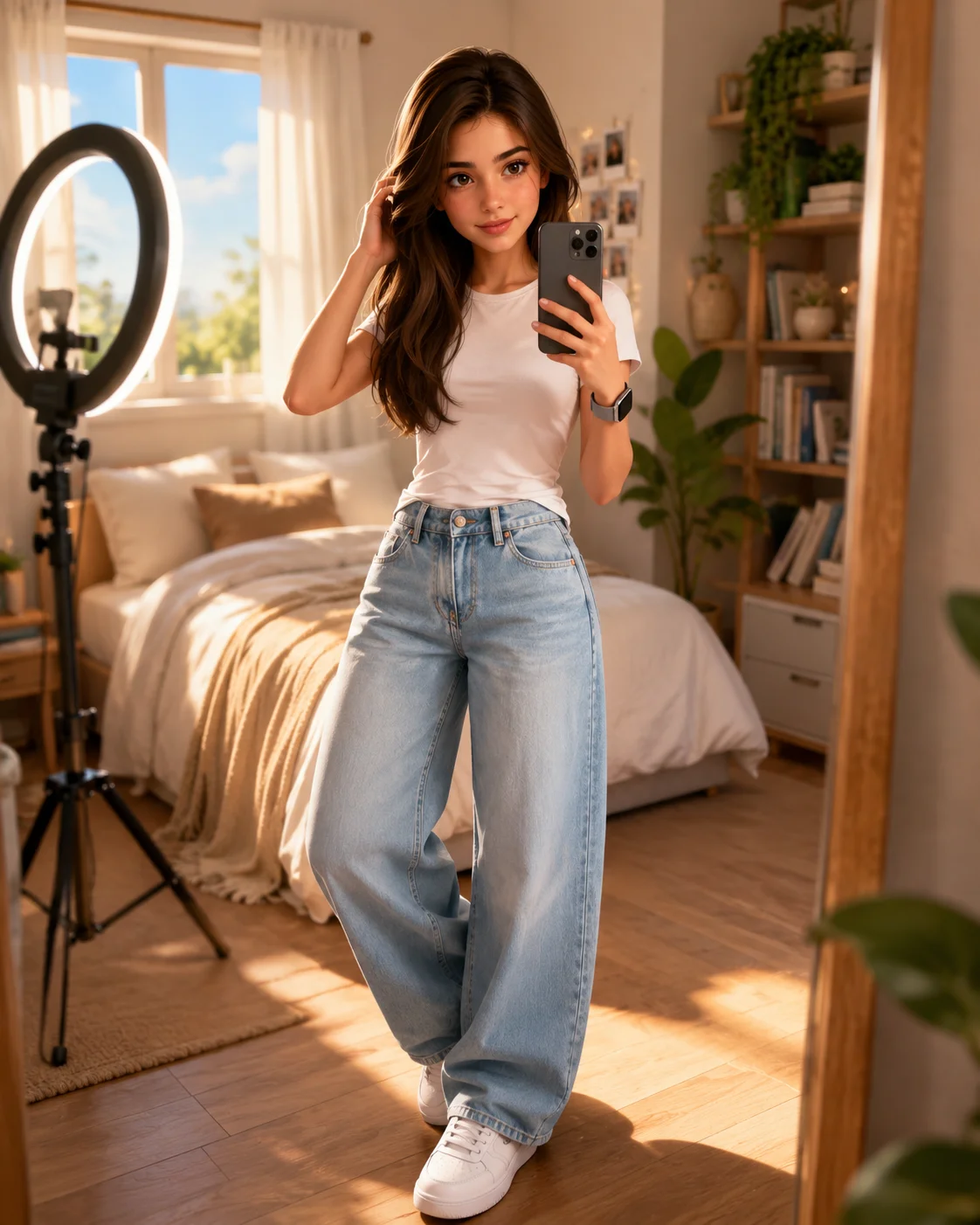
Tap into modern influencer culture with this highly imaginative, stylized 3D animation content creator prompt. Reimagining the ubiquitous 'mirror selfie' inside a high-fidelity, cozy digital bedroom setup, this template bridges everyday lifestyle trends with elite cinematic animation. complete with an indoor ring light tripod, wide-leg denim styling, and complex glass reflection coordinates, it serves as an excellent template for modern tech, gaming, or lifestyle creators looking to build an approachable yet hyper-premium digital identity.
Identity preservationPhotorealistic outputProfessional qualityDepth of field
Aspect Ratio
Select before copying
Recommended: 4:5 — 4:5 vertical framing captures both the subject and their mirror reflection in a single balanced composition.
Rate this prompt
Be the first to rate
Free prompt — one-click copy, no login required
Visual Character
Color
Premium stylized 3D animation and family-friendly 3D animation-style 3D animated character of a young man, transforming a reference photo wh
Background
The bedroom background features a large window with soft daylight, white curtains, a neatly made bed, indoor plants, and a professional ring
Composition
Soft natural daylight, warm global illumination, realistic ambient shadows, premium CGI rendering, high-resolution, 4:5 aspect ratio
Full Prompt
Best For
Modern content creator personal brandinghigh-visibility lifestyle social media avatarscustom tech-influencer profile picturesand unique creative portfolio displays.
How To Use This Prompt
Step 01
Copy the prompt
Use the copy button above to grab the complete prompt with your selected aspect ratio.
Step 02
Open your AI tool
Use a generator that supports the input and reference-image features you need.
Step 03
Generate your image
Create variations, pick the best result, then download and use it in your content.
Common Output Problems
Issues you may encounter and how to fix them
The Selfie visual element renders with inconsistent detail or quality across the composition+
Why it happens
AI generators may interpret the Selfie concept with varying fidelity, producing inconsistent visual quality.
Fix
Specify the exact Selfie visual style and regenerate 3-5 times to select the most consistent result.
The Selfie element competes with the subject for visual attention in the composition+
Why it happens
AI generators may over-emphasize the Selfie element, drawing focus away from the primary subject.
Fix
Reduce the Selfie element visual prominence or add clear visual hierarchy with subject as focal point.
Customize This Prompt
Adapt these elements to fit your vision
Swap the white t-shirt for a blue alternative to shift the mood — different fabric colors dramatically change the overall tone of the portrait.
Try an outdoor setting like a garden or rooftop to introduce natural light and environmental depth.
Adjust the lighting direction to create more dramatic shadows and depth — try moving the key light from front to a 45-degree angle.
Remove the smartwatch for a cleaner, less accessorized look, or swap it for a different style to match your branding.
Which AI Tools Can I Use?
This prompt works with popular AI image generators.
Links to official tool websites. Not a claim that this prompt was tested in every tool or model version.
Frequently Asked Questions
Quick answers before you copy this prompt
Do I need to upload a reference photo to use this prompt?+
Yes, this prompt is designed for reference-image workflows. Upload a clear, well-lit photo of the subject. If you remove the identity-preservation instructions, the model will generate a new face instead.
Does this work with Midjourney or only with ChatGPT?+
This prompt works with most AI image generators. For Midjourney, add "--ar 4:5" at the end for the correct aspect ratio. For ChatGPT, the composition and styling instructions should apply directly.
What aspect ratio works best for this composition?+
4:5 is recommended for Instagram feeds and portrait-style layouts. Use 1:1 for profile pictures or square-format social posts. 9:16 works for Stories and Reels covers, but may crop important composition elements.
The skin looks too smooth or artificial. How do I make it more realistic?+
Add "natural skin texture with visible pores, subtle imperfections, realistic skin tone variation" to the prompt. Avoid words like "flawless" or "perfect skin" which push models toward artificial smoothness.