Personalize the ratio above, then copy your prompt.149 words
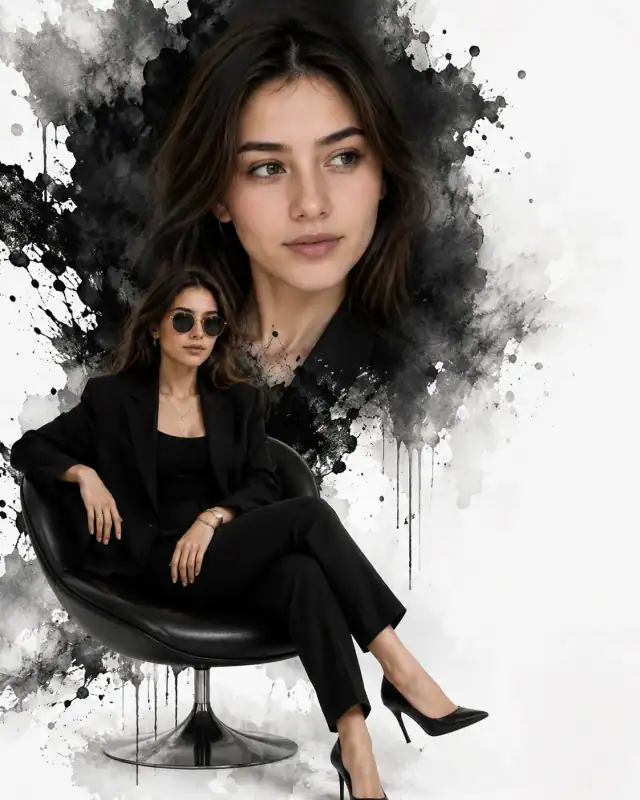
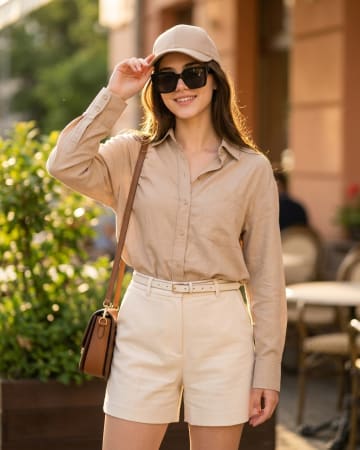
Cinematic dual-composition fashion editorial photo of a young woman, preserving exact facial structure, hairstyle, and skin tone from a reference photo. Left side occupies 60% of the frame, showing a large close-up portrait with warm golden hour light glowing through her wavy dark brown hair, wearing dark lens gold-frame sunglasses, a white linen shirt, and a silver chain necklace against a sunset city skyline with a sailboat on water and pink flowering trees. Birds fly in the lower left corner as the sun sets. Right side occupies 40% of the frame, showing a seamless blend into a full-body shot of the same woman walking on a European-style promenade with vintage lamp posts. She wears the same outfit with wide-leg black trousers, white sneakers, and a brown leather handbag, adjusting her sunglasses. Autumn leaves are scattered on the ground. Ultra-high resolution, warm orange-pink tones, photorealistic, high-resolution quality, 4:5 aspect ratio
Prompt breakdown
About this Dual Composition Golden Hour Promenade Editorial Prompt AI prompt
The idea, details, and creative choices behind this image prompt.
#dual composition diptych split photo#women white linen oversized shirt#gold frame dark lens sunglasses
Deliver multi-dimensional narrative depth to your website's catalog with this stunning, high-concept dual-composition prompt. By engineering a seamless 60/40 asymmetrical layout, this template lets users display a breath-taking close-up portrait alongside an authoritative full-body street style shot within a single frame. Bathed in a highly aspirational golden hour palette over a European promenade backdrop, it replicates the high-budget layout of double-page spreads in luxury print fashion magazines. Browse the lifestyle collection for more golden hour portraits.
How to use this prompt
1Upload a clear front-facing photo, then paste the full prompt into ChatGPT or Gemini.
2Edit the outfit, time of day or promenade setting in the prompt text so the editorial matches your photo.
3Generate the editorial, then check that the face, sunglasses and shirt match in both halves of the image.
4Save the best version at 4:5, then crop it to 1:1 for a profile picture without losing the sunset skyline or the promenade.
Practical tips
Swap the black trousers for a golden alternative to shift the mood — different fabric colors dramatically change the overall tone of the portrait.
Replace the flower background with a minimalist studio backdrop to isolate the subject and create a cleaner, more focused composition.
Replace the golden hour lighting with cool blue-hour tones for a more moody, twilight atmosphere.
Remove the sunglasses for a cleaner, less accessorized look, or swap it for a different style to match your branding.
Make it yours
Prompt variations
3 creative options
Blue Hour Promenade Version
Shift the scene to blue hour with cool twilight tones and lit lamp posts, keep the same dual composition and sunglasses, and ask for soft evening light on the face for a moodier editorial.
Morning Light Promenade Version
Move the promenade walk to a bright morning with soft golden light, keep the same dual composition and white linen shirt, and ask for fresh, airy tones for a cheerful daytime editorial.
City Rooftop Golden Hour Version
Move the full-body shot to a city rooftop at golden hour with the skyline behind, keep the same dual composition and sunglasses, and ask for warm sunset light on the face for a bold urban editorial.
Good to know
Frequently asked questions
Do I need to upload a reference photo for this prompt to work?+
Yes, this prompt is designed for reference-image workflows. Upload a clear, well-lit photo of the subject's face. A front-facing photo with visible facial features produces the best identity preservation. Removing the identity-preservation instructions will cause the model to generate a new face.
How do I prevent the water background from looking overexposed or flat?+
Add "retain wave detail, water texture, and natural light reflections on the surface" to the prompt. Also specify "balanced exposure between subject and background" to prevent the bright water surface from blowing out.
How do I get the fabric texture to look more realistic?+
Add specific fabric instructions: "preserve visible texture with characteristic light reflections on folds, realistic weave pattern and drape." Avoid generic terms like "nice fabric" — specify the material (silk, linen, wool) for best results.
What should I change if the subject looks distorted or unnatural?+
Simplify the pose description and remove conflicting instructions. Add "natural relaxed pose, correct body proportions, anatomically coherent" at the beginning. If the face looks wrong, add "preserve exact facial structure and proportions" and use a higher-quality reference photo.
Prompt themes
Style, subject & mood
#dual composition diptych split photo#women white linen oversized shirt#gold frame dark lens sunglasses#european style promenade sunset city#wide leg black trousers sneakers#golden hour luxury travel lookbook
Keep exploring
Find your next creative idea
Browse prompt collections made for portraits, creative edits, and everyday inspiration.