5 AI Portrait Prompts for Men: Luxury Fashion
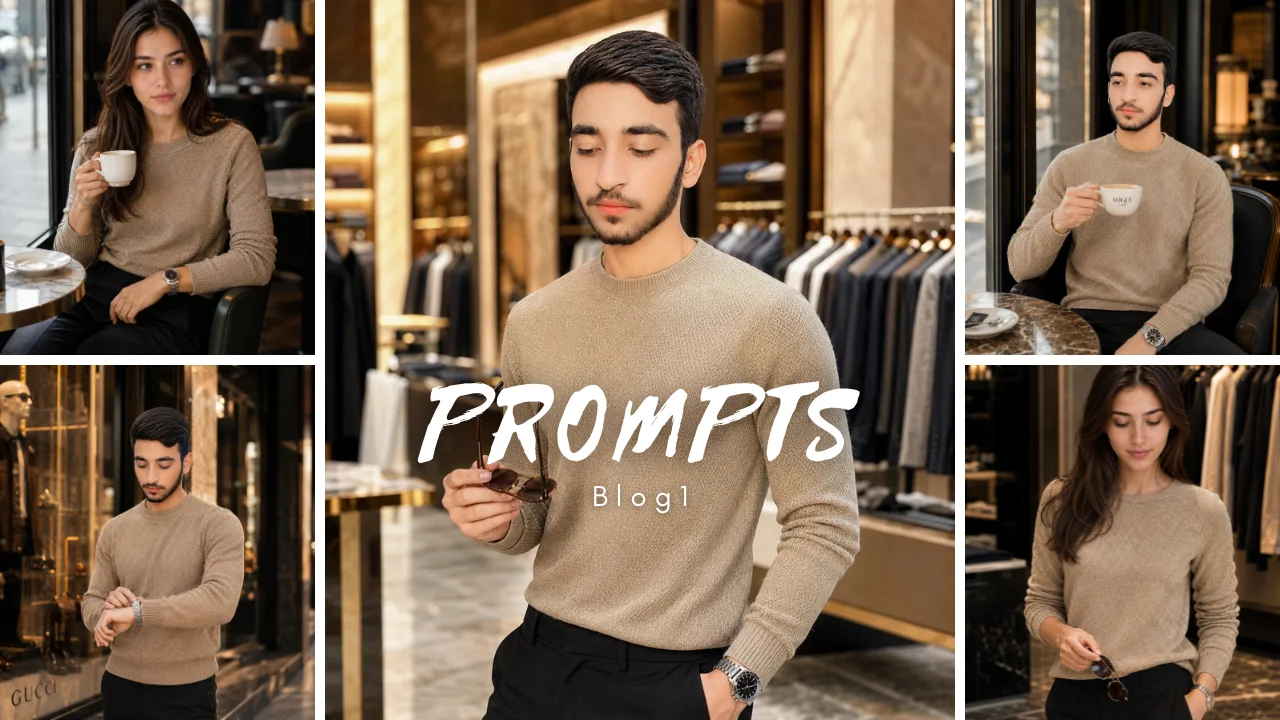
Ultimate Luxury Men’s Fashion AI Portrait Prompts: 5 Realistic Styles + Customization Guide
AI Summarization Links: Summarize with ChatGPT | Summarize with Perplexity | Summarize with Claude | Summarize with Grok
You already know that adding clothing, lighting, and a stylish location can make an AI portrait look more premium. The missing piece is usually control: your prompt needs to keep the outfit, pose, environment, accessories, and identity visually coherent. This guide gives you five copy-ready luxury men’s fashion AI portrait prompts plus a practical system for customizing and troubleshooting them.
Key Takeaways
Luxury men’s fashion AI portrait prompts describe the subject, menswear, pose, environment, lighting, and composition as one coherent visual concept.
Simple outfit structures usually give you more control than prompts containing many competing garments and accessories.
Reference images can guide identity or visual direction, but they do not guarantee an exact facial or body match.
Fashion-editorial portraits should emphasize clothing, styling, composition, and atmosphere rather than automatically turning every subject into a fictional executive.
Specific hand positions and limited accessories can reduce common problems such as distorted fingers, duplicated objects, and misplaced watches.
One-variable-at-a-time editing makes it easier to identify which instruction caused an unwanted change.
AI-generated fashion images require visual review before publication, particularly when anatomy, logos, product details, reflections, or identity matter.
What Are Luxury Men’s Fashion AI Portrait Prompts?
Luxury men’s fashion AI portrait prompts are structured image-generation instructions that combine menswear styling, adult male subjects, composition, lighting, setting, and visual mood to create premium fashion-oriented portraits.
In practice, the prompt is more than a list of expensive-looking clothes. It tells an image generator what the subject should wear, what he should be doing, where the scene takes place, how the image should be framed, and which visual details deserve the most attention.
For example, a useful prompt might specify a tailored jacket, straight trousers, a restrained accessory, a relaxed pose, soft directional light, and a clean architectural background. The result is easier to control than a prompt that simultaneously requests several outfits, multiple watches, dramatic lighting, a crowded store, and numerous background characters.
The current AQPrompts examples deliberately keep their scenes manageable and emphasize garment silhouette, pose, material, accessories, and setting. They also make clear that the prompts are starting points rather than documented guarantees of a particular output.
Why Do Luxury Men’s Fashion AI Prompts Matter?
Luxury men’s fashion AI prompts matter because visual specificity gives an image generator clearer priorities.
First, a well-structured prompt helps separate the major decisions that shape a portrait: subject, clothing, action, setting, lighting, and crop. For example, changing only the blazer color is easier to diagnose when the rest of the scene remains stable.
Moreover, luxury styling does not depend on naming a famous fashion house. Materials, tailoring, proportions, architecture, restrained accessories, and lighting can communicate sophistication without introducing potentially inaccurate branding.
AI-generated imagery also has limitations. Generated garments can contain strange seams, accessories can move between positions, hands can become distorted, and reflections can introduce unexpected objects or faces. The original guide appropriately warns that these outputs should be reviewed rather than treated as photographic evidence.
[STAT NEEDED: Add a verified industry or platform statistic about the growth or adoption of AI-generated fashion imagery if a quantitative claim is required.]
How Should You Structure a Luxury Men’s Fashion AI Prompt?
A strong luxury men’s fashion AI prompt should normally contain six controllable blocks: subject, garment, action, setting, lighting, and composition.
1. Define the adult subject
Start with the person and the identity requirements that actually matter.
Use wording such as:
Adult man, natural facial features, calm expression, short textured hairstyle.
If you use a reference photograph, only use an image you have permission to use. A reference image can guide the result, but it should not be described as a guaranteed identity lock.
2. Define one coherent outfit
Describe the silhouette, fabric, color, and fit before adding accessories.
For example:
Charcoal structured blazer, plain crew-neck shirt, dark tailored trousers, one understated wristwatch.
This is generally easier to control than requesting a blazer, waistcoat, scarf, multiple bracelets, sunglasses, several rings, and three different fabric textures at once.
3. Give the subject one clear action
A simple action creates a readable pose.
Examples include:
Standing with relaxed shoulders
Sitting beside a cafe table
Adjusting one jacket sleeve
Walking past a storefront
Browsing a clothing rack
The fewer competing hand actions you request, the easier the composition is to inspect.
4. Establish the environment
Use one dominant location rather than describing an entire world.
A stone storefront, quiet cafe, modern retail interior, or minimal architectural entrance can establish luxury without overwhelming the subject.
5. Control lighting
Choose one primary lighting idea.
Examples include:
Soft window light
Warm late-afternoon light
Controlled studio lighting
Balanced daylight
Subtle directional light
6. Specify composition
Finish with framing and aspect ratio.
For vertical social content, a 4:5 composition can be a practical starting point. The exact interface and available controls depend on the image generator.
Official OpenAI guidance similarly recommends describing the purpose, subject, environment, visual style, and important framing or lighting requirements rather than assuming that longer prompts automatically produce better results.
What Are the Best Luxury Men’s Fashion AI Portrait Prompts?
The following five luxury men’s fashion AI portrait prompts cover storefront, cafe, accessory-detail, store entrance, and shopping scenarios. Each prompt is intentionally constrained so you can modify the clothing or setting without rebuilding the entire concept.
Prompt 1: Neutral Storefront Fashion Portrait
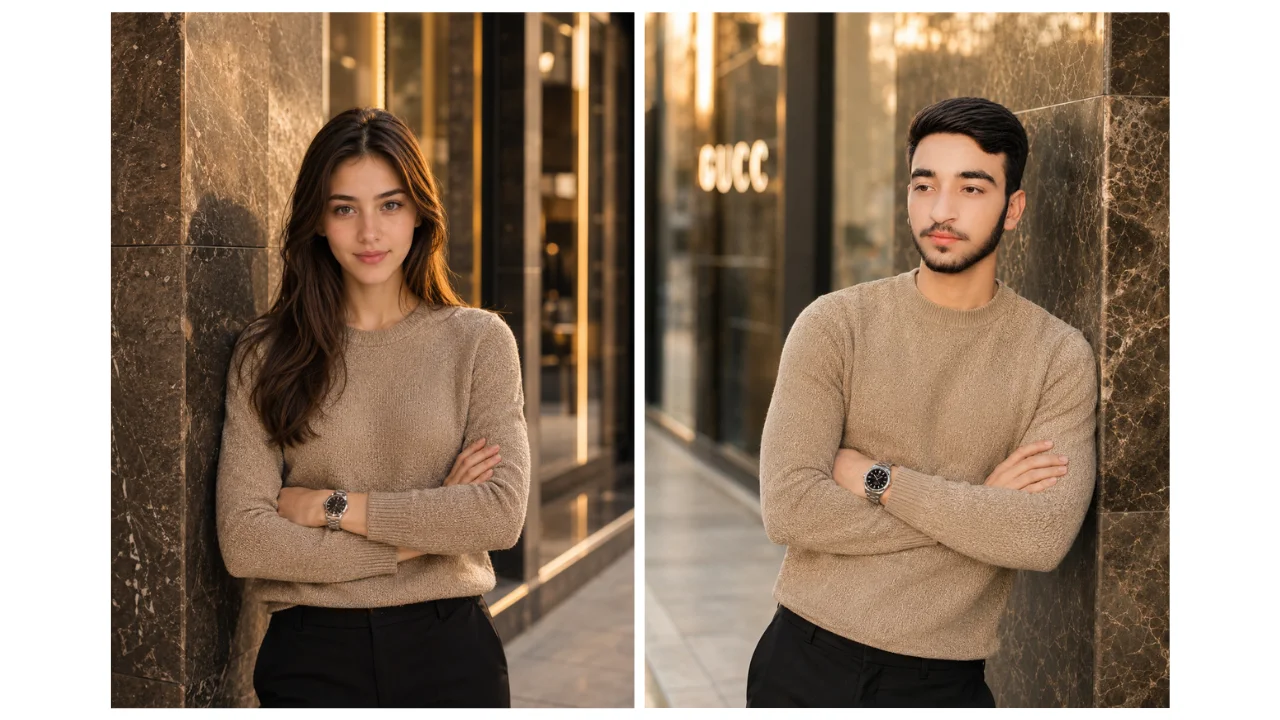
This luxury men’s fashion prompt works best when the outfit should dominate the image.
Prompt
Create a vertical fashion portrait of an adult subject standing beside a clean stone storefront wall. The subject wears a beige textured knit top with straight black trousers and one simple wristwatch. Use a relaxed arms-crossed pose, natural expression, and eye-level framing from mid-thigh upward. Warm late-afternoon light comes from one side, with a softly blurred shopping-street background and neutral colors. Keep skin texture natural, preserve believable garment seams and hand placement, and avoid visible brand logos. 4:5 aspect ratio. If a permitted reference image is supplied, use it only as identity guidance and keep the adult subject recognizable without claiming an exact match.
Customization: Replace the knit top and trousers as a single styling group. For example, try a dark wool overshirt with tailored trousers rather than changing five clothing variables independently.
If crossed arms create distorted fingers, change the pose to one hand in a pocket and the other relaxed at the side.
Prompt 2: Seated Cafe Fashion Portrait
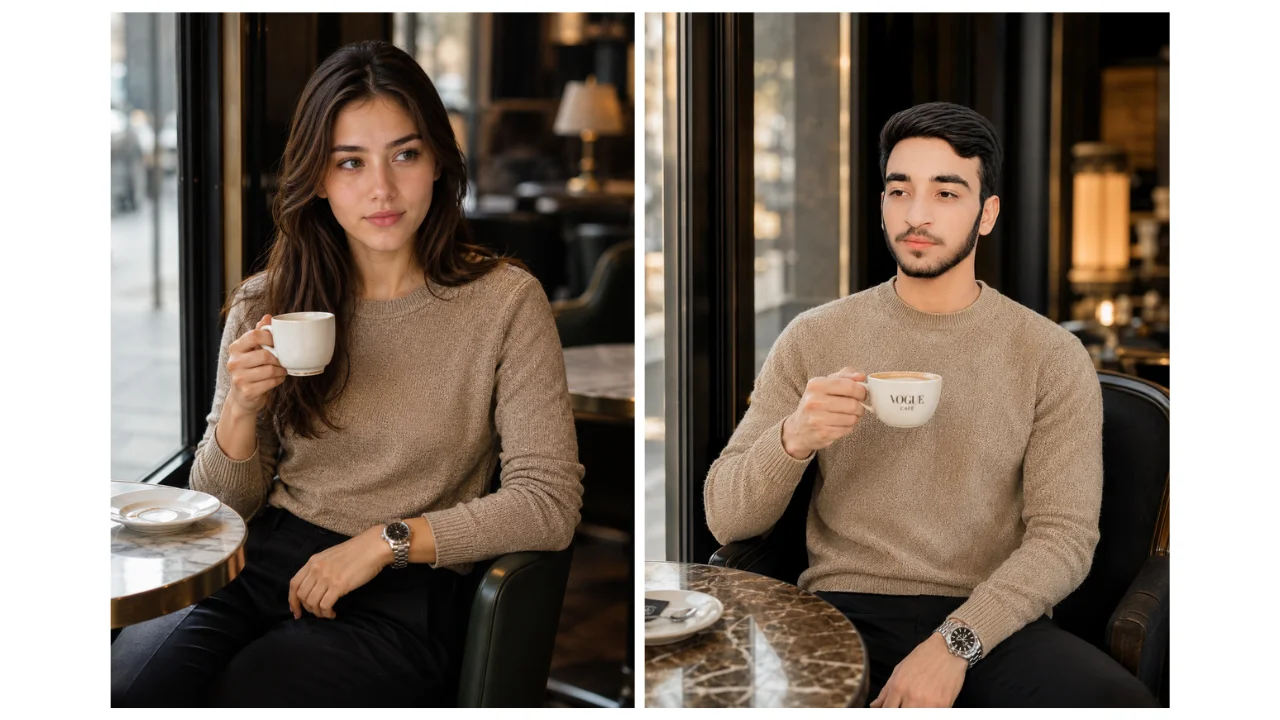
This prompt creates a quieter editorial look suitable for personal-brand content, lifestyle posts, and outfit photography concepts.
Prompt
Create a vertical lifestyle-fashion portrait of an adult subject seated at a small cafe table near a window. Use a dark overshirt over a plain light top, tailored trousers, and minimal accessories. One hand rests beside a simple drink while the other remains visible on the table. Frame the subject from the waist up with soft window light, a calm expression, realistic posture, and an uncluttered cafe background. Keep cups, fingers, chair legs, and table edges coherent. No logos or readable brand names. 4:5 aspect ratio.
Customization: Keep the table simple. Too many glasses, plates, phones, bags, and decorative objects give the generator more opportunities to create inconsistent details.
A restrained background also gives greater visual priority to the subject’s clothing and face.
Prompt 3: Watch and Sleeve Detail Portrait
This concept is useful when one accessory or garment detail should receive attention.
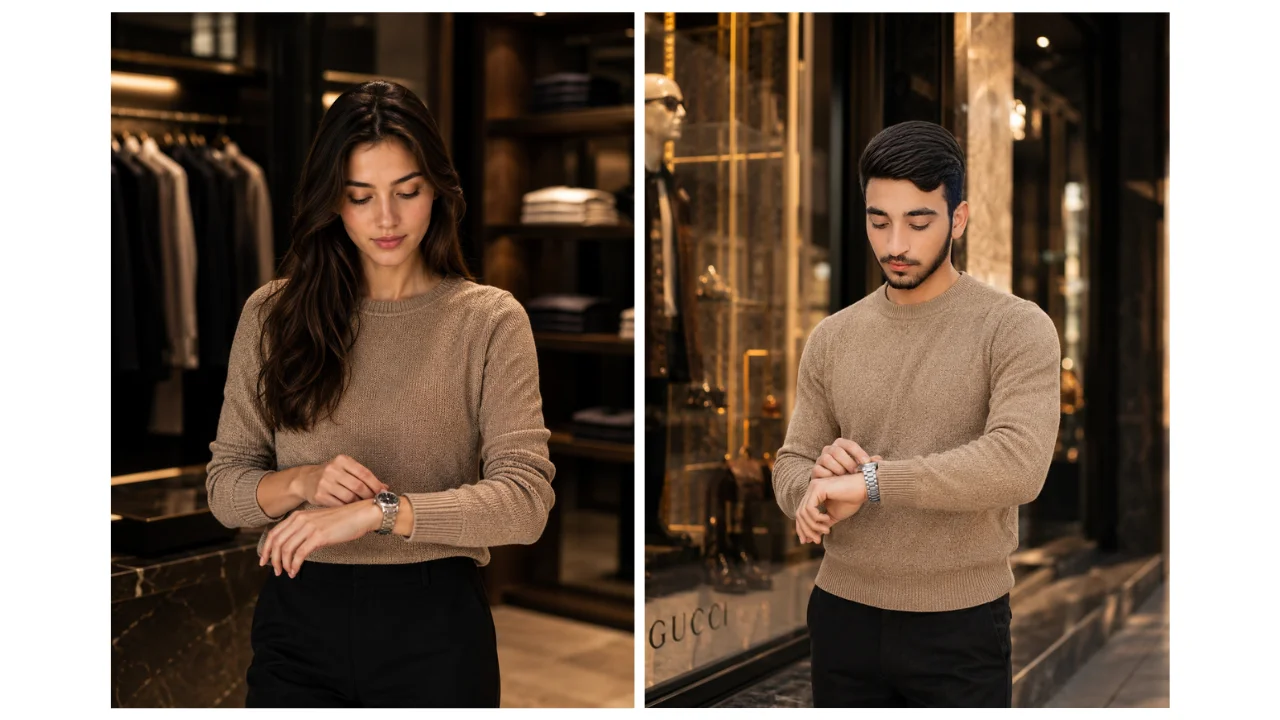
Prompt
Create a vertical fashion portrait of an adult subject standing near a modern shop window while gently adjusting one sleeve. The outfit is a charcoal blazer over a plain crew-neck top with dark tailored trousers. Show one understated wristwatch clearly, with both hands visible and anatomically plausible. Use a three-quarter crop, neutral expression, soft directional daylight, restrained reflections, and a background that remains secondary to the subject. Do not reproduce a real watch logo or claim a specific product. 4:5 aspect ratio.
Customization: Change the watch, jacket texture, or background independently. If reflections produce duplicate faces or limbs, replace the glass window with a matte architectural wall.
AI-generated product imagery should not be treated as proof of an exact commercial product design. If a real watch, garment, or accessory is being represented, compare the generated image against the real item before publication.
Prompt 4: Environmental Store Entrance Portrait
This prompt works when you want fashion plus architectural context.
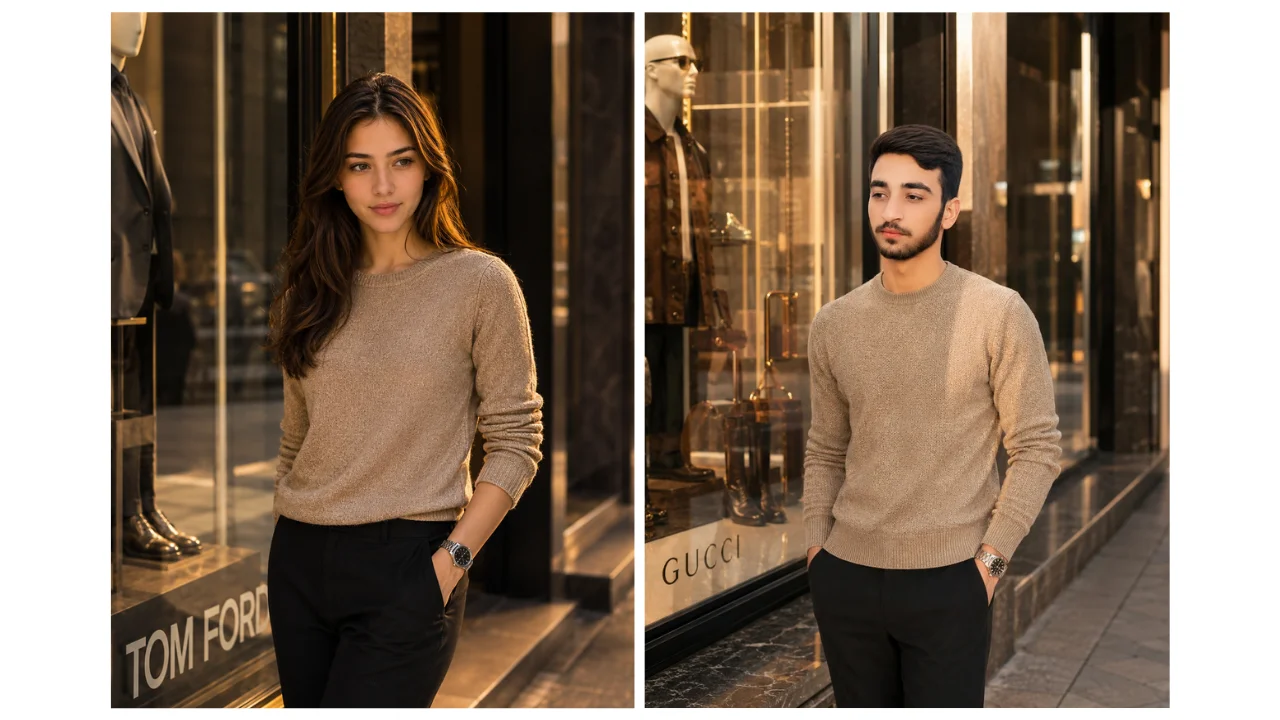
Prompt
Create an environmental fashion portrait of an adult subject at the entrance of a contemporary clothing store. Use a monochrome outfit with a structured jacket, straight trousers, and clean shoes. The subject stands slightly off-center with relaxed shoulders and one hand at the side. Include geometric architecture, a restrained interior glow, and a few softly blurred background details without readable signage. Use balanced daylight and natural skin tones. Keep door frames, floor lines, hands, and clothing edges consistent. Vertical 4:5 composition.
Customization: Choose one architectural idea, such as an arched entrance, stone facade, or glass doorway.
Avoid using a real fashion-house name merely to imply luxury. You can usually communicate the same visual direction through materials, tailoring, architecture, color, and lighting.
Prompt 5: Indoor Shopping Lifestyle Portrait
This is the busiest of the five concepts, so background control becomes particularly important.
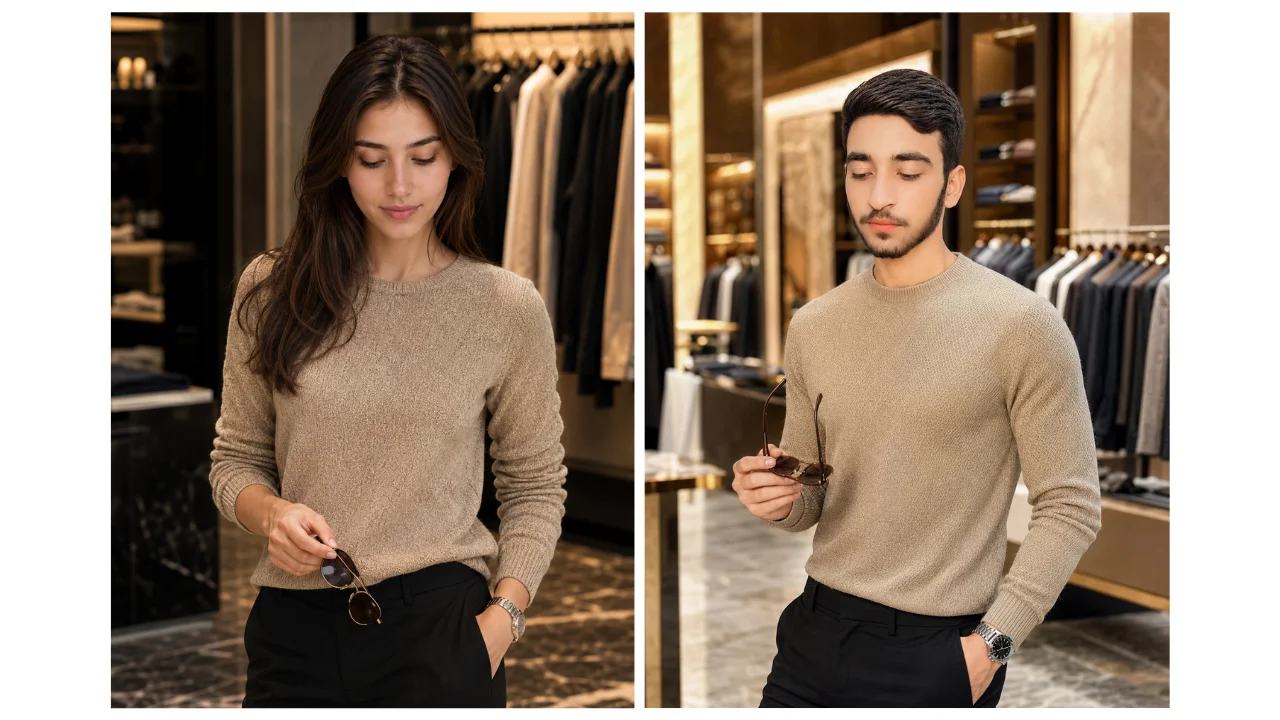
Prompt
Create a vertical lifestyle portrait of an adult subject browsing a modern clothing store. The subject wears a simple fitted jacket, neutral shirt, and coordinated trousers while holding one pair of sunglasses at waist level. Use an informal three-quarter pose, even interior lighting, realistic clothing racks, and a clear walking path behind the subject. Keep hangers, hands, mirrors, and shelves orderly. Avoid logos, price claims, and readable brand signage. Use a natural color palette and 4:5 aspect ratio.
Customization: If the scene looks crowded, remove mirrors first and reduce the number of clothing racks. If the sunglasses merge with the hand, place them on the subject’s head or remove them completely.
Which Prompt Structure Should You Use?
The best prompt structure depends on what you want the image to communicate, not simply on how luxurious you want it to look.
Goal | Recommended scene | Main control | Common problem |
|---|---|---|---|
Outfit-focused portrait | Storefront | Garment silhouette | Clothing changes between variations |
Lifestyle content | Cafe | Hand placement | Extra cups and objects |
Accessory detail | Shop window | One focal accessory | Reflection artifacts |
Editorial environment | Store entrance | Architecture | Background becomes dominant |
Shopping lifestyle | Retail interior | Scene complexity | Crowded or inconsistent objects |
The practical rule is simple: give the generator one visual priority at a time.
For example, if the purpose is to showcase a jacket, the jacket should receive more descriptive attention than the store behind the subject. If the purpose is a lifestyle story, the environment can receive more detail, but the clothing should remain internally consistent.
How Do You Customize Men’s Fashion AI Prompts?
The easiest way to customize a men’s fashion AI prompt is to change one prompt block at a time.
Use this five-step workflow:
Subject: Define the adult subject, permitted reference image, hairstyle, and expression.
Garment: Specify silhouette, fabric, color, fit, and one or two meaningful accessories.
Action: Choose standing, sitting, walking, sleeve adjustment, or browsing.
Setting: Select one dominant location such as a storefront, cafe, clean wall, or retail interior.
Light and crop: Specify the main light direction and framing.
After each major change, generate or review a variation. This gives you a practical way to identify which instruction introduced a problem.
For example, if changing a black blazer to a cream blazer suddenly produces patterned sleeves, keep the original scene and change only the garment instruction. You can then determine whether the issue came from the color description, fabric description, or another competing phrase.
Current image-generation documentation supports this general iterative approach. ChatGPT Images, for example, supports creating and editing images from natural-language instructions and allows users to specify different aspect ratios.
How Can You Troubleshoot Luxury Men’s Fashion AI Portraits?
The fastest way to fix a poor AI fashion portrait is to remove competing instructions before adding more instructions.
The outfit keeps changing
Remove duplicate garment descriptions and competing style words. State one main top, one bottom, and only the accessories that need to be visible.
If color accuracy is commercially important, do not treat an AI-generated image as the authoritative record of the product.
Hands or accessories look distorted
Reduce hand activity.
Instead of asking the subject to adjust a watch while holding sunglasses and a coffee cup, give the subject one action. Keeping both hands visible can also make review easier.
The setting overwhelms the subject
Reduce the background to one location and a small number of visual attributes.
For example:
Quiet luxury cafe, soft window light, uncluttered background.
is easier to control than a paragraph describing furniture, customers, plants, chandeliers, mirrors, shelves, artwork, and reflections.
The face changes between variations
Check for contradictions involving age, hairstyle, face shape, and expression.
If the chosen tool has a dedicated reference or image-input feature, use its documented controls rather than assuming that a phrase such as “exact face” guarantees identity preservation. Midjourney, for example, distinguishes image prompts and other reference mechanisms from ordinary text prompting.
The image contains fake branding
Request blank signs, unbranded accessories, and no readable logos.
Then inspect the final image at full size. Generated lettering can look plausible at first glance while being incorrect on closer inspection.
How Do You Create Luxury Fashion Portraits Without Fake Branding?
You can create a luxury fashion aesthetic without naming a real fashion house by describing visual characteristics instead of borrowed brand identity.
For example, replace:
Inspired by [real fashion house]
with:
Structured wool blazer, precise tailoring, muted charcoal palette, polished leather shoes, minimalist architectural setting, restrained editorial lighting.
This approach gives the generator useful visual information without asking it to reproduce a real brand identity.
It also makes the prompt more reusable. The same structure can be adapted to different fictional campaigns, personal-brand portraits, mood boards, and social content.
The original AQPrompts guidance specifically recommends describing materials, silhouette, color, architecture, and lighting instead of relying on fashion-house names, while requesting blank signs and unbranded accessories.
Are These Luxury Men’s Fashion Prompts Suitable for Business Headshots?
No. These prompts prioritize menswear and fashion-editorial context, while business headshots prioritize professional identity, corporate presentation, and office-oriented composition.
A storefront portrait with a tailored jacket communicates fashion. A clean white-shirt portrait against a neutral studio background communicates professional identity.
For executive imagery, use the dedicated professional business portrait AI prompts instead of forcing a fashion prompt to perform a different job.
Similarly, fictional CEO, hotel, vehicle, and luxury-office scenes belong closer to luxury businessman AI portrait prompts.
Keeping these intents separate makes the prompt easier to control and makes the content more useful to readers.
What Should You Check Before Publishing an AI Fashion Portrait?
Before publishing an AI-generated luxury fashion portrait, inspect the image at full size rather than judging it only from the thumbnail.
Use this checklist:
Face: Does the subject remain consistent with the permitted reference?
Hands: Are fingers, wrists, and arm positions anatomically plausible?
Clothing: Are seams, buttons, sleeves, collars, and garment proportions coherent?
Accessories: Are watches, glasses, jewelry, and bags positioned correctly?
Branding: Are there accidental logos or invented product names?
Text: Does any visible signage contain incorrect or nonsensical writing?
Reflections: Do mirrors or windows create duplicate subjects?
Background: Does the environment support the outfit instead of competing with it?
Commercial accuracy: Does the image falsely imply that a real product or event exists?
Rights: Do you have permission to use the reference photograph and other supplied assets?
These checks are particularly important because AI-generated images can look convincing while containing small visual errors.
A 2024 study of 240 photorealistic AI-generated human images found that hands were the most problematic anatomical region, with researchers identifying errors such as distorted proportions, extra or missing body parts, and anatomically implausible configurations. — Source: Cureus, 2024.
What Are the Next Steps for Better Luxury Men’s Fashion AI Portraits?
The next step is to start with one of the five scenes, customize only the details that matter, and review each variation systematically.
First, choose the purpose of the image: outfit showcase, lifestyle post, accessory detail, environmental editorial, or shopping scene.
Next, select the closest prompt and change the garment, color, setting, or pose. Avoid rewriting the entire prompt unless the concept itself has changed.
Then, generate a variation and inspect the face, hands, clothing, accessories, text, and background.
Finally, keep the strongest version and make another controlled adjustment if necessary.
If you want more ready-to-use examples, explore the AQPrompts AI portrait prompt library or browse the related men’s AI portrait prompts.
For creators making social content, the AI Instagram Prompt Tool can also provide a more specialized starting point for reels thumbnails, carousel covers, and aesthetic social visuals.
Related AQPrompts guides
Conclusion: What Makes a Luxury Men’s Fashion AI Prompt Effective?
An effective luxury men’s fashion AI prompt gives the generator a coherent subject, outfit, action, environment, lighting direction, and composition instead of an overloaded list of unrelated visual instructions.
The five prompts in this guide cover storefront, cafe, accessory-detail, store-entrance, and shopping compositions. Each can be adapted by changing one prompt block at a time.
The most important principle is simple: luxury comes from visual coherence, not from adding more adjectives.
Start with the scene closest to your goal, keep the outfit manageable, control the subject’s actions, and inspect the final image before publishing. When you treat prompting as an iterative design process rather than a one-shot command, you gain much more control over your AI fashion portraits.
Written by
Abdul Qudoos — Founder and Editor, AQPrompts. Abdul Qudoos creates and reviews AQPrompts guides and prompt-library content for creators using AI image tools.
Reviewed by
Abdul Qudoos — Founder and content reviewer of AQPrompts, with an editorial focus on clarity, usefulness, customizability, transparency, and realistic expectations around AI-generated results.
AI Transparency Disclaimer
This article was improved with AI-assisted editorial analysis. The prompts and recommendations are intended as practical starting points, not guarantees of specific image-generation results. Outputs can vary according to the image model, version, settings, reference image, safety systems, and other generation factors. Always review generated images before publication and follow the applicable platform terms and rights requirements.
Update note: On September 7, 2026, the title, metadata, introduction, headings, FAQs, image descriptions, conclusion, and internal links were refined around luxury men’s fashion portrait intent. The five prompts and image URLs were retained.
Learn how we review our guides →
Common Questions
Frequently Asked Questions
How should I adapt a fashion prompt from a man to a woman?
Rewrite the adult subject, garment fit, styling, pose, and any identity details together. Do not leave contradictory gendered descriptions elsewhere in the prompt.
Why does an AI portrait change the clothing between variations?
Long prompts often contain competing garment details. Keep one main outfit, state its fabric and color once, and remove accessories that are not important to the composition.
Do camera and lens words guarantee a photographic result?
No. They describe an intended visual treatment, but image generators interpret photographic language differently. Judge the output itself and revise the composition or lighting instructions when needed.
What should an AI portrait prompt for men include?
Define the adult subject, one coherent menswear outfit, a readable pose, a restrained setting, one main light direction, and the crop. Add only the accessories that matter to the composition.
How do I create a luxury men's fashion portrait without fake branding?
Describe materials, garment silhouette, color, architecture, and lighting instead of naming a fashion house. Request blank signs and unbranded accessories, then inspect the full-size output for invented logos.
Are these prompts business headshot prompts?
No. These scenes prioritize menswear and fashion-editorial context. For white-shirt corporate poses and executive headshots, use the professional business portrait guide.
Topics:
Abdul Qudoos creates and reviews AQPrompts guides and prompt-library content for creators using AI image tools.