
Best ChatGPT Photo Prompts: 10 Picks That Actually Work

There are hundreds of ChatGPT photo prompts on the internet, and most of them read as if they were never tried on a real photo. These are the best ChatGPT photo prompts in our own library. Every pick below already lives on AQPrompts, either as a prompt in our free library or as part of one of our published guides, and each one links to the full version, so you can see the complete prompt, its variations, and what it is for. Copy the pick that matches your photo, paste it into ChatGPT with your picture, and adjust the details to match you. If you want a bigger general pack instead of a ranked list, see our 11 Free ChatGPT Prompts for Photos, which collects more prompts without ranking them.
How I tested this: every pick in this roundup comes from a prompt already published on AQPrompts, in the library or in one of our guides. Before publishing, I ran each pick once more in ChatGPT on November 11, 2026; the example image and test date under each pick are from that run. This was a fresh check of each prompt on its own, not a new comparative test against other tools. Results vary by photo, lighting, and model version. Treat every prompt as a strong starting point, not a guaranteed one-shot result.
Best ChatGPT Photo Prompts for Portraits
Pick 1: Best Golden Hour Portrait (Golden Hour Elegance)
Good for: a fashion-forward profile picture or personal-branding portrait with a premium feel.
Why it works: white-on-white outfits usually disappear into a bright sky, and this prompt solves that with warm golden backlight that outlines the blazer instead of washing it out. The camera and film details (85mm f/1.4, Kodak Portra 400) keep the look photographic rather than illustrated. One note from the library page: the page shows a Midjourney flow, so in ChatGPT attach your photo and add a face-preservation line such as 'keep my face exactly the same'.
AI-generated example image for demonstration purposes.
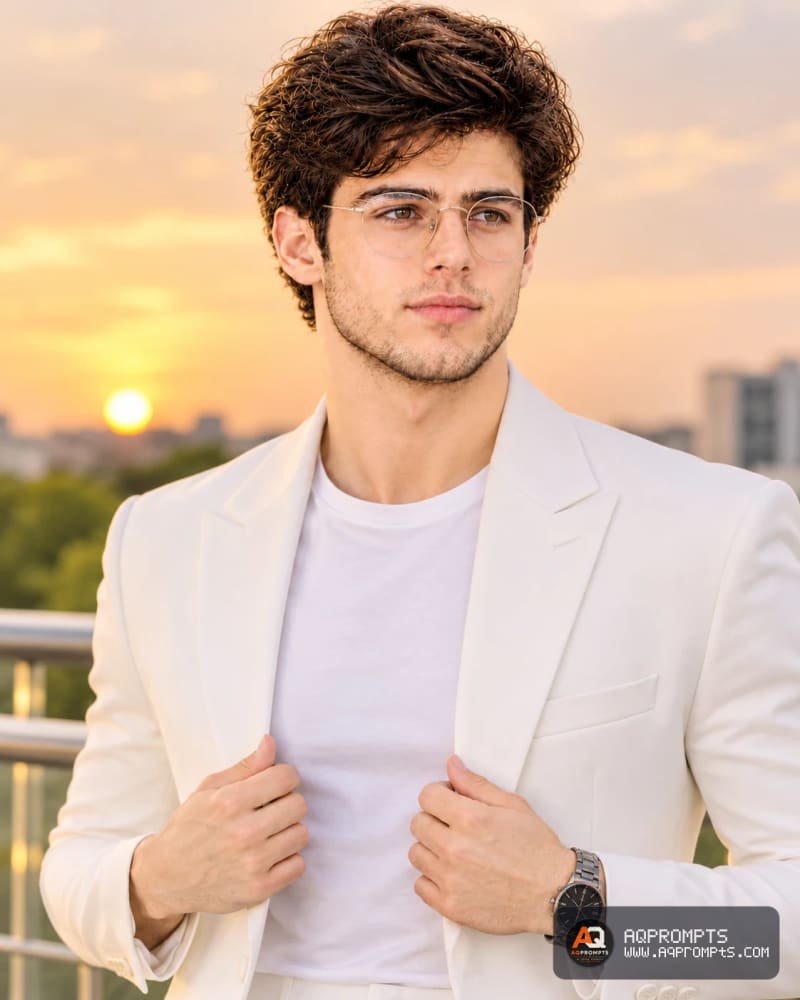
Tested on November 11, 2026, in ChatGPT. This is the result I generated with the Pick 1 prompt.
Prompt
A young man posing confidently outdoors during golden hour, standing near a modern railing with a soft sunset sky. He is dressed in an all-white outfit: a white blazer over a white t-shirt, paired with slim white trousers. He is adjusting his blazer with both hands. Features neatly styled dark hair, light stubble, clear round eyeglasses, and a dark luxury wristwatch. Warm golden lighting, soft clouds, and shallow depth of field for a professional fashion look. Shot on Sony A7IV, 85mm f/1.4 lens, f/2.0 aperture, shallow depth of field, natural golden hour lighting, Kodak Portra 400 color grade, cinematic color grading, photorealistic, high-resolution // [Source attribution only:aqprompts.com], aspect ratio 4:5
Pick 2: Best Cinematic Business Portrait (Black Studio Influencer)
Ideal for: a LinkedIn profile picture or speaker or author portrait that needs to look thoughtful and high-end, not like a standard corporate headshot.
Why it stands out: the portrait is built from posture and props, not scenery. The sideways angle, lowered head, MacBook, and watch-check pose do the storytelling. The library page's own tip is the key to it: the silver MacBook and silver watch are the only light-catching objects in a black-on-black frame, so if either disappears, the image becomes a dark shape. Restate each prop with its color word if it drops out.
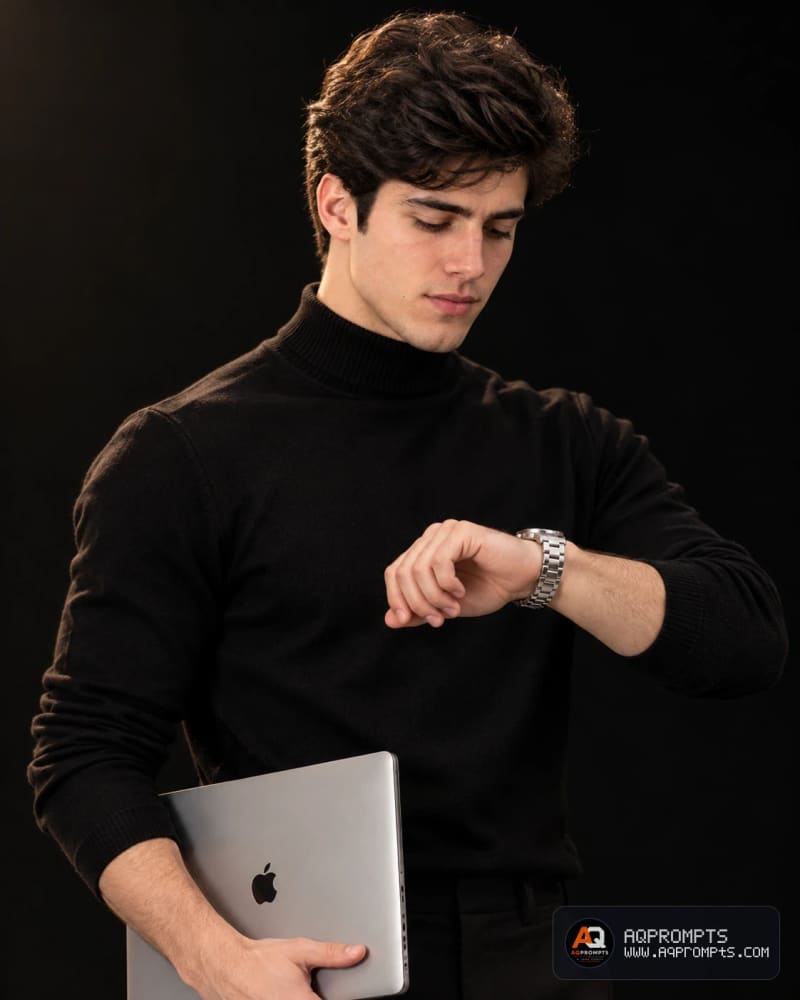
Tested on November 11, 2026 in ChatGPT. This is the result I generated with the Pick 2 prompt.
Prompt
A 4: 5 cinematic studio portrait of a confident business influencer style man in a black turtleneck, pure black background. Body Posture: Standing in a 3/4 profile, body angled significantly sideways away from the lens, head tilted down. Right Hand: Lowered, gripping the bottom edge of a closed silver MacBook held vertically against his torso. Left Hand: Raised and bent at the elbow across his chest, wrist turned inward to check a silver metallic watch, fingers relaxed and slightly curled. Lighting: Dramatic studio lighting from the top left. Shot on Nikon Z9, 50mm f/1.4 lens, f/2.0 aperture, warm studio lighting with bokeh background, vibrant color grade, celebratory mood, photorealistic, high-resolution, aspect ratio 4:5Pick 3: Best LinkedIn Headshot
Perfect for: a warm, approachable LinkedIn photo or personal website portrait, especially if your current headshot feels stiff or outdated.
Why it shines: it is camera-and-lighting-specific (85mm lens, soft even light, visible skin texture), which is what keeps ChatGPT from producing something that looks obviously AI-made. Swap the shirt colour and background to match your own style; keep the lens and lighting lines.
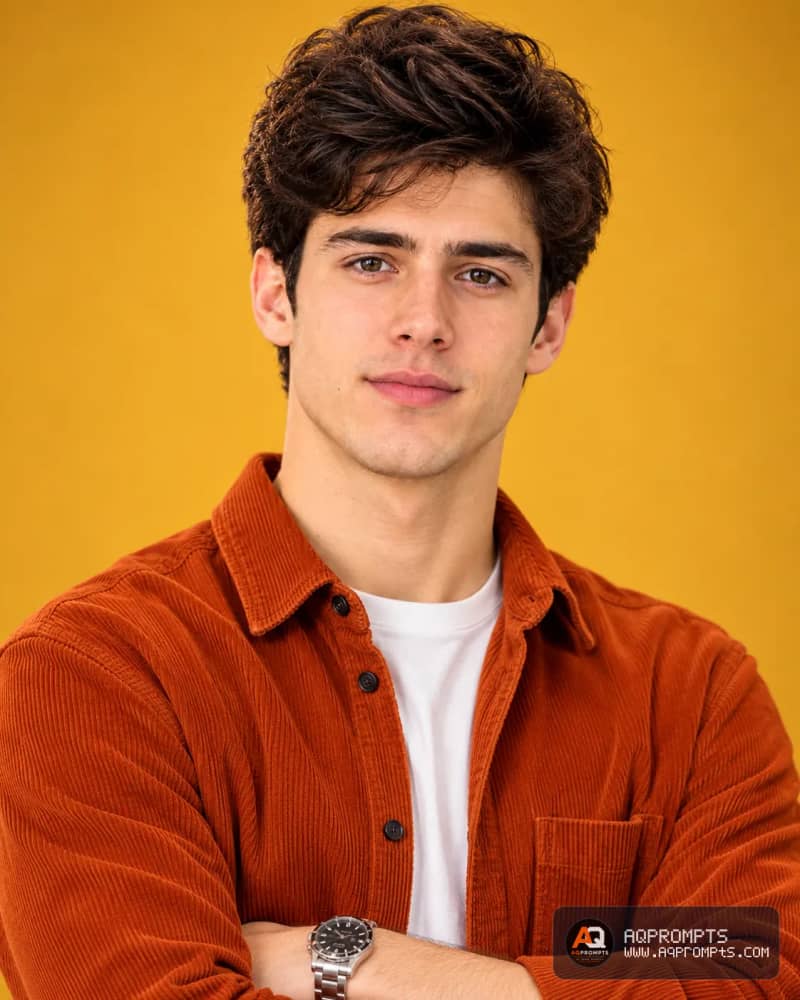
Tested on November 11, 2026 in ChatGPT. This is the result I generated with the Pick 3 prompt.
Prompt
A professional studio portrait of a young man in his early twenties, with tousled dark wavy hair and light stubble, giving a warm, confident half-smile directly at the camera. He has a friendly, approachable expression with slightly squinted eyes. He is wearing a burnt orange corduroy button-up shirt, unbuttoned at the top, layered over a plain white crew-neck t-shirt, with his arms crossed. The background is a smooth, warm mustard-yellow gradient, softly lit studio backdrop. Soft, even studio lighting highlights his face with gentle shadows, giving a natural skin texture with visible pores and fine detail. Sharp focus on the face, shallow depth of field, shot on a professional camera with an 85mm portrait lens. Clean, minimal, commercial headshot style.Pick 4: Best Executive Portrait
Great for: a company bio page, press kit, or any setting where "corporate" matters more than "approachable".
Why it delivers: the rim light is doing the work here. It separates the subject from the dark background so the portrait reads as high-end corporate rather than a flat ID photo. If you wear glasses, keep the glasses line in; removing it changes the face more than people expect.
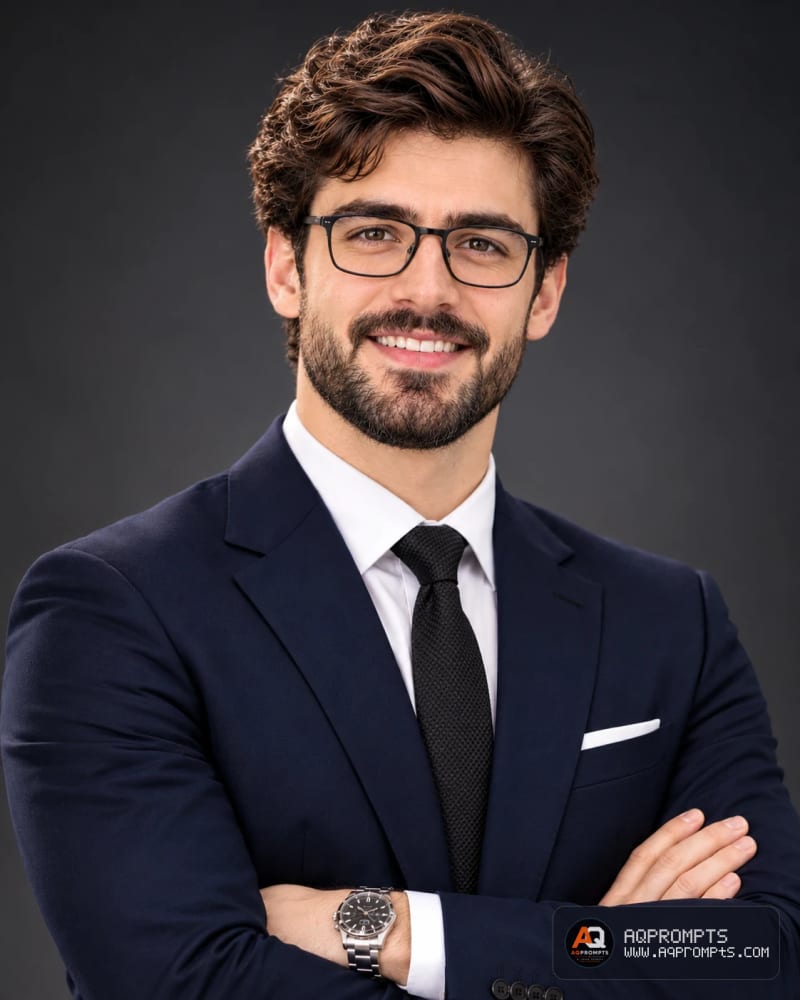
Tested on November 11, 2026 in ChatGPT. This is the result I generated with the Pick 4 prompt.
Prompt
A professional corporate studio headshot of a man in his thirties with short styled brown hair swept back, wearing black rectangular glasses, and a well-groomed full beard with mustache. He is smiling broadly showing teeth, giving a warm, confident, approachable expression directly at the camera. He is wearing a dark navy business suit with a crisp white dress shirt and a black textured tie, arms confidently crossed, with a silver wristwatch visible on his left wrist. The background is a smooth dark charcoal-gray gradient, professionally lit studio backdrop. Soft, even studio lighting with subtle rim light separating him from the background, sharp focus on the face with natural skin texture and fine detail. Shallow depth of field, shot on a professional camera with an 85mm portrait lens. Clean, high-end corporate executive headshot style.Couples and Outfit Changes
Pick 5: Best Couple Portrait
Handy for: an anniversary gift, an engagement announcement, or a polished romantic grid post.
Why it lands: it starts from your own photo and changes the styling, not the people. Both faces stay recognizable, which is the part most couple prompts get wrong. One practical note from the source guide: since this edits a photo of someone else too, get the other person's okay first. Want more couple ideas? The 9 couple AI photo editing prompts pack covers illustrated wall-art portraits and five cinematic settings (garden, rooftop dusk, Mediterranean courtyard, matching outfits, beach boardwalk).
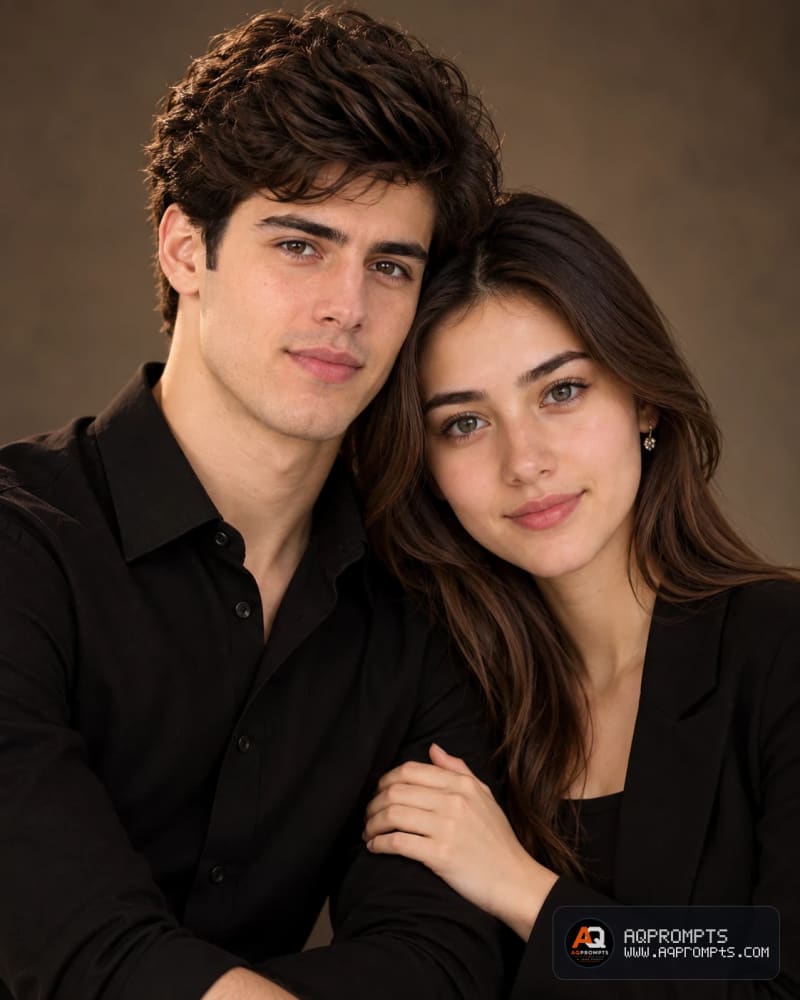
Tested on November 11, 2026 in ChatGPT. This is the result I generated with the Pick 5 prompt.
Prompt
Turn this photo into a polished editorial-style couple portrait. Keep both faces recognizable and natural. Dress the couple in coordinated all-black outfits — a button-down shirt for him, a blazer or shirt for her. Use a warm, softly blurred neutral background (taupe or dark brown tones). Pose them close together, cheek-to-cheek or leaning in, with one hand gently resting on the other's arm. Lighting should be moody and directional, like a professional studio shoot, with rich skin tones, sharp focus on the faces, and a soft falloff into the background.Pick 6: Best Outfit Change (Business Look)
Useful for: turning a casual photo into a polished business portrait without reshooting it.
Adapted from: ChatGPT Photo Dress Change Prompt: 15+ Copy-Paste AI Outfit Prompts (Prompt 3: Business Outfit Change).
Why it clicks: it names the four things that make an outfit swap believable (garment, fabric, fit, and lighting) and then explicitly protects everything else (face, pose, hands, background). The source guide's own rule: if the first result is not accurate, refine one clothing detail at a time instead of rewriting the whole prompt. The full guide has 14 more outfit prompts (casual, formal, luxury, streetwear, traditional, winter, summer, denim, party, and more).

Tested on November 11, 2026 in ChatGPT. This is the result I generated with the Pick 6 prompt.
Prompt
Change the current clothing into a professional dark navy tailored blazer with a white button-down shirt and matching trousers. Preserve the person's facial features, hairstyle, expression, body proportions, pose, hands, background, and camera angle. Make the suit fabric, seams, folds, shadows, and fit realistic and naturally integrated with the original image.Seasonal Shots and Better Selfies
Pick 7: Best Christmas Photo
Solid for: a festive profile picture, a family Christmas card, or a holiday grid post, without your face turning into a stranger's.
Sourced from: AI Christmas Photo Prompts: 12 Copy-Paste Prompts for Festive Photos (Prompt 7: Holiday Glamour in Red).
Why it holds up: Christmas AI photos fail in one specific way: faces drift. This pick works because it pairs the glamour styling with the source guide's face-safety rule: keep your original pose and framing, name everyone in the photo, and add the "keep my face exactly the same" line every time. The full guide has 11 more Christmas prompts (Santa hats, snowy markets, fireside portraits, family cards, and a from-scratch scene that needs no photo at all), plus five mistakes that ruin Christmas AI photos.
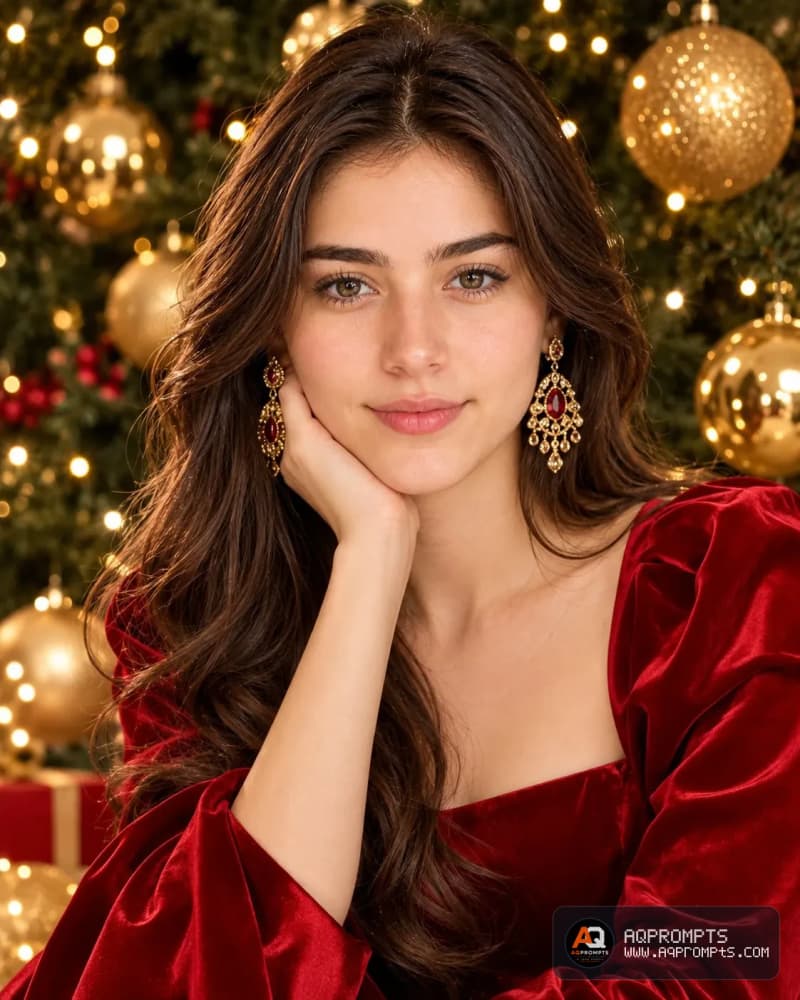
Tested on November 11, 2026 in ChatGPT. This is the result I generated with the Pick 7 prompt.
Prompt
A high-glamour Christmas editorial portrait of me: floor-length red satin gown (or red velvet blazer), statement gold earrings, dramatic but elegant makeup, oversized gold Christmas ornaments and deep green pine softly blurred behind me, studio lighting with a warm glow. Keep my face exactly the same. Fashion editorial, polished and festive.Pick 8: Best Selfie Fix
Neat for: turning an ordinary phone selfie into a clean, realistic portrait for a profile picture or social post.
Pulled from: ChatGPT Photo Editing Prompts for Selfies: 10 Copy and Paste Portrait Prompts (Prompt 1: Natural Window-Light Selfie).
Why it resonates: It describes the selfie the way a real photography brief would (lens, light direction, framing, skin detail) instead of just saying "make this selfie look better". The source guide's full version also includes a negative-prompt list (blurry, low-res, watermark, plastic skin, cartoon, distorted face, and more) that keeps the result photographic. The guide has 9 additional selfie prompts (mirror, rooftop blue hour, café, forest, parking garage, beach sunset, subway, Sunday morning).
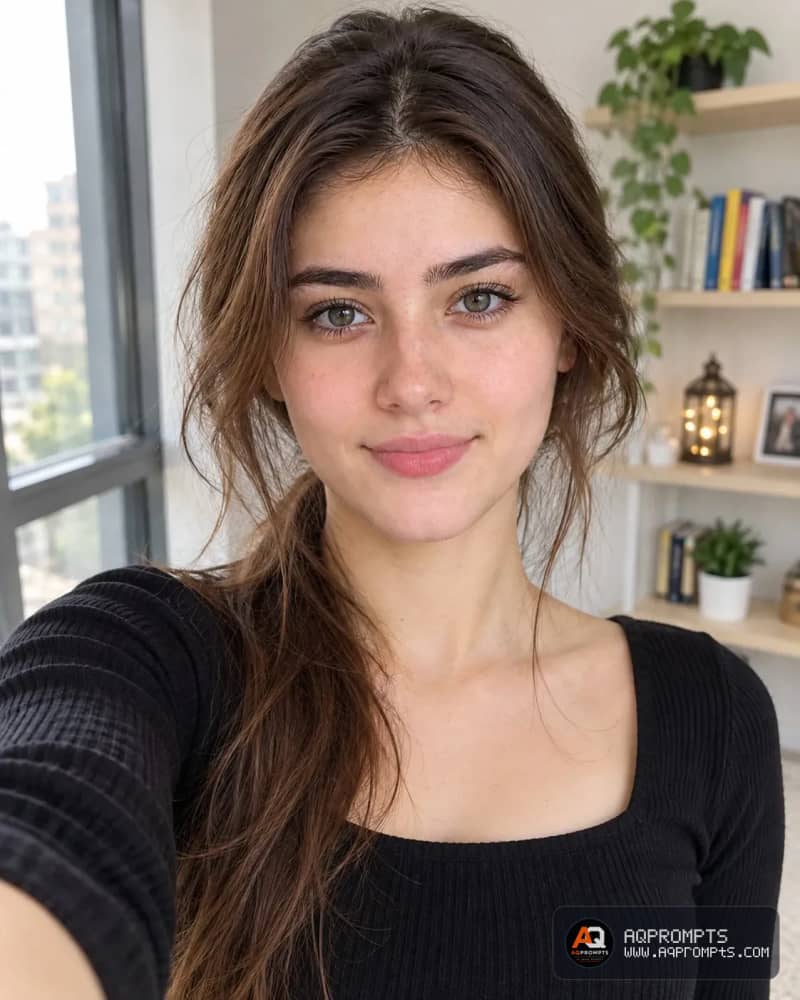
Tested on November 11, 2026 in ChatGPT. This is the result I generated with the Pick 8 prompt.
Prompt
Front-facing smartphone selfie of a young woman with natural freckles and loosely tied dark hair, standing by a large window in a bright apartment, soft diffused overcast daylight from the left, gentle shadow falloff on the right cheek, arm-extended selfie perspective, 24mm-equivalent phone lens, f/1.8, ISO 100, 1/120s, face centered with eye line on the upper third, shallow depth of field on a blurred bookshelf background, visible pores, fine baby hairs, natural lip texture, neutral color grading, aspect ratio 4:5, resolution 2160x2700. Negative prompt: blurry, low-res, watermark, logo, text, oversharpening, bad anatomy, extra fingers, deformed hands, unrealistic skin, plastic skin, cartoon, illustration, distorted faceEdits That Keep You Looking Like You
Pick 9: Best Background Change
Smart for: replacing a cluttered background with a clean studio backdrop for LinkedIn, a staff directory, or an app profile picture.
From the guide: Change a Photo Background with ChatGPT in Minutes.
Why it pays off: most background swaps fail on lighting, not on the cutout. This prompt describes the light direction and the shadow it should cast, so the subject looks as though they were photographed in the new scene. The source guide's rule: describe your original lighting explicitly ("the light on my face comes from the upper left; match the new background's lighting and shadow direction to that"), and fix bad edges with a targeted follow-up ("keep everything the same, but clean up the edge around my hair") instead of starting over.
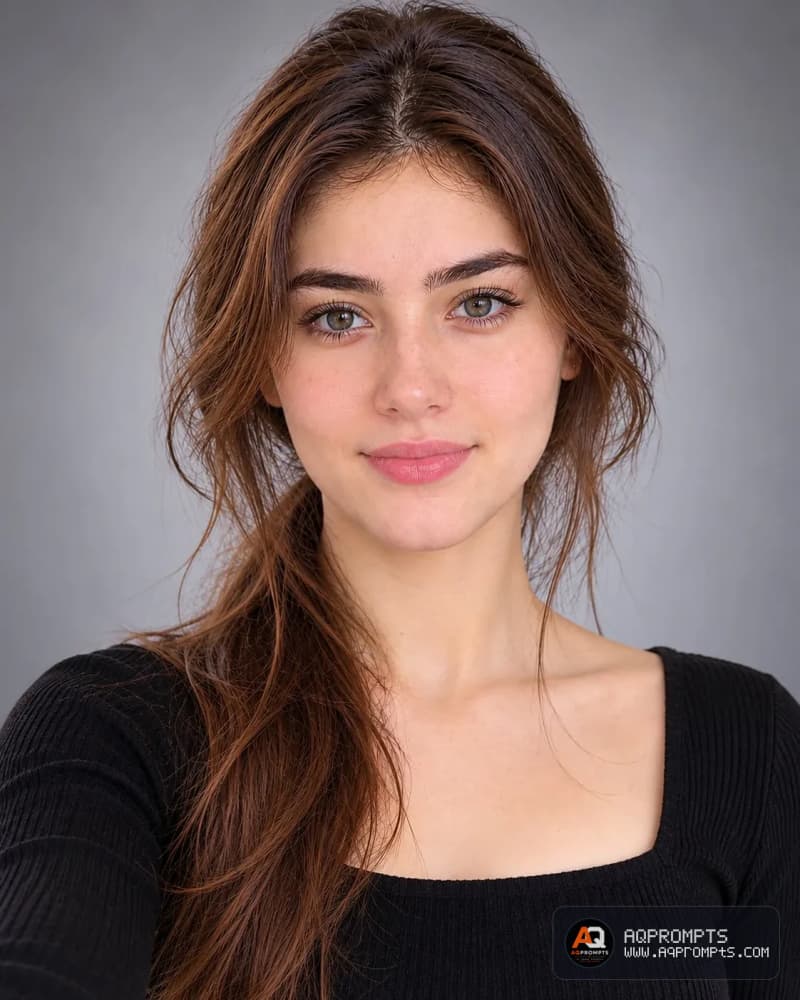
Tested on November 11, 2026 in ChatGPT. This is the result I generated with the Pick 9 prompt.
Prompt
Replace the background with a soft gradient gray studio backdrop. Add even, soft lighting from the front and match the shadow under my chin to the new light source.Pick 10: Best Same-Face Portrait
Top pick for: a portrait series where the same face has to stay recognizable across several different poses: personal branding, a mood board, or a consistent feed.
Original: 12 Consistent Face AI Portrait Prompts for Women (Prompt 1: Over-Shoulder Fashion Turn).
Why it sticks: the over-shoulder turn changes the body direction while keeping most of the face visible, which makes it a useful first test of whether a tool holds your identity at a new angle. One honest caveat from the source guide: a structured prompt makes the request less ambiguous, but it cannot lock an identity. Results also depend on the tool, model, reference controls, settings, and input image. The full guide has 11 more same-face poses and a troubleshooting checklist.

Tested on November 11, 2026 in ChatGPT. This is the result I generated with the Pick 10 prompt.
Prompt
Use the uploaded image as the PRIMARY FACE REFERENCE and preserve the facial identity guidance as closely as the selected tool supports. Do NOT redesign, beautify, reinterpret, or generate a new face.

Keep exactly the same:
- oval heart-shaped face
- slim jawline
- high cheekbones
- light brown almond eyes
- thick soft eyebrows
- small straight nose
- full pouty lips
- fair smooth skin
- high ponytail with two front strands
- large gold hoop earrings
- gold pendant necklace
- black spaghetti strap top

Pose: The adult woman is standing outdoors in a modern urban setting, turning her upper body slightly away from the camera and looking back over her shoulder toward the viewer. One shoulder is slightly forward, giving a stylish fashion-model pose.

Expression: Soft pout expression, calm and elegant.

Camera: Slightly high-angle portrait shot.

Lighting: Natural outdoor daylight, realistic skin texture, shallow depth of field.

CRITICAL: Prioritize recognizable facial characteristics from the permitted reference, then review the output for identity drift. Keep the requested outfit and accessories visually consistent where the tool supports it. Change the pose while using the permitted reference as identity guidance.How to Edit a Photo in ChatGPT
Editing is different from generating. When you generate, ChatGPT invents the whole image from your words. When you edit, you upload a photo first, and the prompt instructs what to change and, just as importantly, what must remain the same. Our full ChatGPT photo editing guide walks through this in depth; the short version is:
Upload your photo and describe the one change you want.
Separate the change from the keep-list. A strong editing prompt follows this formula: Subject + Requested Edit + Preservation Instructions + Environment + Lighting + Style + Composition + Output. For example: "Edit this portrait into a premium cinematic fashion photograph. Keep the person's face, facial features, hairstyle, skin tone, body proportions, and pose unchanged. Replace the background with a dark luxury studio. Add soft Rembrandt lighting, subtle golden rim light, realistic skin texture, shallow depth of field, and an editorial 85mm portrait aesthetic. Use a 4:5 composition.
Add style and lighting details. Name the light (soft window light, golden hour, Rembrandt), the colour treatment, and the mood. Specific details give the model useful constraints.
Review, then refine one thing at a time. Change the background in one pass, adjust the light in the next, and leave faces for last. When something goes wrong, say what to fix ("Keep the current image and restore the original facial features while preserving the cinematic lighting") instead of rewriting the whole prompt.
Pick the aspect ratio for where the image is going. Instagram portrait for a feed:
4:5. Instagram Story or Reel:9:16. Square profile image:1:1. Landscape:16:9.
What Didn't Work (and How to Fix It)
These are real failure patterns from AQPrompts' own published guides, not guesses. Each one has a fix that comes from the same guides.
Vague prompts. "Make this photo better" gives the AI too much freedom. Fix: name one change and what must stay the same: "Improve the lighting and color grading while preserving my facial features, hairstyle, skin texture, pose, and clothing." (Source: ChatGPT photo editing guide.)
Too many changes at once. Changing the background, clothing, hairstyle, expression, pose, lighting, and camera angle in one request produces an unpredictable result. Fix: edit in passes, one change per message. (Source: ChatGPT photo editing guide.)
Forgetting the preservation line. Without "keep my face unchanged", faces drift, especially in Christmas photos and couple edits. Fix: include the face line in every prompt, every time. (Sources: ChatGPT photo editing guide; AI Christmas photo prompts.)
Changing the pose and the scene at once. Pick one: keep your pose and change the room, or keep the room and change your outfit. Asking for a new pose in a new scene is the number one cause of face drift. (Source: AI Christmas photo prompts.)
Mismatched lighting on background swaps. The model generates a plausible new image rather than physically compositing a cutout, so the subject's light and the new background's light often disagree. Fix: describe your original light direction in the prompt. (Source: How to change a photo background with ChatGPT.)
Expect pixel-level precision. Selections are not always perfectly precise, and edits can extend beyond the highlighted area. Fix: ask for a targeted fix on the specific edge or area instead of starting over. (Source: ChatGPT photo editing guide.)
Frequently Asked Questions
How to prompt ChatGPT to make a picture?
Copy a prompt from this list that matches your photo, paste it into ChatGPT, and upload your picture with it. Adjust the details to match you, such as the outfit, lighting, or background. Each prompt was tested in ChatGPT on November 11, 2026, and the result image under each pick shows what it produced.
Can ChatGPT edit photos for free?
Yes, the prompts in this list are free to copy and use, and ChatGPT's image tools work on the free tier with daily usage limits. Paid plans unlock higher limits and faster processing. The free tier is sufficient to try a pick or two, so start there and check your account's limits before you run a large batch of edits.
What can you ask ChatGPT to do with photos?
You can ask it to improve a portrait, change an outfit, swap a background, fix a selfie, or build a new scene from a written description. This list covers 10 tested uses, from a golden hour portrait and a LinkedIn headshot to a Christmas photo and a same-face portrait, and every pick shows the prompt and a real result image.
What are some good prompts for creating pictures of yourself on ChatGPT?
Use the portrait picks in this list. Pick 1 makes a golden hour portrait, Pick 2 a black studio portrait, Pick 3 a clean LinkedIn headshot, and Pick 8 fixes a selfie. Pick 10 keeps your face the same across a new pose. Each was tested in ChatGPT on November 11, 2026, and the resulting image shows what it made.
How to make a beautiful picture in ChatGPT?
Be specific about the subject, lighting, outfit, and background instead of using vague words, and change one thing at a time so you can see what each detail does. Every prompt in this list names those details for you, and each one was tested in ChatGPT on November 11, 2026, so the resulting image shows what a prompt can produce.
The Short Version
Ten picks, one rule: start from a good photo, say exactly what should change, and name what must stay the same. The best ChatGPT photo prompts are specific: they name a style, a setting, a light, and a purpose in one place. Select one prompt above, try it on your own photo, and if it works, browse the full AI image prompt library for hundreds more copy-paste prompts across portraits, fashion, cinematic shots, and lifestyle photos.
Drafted with AI assistance. Every prompt in this article is reproduced from a prompt already published on AQPrompts.com, and the example image under each pick was generated with that pick's prompt. Author: Abdul Qudoos, founder of AQPrompts.com.
Learn how we review our guides →
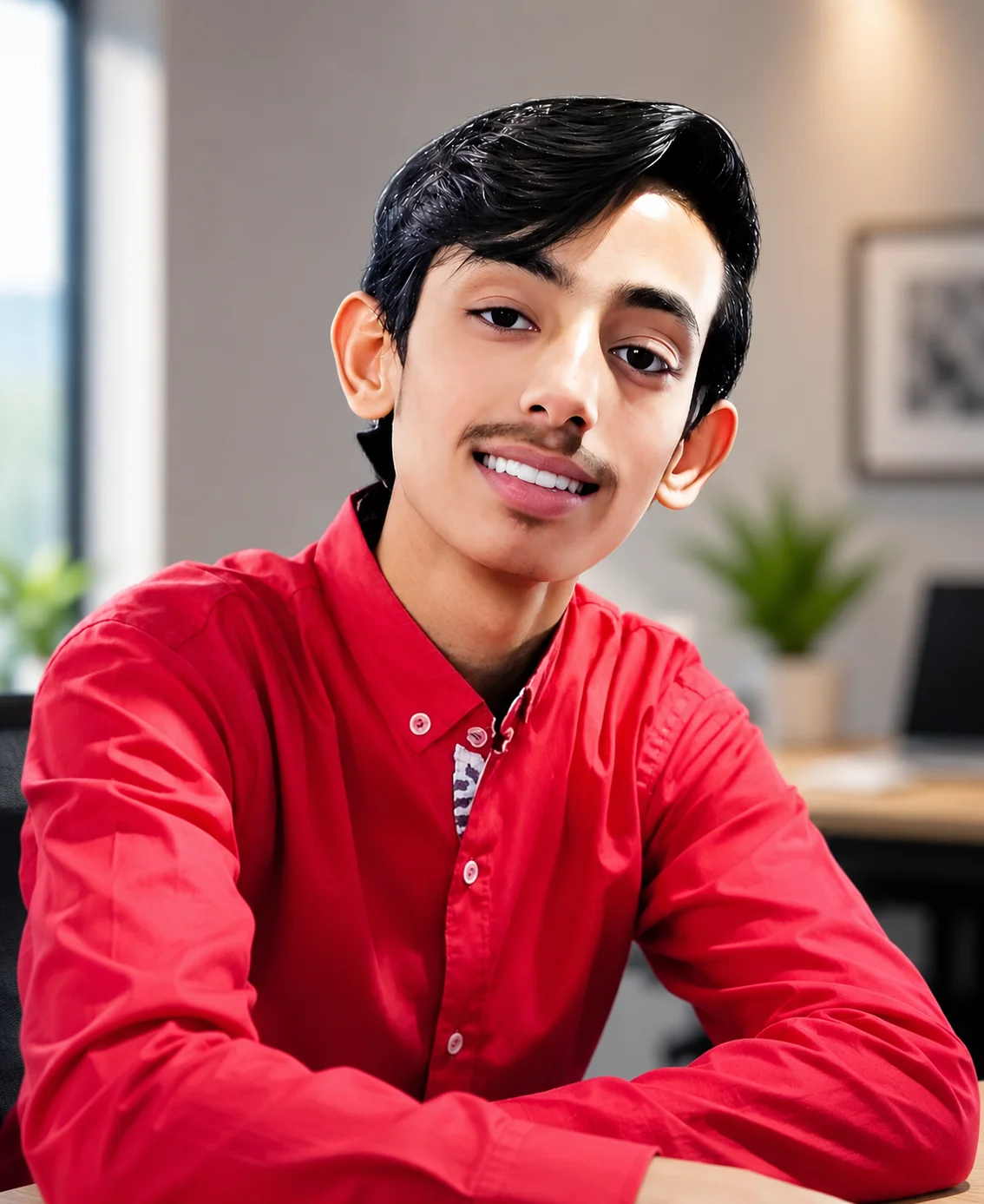
Abdul Qudoos creates and reviews AQPrompts guides and prompt-library content for creators using AI image tools.
