Free AI Christmas Photo Prompts: 19 Copy-Paste Prompts for Festive Photos (2026)
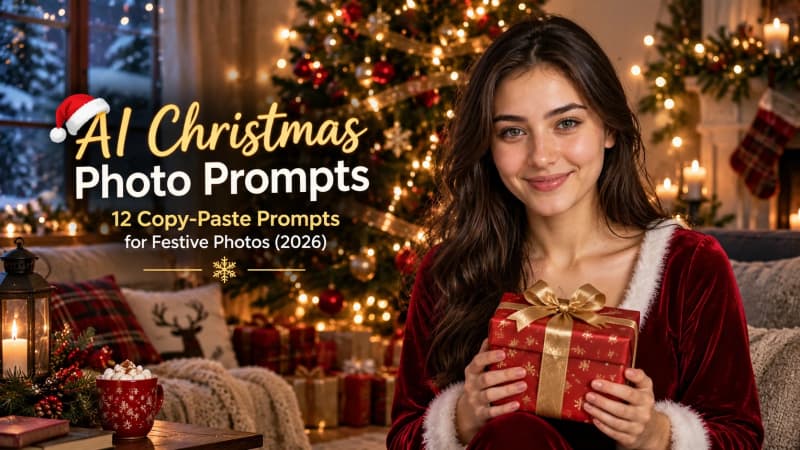
Christmas photos are the one holiday tradition AI can actually improve. A single clear selfie is enough to put you in a snow-covered market, beside a glowing tree, or in the middle of a Christmas morning scene. The catch is the same one that ruins most AI edits: AI Christmas photo prompts work beautifully until the faces drift and grandma comes back looking like a stranger.
Start with this universal face-safe base, then pick any of the 12 prompts below. Attach your photo, paste the prompt, and add the face line every time:
Prompt
Turn my photo into a Christmas scene: [describe the scene, e.g. me in a red knit sweater beside a decorated Christmas tree with warm fairy lights]. Keep my face exactly the same: identical face shape, eyes, nose, smile, skin tone, and hairstyle. Do not smooth, beautify, or age the face. Photorealistic, warm holiday lighting, natural skin texture.The twelve prompts below cover solo portraits, couples, families, pets, and two from-scratch scenes that need no photo at all. Each one is written for ChatGPT and Gemini, the two tools most people already have. For the full face-preservation workflow, see our guide to consistent face AI portrait prompts before
you generate anything important
Why Most Christmas AI Photos Change Your Face
It helps to know why faces drift, because the fix is a one-sentence habit. When you keep the original pose and framing, the AI paints Christmas around your existing face: hats, sweaters, a tree behind you. When you ask for a brand new pose or a full scene change, it redraws everyone smaller from memory, and that is where people turn into lookalikes. Kids drift first, because their faces are smaller in the frame.
Two habits prevent almost all of it. First, keep the pose: same sofa, same angle, same framing, and let the AI decorate around you. Second, name who is in the photo. AI is oddly bad at counting heads, and an unnamed extra person gets invented, merged, or dropped. State who is who, left to right, and the faces stay put. Independent testing of AI Christmas photo edits found that unnamed people vanished or melted
together in nearly half of pose-keeping edits, and never did once everyone was named.
12 Copy-Paste AI Christmas Photo Prompts
Every prompt below is written to paste directly under your face-safety line. Replace the bracketed slots, attach your photo, and send.
1. Santa Hats by the Tree
Prompt
Turn my photo into a Christmas photo: put a classic red Santa hat on me and decorate the room behind me with a tall decorated Christmas tree, warm white fairy lights, and soft bokeh. Keep my face exactly the same. Photorealistic, cozy warm lighting.2. Christmas Morning in Matching Pajamas
Prompt
Turn our photo into a Christmas morning scene: we are wearing matching red plaid pajamas, sitting on the same sofa, with a decorated Christmas tree, wrapped presents, and warm morning window light behind us. Keep every face exactly the same. Photorealistic, joyful and cozy.3. Snowy Christmas Market Stroll
Prompt
Place me in a snowy European Christmas market at dusk: I am wearing a winter coat, knit scarf, and gloves, holding a paper cup of hot mulled wine, wooden market stalls with string lights and wreaths softly blurred behind me, gentle falling snow. Keep my face exactly the same. Cinematic, warm and cold tones balanced.4. Fireside Hot Chocolate Portrait
Prompt
A cozy Christmas portrait of me sitting close to a crackling stone fireplace, wearing a cream cable-knit sweater, holding a steaming mug of hot chocolate with both hands, a decorated Christmas tree glowing softly in the dark background. Keep my face exactly the same. Photorealistic, firelight on the skin, shallow depth of field.5. Christmas Tree Farm at Golden Hour
Prompt
Place me at a Christmas tree farm at golden hour: rows of snow-dusted evergreen trees stretching behind me, warm low sun flaring through the branches, I am wearing a forest green coat and a red knit beanie, breath visible in the cold air. Keep my face exactly the same. Cinematic, nostalgic holiday film look.6. Ugly Christmas Sweater Party
Prompt
Turn my photo into an ugly Christmas sweater party shot: I am wearing an outrageously overdecorated Christmas sweater with 3D reindeer, pom poms, and blinking lights, holding a candy cane, laughing, string lights and a slightly blurry party crowd behind me. Keep my face exactly the same. Fun, candid flash photography look.7. Holiday Glamour in Red
Prompt
A high-glamour Christmas editorial portrait of me: floor-length red satin gown (or red velvet blazer), statement gold earrings, dramatic but elegant makeup, oversized gold Christmas ornaments and deep green pine softly blurred behind me, studio lighting with a warm glow. Keep my face exactly the same. Fashion editorial, polished and festive.8. Snowy Cabin Window
Prompt
A quiet Christmas portrait of me sitting beside a large wooden cabin window at night, snow falling heavily outside, warm lamplight on my face, a small decorated Christmas tree and a steaming mug of tea on the windowsill beside me. Keep my face exactly the same. Photorealistic, intimate and calm.9. Christmas Lights Bokeh Beauty Shot
Prompt
A close-up Christmas beauty portrait of me: my face softly lit, a curtain of warm golden Christmas lights thrown into large round bokeh filling the entire background, subtle red and green tones, festive but elegant. Keep my face exactly the same. Photorealistic, shallow depth of field, glowing skin.10. Family Card Photo
Prompt
Turn our family photo into a Christmas card photo: we are standing close together in front of a grand decorated Christmas tree in a snowy garden at dusk, wearing coordinated winter outfits in red, cream, and forest green, warm string lights everywhere, gentle snowfall. There are [number] people: [names left to right]. Keep every face exactly the same. Leave the top of the frame slightly empty for card text. Photorealistic, warm and timeless.11. Your Dog in a Santa Hat
Prompt
Put a red Santa hat and a red knitted scarf on my dog, sitting proudly beside a decorated Christmas tree with wrapped presents, warm fairy lights behind. Keep my dog's exact markings, face, and fur color. Photorealistic, adorable and sharp.12. From-Scratch Christmas Scene (No Photo Needed)
Prompt
A photorealistic Christmas scene with no people: a cozy living room at night, fireplace crackling, stockings hung, a tall decorated Christmas tree with warm white lights in the corner, wrapped presents underneath, snow falling outside a large window, a sleeping cat curled on the rug. Warm cinematic lighting, ultra detailed, no people, no text, no watermark.Candy Cane Studio Portrait
13. Candy Cane Glam Red Sequin Dress Portrait
Prompt
Transform the uploaded photo into a playful candy cane glam Christmas portrait while keeping the woman's face, facial features, skin tone and identity exactly the same as the uploaded photo. Do not change her face or make her look like a different person. Outfit and look: She wears an off shoulder red sequin dress that sparkles in the light. Long dark brown hair worn loose, glam festive makeup, and a big joyful smile. She holds a large red and white swirl peppermint lollipop beside her face and looks at the camera. Background and lighting: Giant candy canes and swirl lollipop props stand around her against red and white draped fabric, with warm fairy lights sparkling through the scene and snow dusted fir branches at the base. Bright cheerful studio lighting, photorealistic skin texture, sharp focus on the face, vertical portrait, high resolution. // [Source attribution only:aqprompts.com], aspect ratio 4:5Christmas Couple Prompts
14. Couple in Matching Scarves on a Snowy Street
Prompt
Transform the uploaded photo into a romantic snowy Christmas street portrait of the couple while keeping both people's faces, facial features, skin tones and identities exactly the same as the uploaded photo. Do not change either face or make them look like different people. Outfit and look: Both wear matching chunky cream knit scarves. She wears a black puffer jacket, he wears an olive green puffer jacket. They stand close together on a snowy street at dusk, turned toward each other and laughing naturally, with light snowfall settling around them. Background and lighting: Strings of warm fairy lights hang above the snowy street, and decorated shop windows with Christmas wreaths glow softly behind them. Warm dusk light mixed with golden shop light, cinematic winter glow, shallow depth of field, photorealistic skin texture, sharp focus on both faces, vertical portrait, high resolution. // [Source attribution only:aqprompts.com], aspect ratio 4:5See the original prompt in the AQPrompts library
15. Cross Phone Christmas Lockscreen Couple
Prompt
Ultra-realistic cinematic lifestyle photograph of two iPhone 15 Pro models standing side by side on a rustic wooden table, slightly tilted toward each other. The background is a cozy Christmas cabin interior featuring a glowing stone fireplace with fire, a decorated Christmas tree with warm lights, and a snowy window view. The LEFT iPhone screen displays a lockscreen wallpaper of a young man with exact facial likeness from a reference photo, wearing a dark navy coat and dark cap, slightly smiling as his cheek is pinched. The RIGHT iPhone screen displays a lockscreen wallpaper of a young woman with exact facial likeness from a reference photo, wearing a cream velvet blazer, smiling sweetly and looking left. Her arm creatively extends out of the right phone screen border and into the left phone screen to playfully pinch his cheek, creating a magical 3D cross-phone interaction. Both screens feature lockscreen details: 'Varrier' carrier text, signal icons, date 'Sunday, 12 October', large bold white time '10:09', and torch and camera icons at the bottom. Rendered with warm golden festive lighting, photorealistic textures, high-resolution quality, 4:5 aspect ratioSee the original prompt in the AQPrompts library
More Festive Christmas Portraits
16. Woman in Red Velvet Dress by the Christmas Tree
Prompt
Transform the uploaded photo into a warm Christmas portrait while keeping the woman's face, facial features, skin tone and identity exactly the same as the uploaded photo. Do not change her face or make her look like a different person. Outfit and look: She wears a deep red long sleeve velvet wrap dress with a soft rich sheen. Long dark brown hair worn loose, natural festive makeup, soft pink lips and a gentle smile. She stands beside a decorated Christmas tree in a close three quarter portrait, one hand raised holding a small gold ornament, looking at the camera. Background and lighting: The Christmas tree beside her carries gold baubles, pinecones and warm glowing lights. A second lit Christmas tree glows softly blurred behind her in a cozy living room with candles and a sofa. Warm golden indoor lighting, cinematic festive glow on her face, shallow depth of field, photorealistic skin texture, sharp focus on the face, vertical portrait, high resolution. // [Source attribution only:aqprompts.com], aspect ratio 4:5See the original prompt in the AQPrompts library
17. Man in Cream Coat and Red Scarf in Snowy Garden
Prompt
Transform the uploaded photo into a calm snowy garden Christmas portrait while keeping the man's face, facial features, skin tone and identity exactly the same as the uploaded photo. Do not change his face or make him look like a different person. Outfit and look: He wears a cream textured wool coat and a deep red knitted scarf. Wavy dark brown hair with light stubble, and a gentle smile at the camera. Fine snowflakes rest on the scarf and in his hair. Close portrait framing. Background and lighting: A snowy garden at dusk with warm string lights glowing as soft bokeh behind him and a snow covered fir branch at the side of the frame. Soft warm light on his face against the cool evening snow, cinematic winter mood, shallow depth of field, photorealistic skin texture, sharp focus on the face, vertical portrait, high resolution. // [Source attribution only:aqprompts.com], aspect ratio 4:5See the original prompt in the AQPrompts library
18. Woman with Reindeer Headband and Fairy Lights
Prompt
Ultra-realistic Christmas portrait,vertical composition. A beautiful young woman with long wavy dark brown hair, fair glowing skin, soft rosy cheeks decorated with tiny white snowflake sparkles, warm brown eyes, red lipstick and a sweet gentle smile, one hand resting softly against her cheek. She wears a brown reindeer antler headband with green holly leaves and red berries, and a cozy cream off-shoulder chunky knit sweater. A string of warm multicolour fairy lights is draped around her shoulders and arms, glowing softly. Setting: a cozy Christmas room at night, a decorated Christmas tree with warm golden bokeh lights and red ornaments blurred on the left, a frosted window with falling snow on the right, a small red mug on the table. Warm festive lighting, soft glow on the skin, shallow depth of field, creamy bokeh, 85mm lens f/1.8, professional holiday photography, highly detailed knit texture and skin, sharp focus on the face, high-resolution, aspect ratio 4:5See the original prompt in the AQPrompts library
19. Woman in Cream Christmas Sweater with Red Bow Headband
Prompt
Ultra-detailed cozy Christmas portrait of a young woman in her early twenties, upper-body framing, standing close to a decorated Christmas tree. Head tilted slightly, looking straight into the camera with a bright, joyful, open smile showing her teeth, eyes crinkling softly. Her right hand is raised, fingertips gently resting under her chin in a cute pose. Face and makeup: Fair, porcelain-smooth, luminous complexion with a soft rosy blush across the cheeks and nose. Light grey-brown eyes, soft coral-orange eyeshadow with a subtle shimmer, natural lashes, slim soft brows. Glossy coral-red lips with a fresh, juicy finish. Hair: Long, voluminous chestnut-brown hair with soft, loose, bouncy waves falling over both shoulders and down the front. Wispy see-through bangs across the forehead, with soft face-framing strands and a silky, healthy shine. Accessories: A large, glossy red satin bow headband sitting on top of the head. Small red drop earrings with a glossy red bead and a tiny gem detail. Clothing: Fluffy cream-white knit Christmas sweater with bold red bands and white snowflake patterns on the sleeves and shoulders, thick ribbed cuffs, soft wool texture, relaxed slightly oversized fit. Pose and hands: Right hand lifted near the chin with fingers softly curled, left arm relaxed. Fingers natural, elegant and anatomically correct. Background: A lush green Christmas tree filling the background, decorated with glossy red and matte gold baubles, with soft golden fairy-light glow. Plain warm light-grey wall behind. Background softly blurred with creamy bokeh. Lighting: Soft, bright, diffused indoor light from the front, with a gentle warm glow from the tree lights. Even, flattering, airy exposure with delicate highlights on the skin and no harsh shadows. Camera and composition: Full-frame camera, 85mm f/1.8 lens, shallow depth of field, sharp focus on the eyes and face, vertical 4:5 aspect ratio framing, subject slightly right of center with the tree filling the left side of the frame. Color and mood: Festive palette of Christmas red, cream white, forest green, and gold, with warm chestnut hair tones. Cheerful, sweet, cozy, kawaii-inspired holiday mood. Quality: Polished beauty and lifestyle editorial, soft glow retouching, photorealistic, highly detailed knit texture, snowflake pattern, and hair strands, high-resolution. // [Source attribution only:aqprompts.com]See the original prompt in the AQPrompts library
How to Use These AI Christmas Photo Prompts in ChatGPT and Gemini
In ChatGPT: attach your photo, paste the face-safety base plus your chosen prompt, and send. If the face drifts, regenerate instead of editing the prompt, because the recipe is already right and the next roll
is often the keeper. Free accounts can attach photos within daily limits.
In Gemini: the same flow works, and Gemini is notably good at keeping faces in multi-photo edits. For prompts that combine two separate photos, such as a couple shot built from two headshots, pick the Flash or Pro model rather than the lighter one, which is not built for handling several photos at once.
One more practical note: say what you want to keep, not just what you want changed. If you ask only for Santa hats, some models will dress your whole family in Christmas sweaters anyway. Name the clothes you want kept, the small details that matter (glasses, a collar, bangs), and the headcount, and you will throw away far fewer generations.
5 Mistakes That Ruin Christmas AI Photos
Changing the pose and the scene at once. Pick one: keep your pose and change the room, or keep the room and change your outfit. Asking for a new pose in a new scene is the number one cause of face drift.
Forgetting the headcount. Always state how many people and pets are in the photo. Unnamed people get dropped or merged, and one in four Santa-addition tries bumps someone out of the frame entirely.
Letting the AI write your card text. Card-style prompts invent names on stockings and banners. Keep the frame text-free and add your greeting in a design app afterwards.
Over-smoothing the skin. Words like "beautiful" and "flawless" in a prompt push the model toward plastic skin. "Natural skin texture" keeps everyone recognizable.
Asking for Santa to join the photo. It can work, but count heads afterwards: in testing, Santa took someone's seat about one time in four. Regenerate until everyone is present.
Are These Christmas Photo Prompts Free?
Yes. Every prompt on this page is free to copy, so you can pick any prompt you like, paste it with your photo, and start creating right away.
ChatGPT and Gemini both let free users edit photos within daily limits, so you can make a handful of Christmas photos without spending anything.
AI Christmas Photo Prompts: Frequently Asked Questions
Will these prompts change my face?
Not if you keep the face-safety line in every prompt and keep your original pose. The prompts above are written to decorate around your face, not redraw it. If a face still drifts, regenerate with the same prompt rather than rewriting it.
Which is better for Christmas photo edits, ChatGPT or Gemini?
Both handle single-photo edits well. Gemini has an edge on multi-photo edits, like combining two headshots into one couple photo. ChatGPT is slightly better at following detailed styling instructions. Try your first prompt in the tool you already use.
Can I make a Christmas photo without uploading my own picture?
Yes. Prompt 12 above generates a complete Christmas scene from scratch, no photo needed. This is also the safest option if you are making content for a business page and do not want to use real faces.
How do I turn the result into an actual Christmas card?
Generate with the top of the frame slightly empty (prompt 10 does this), then add your greeting text in any design app. Never let the AI render the text itself, because it will invent spellings and names.
Are AI Christmas photos free to make?
ChatGPT and Gemini both let free users edit photos within daily limits, so a handful of Christmas photos costs nothing. If you need dozens of variations for a shop or campaign, check the paid tiers of your tool for usage rights before selling anything.
Make This Christmas Your Most Photographed One
Twelve prompts, one rule: keep the face line in every generation and name everyone in the frame. That is the entire difference between a Christmas photo that looks like you and one that looks like a stranger in your sweater. If you enjoyed the holiday glamour look, our elegant female AI portrait prompts go deeper on that style, and last year's Halloween photo prompts show how the same face-safe method works for any season. For outfit changes inside your Christmas shots, the ChatGPT dress change prompts pair well with prompt 7.
When the holidays are over, the same techniques transfer to every other portrait. Browse the full AI image prompt library for hundreds of copy-paste prompts across portraits, fashion, cinematic shots, and lifestyle photos. For the funny side of holiday shoots, the holiday glamour shot guide is a good catalog of over-the-top ideas to adapt.
Learn how we review our guides →
Topics:
Abdul Qudoos creates and reviews AQPrompts guides and prompt-library content for creators using AI image tools.
