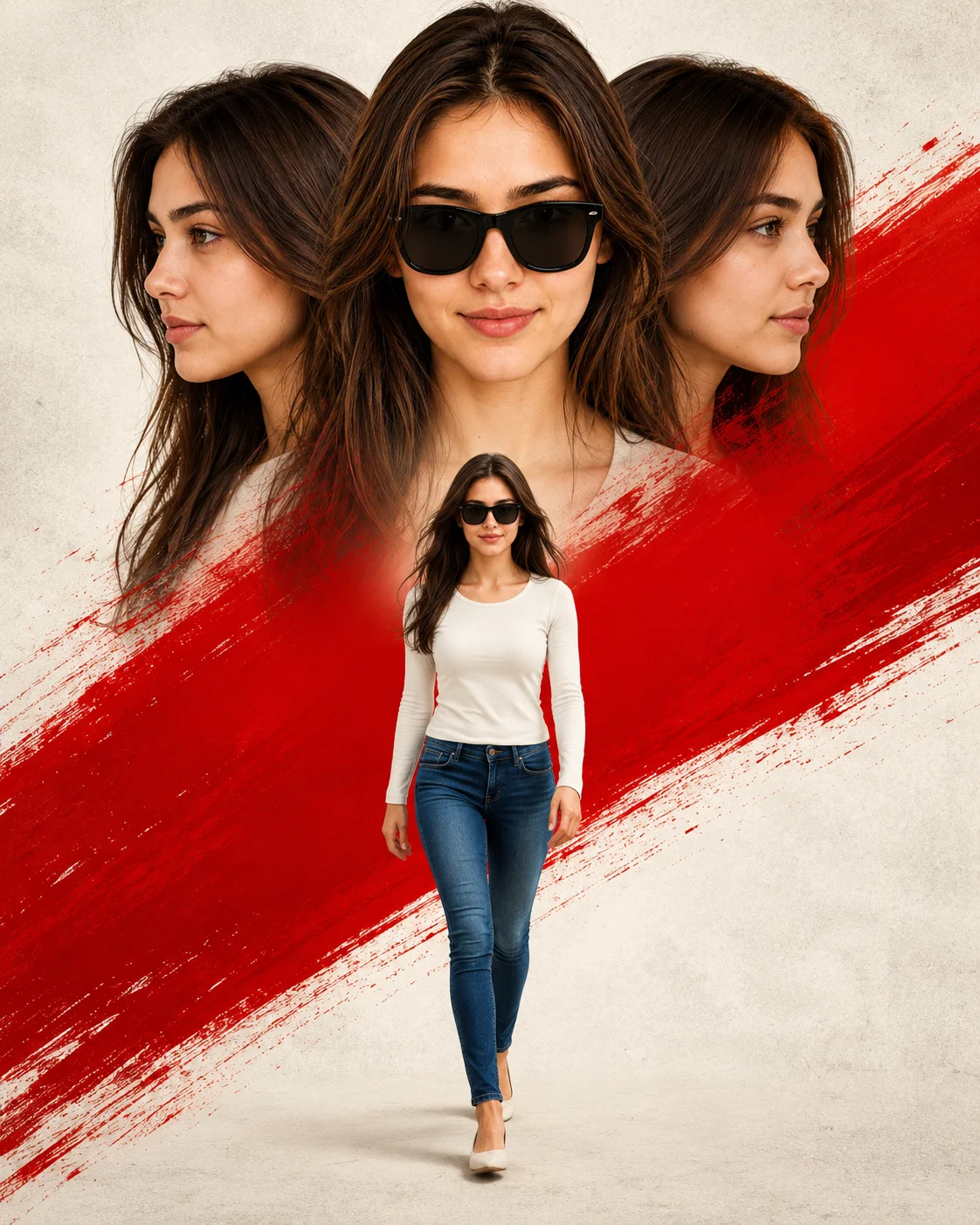
Triple Face Cinematic Movie Poster Red Brush Stroke Prompt
Photo Editing Prompts
Command cinematic star power with this bold, triple-exposure movie poster prompt. Grounded in a minimalist off-white canvas with a fierce, textured red brush stroke slicing diagonally through the frame, this composition pays homage to legendary blockbuster poster styles. By seamlessly blending two side profiles with a larger, sunglasses-clad center portrait—while a small full-body figure struts forward below—this template provides an elite, high-concept layout for theatrical character designs, striking personal branding art, and dramatic website graphic catalogs.
Links to official tool websites. Not a claim that this prompt was tested in every tool or model version.
Frequently Asked Questions
Quick answers before you copy this prompt
Do I need to upload a reference photo for this prompt to work?+
Yes, this prompt is designed for reference-image workflows. Upload a clear, well-lit photo of the subject's face. A front-facing photo with visible facial features produces the best identity preservation. Removing the identity-preservation instructions will cause the model to generate a new face.
How do I make the studio background less flat and more dynamic?+
Try adding a subtle gradient or texture to the backdrop: "dark grey gradient background with subtle texture, not pure black." You can also specify background lighting like "subtle backlight glow on the backdrop" for more depth.
Which AI image generator produces the best results with this prompt?+
This prompt works with ChatGPT, Midjourney, and Leonardo AI. ChatGPT tends to follow composition rules closely, Midjourney excels at color grading and mood, and Leonardo AI handles photorealistic textures and fine details well. Test with 2-3 generations on each platform to find the best match.
What should I change if the subject looks distorted or unnatural?+
Simplify the pose description and remove conflicting instructions. Add "natural relaxed pose, correct body proportions, anatomically coherent" at the beginning. If the face looks wrong, add "preserve exact facial structure and proportions" and use a higher-quality reference photo.