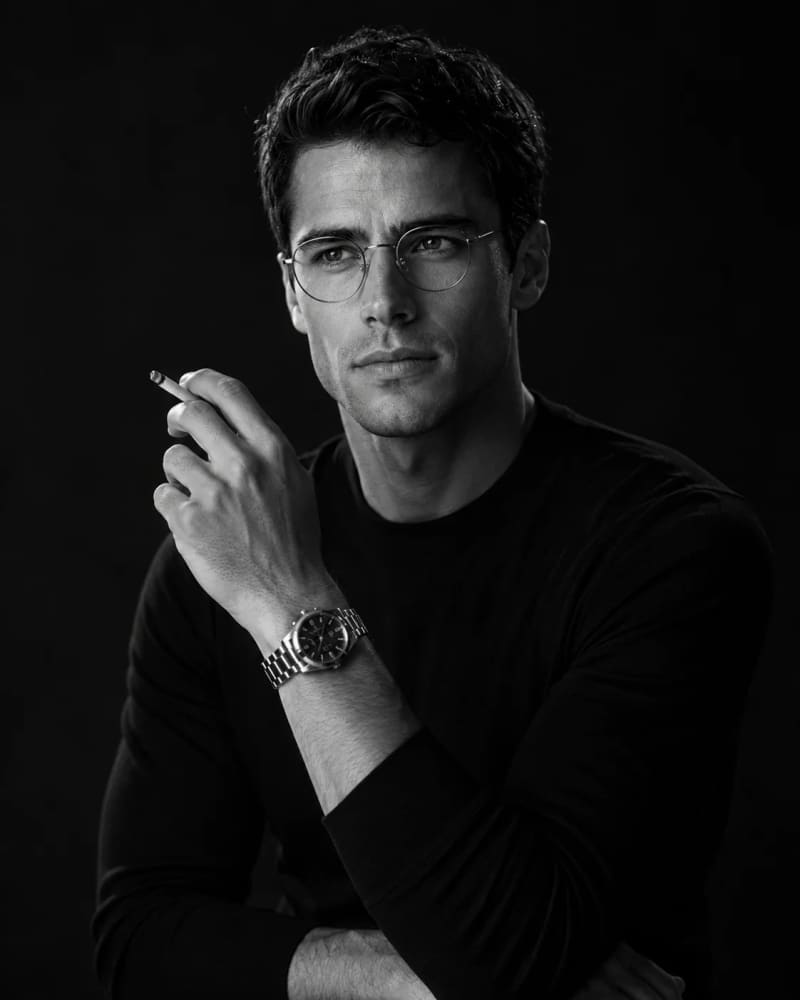
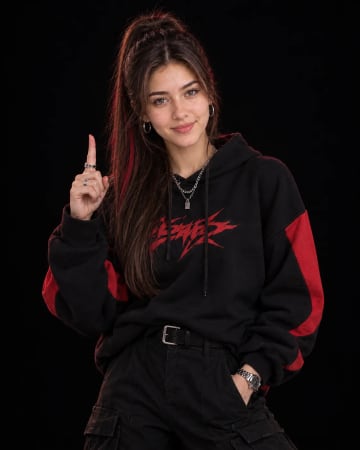
Create a highly realistic, cinematic black-and-white fashion portrait using my uploaded photo as the PRIMARY IDENTITY REFERENCE and the provided reference image as the STYLE, POSE, COMPOSITION, OUTFIT, LIGHTING, and PHOTOGRAPHY reference. IDENTITY — MOST IMPORTANT: Keep my face and identity exactly the same as my uploaded photo. Do NOT replace my face with the reference model's face. Preserve my exact facial structure, face shape, eyes, eyebrows, nose, lips, jawline, cheekbones, ears, hairstyle, hairline, beard/stubble pattern, skin texture, age, and all recognizable facial characteristics. I must clearly look like myself. POSE: Recreate the relaxed, sophisticated pose from the reference. Position my upper body slightly turned to one side while my face is angled upward and slightly toward the side, as if thoughtfully looking into the distance. Raise one hand naturally near my face, with the fingers positioned elegantly near the cheek/chin area. The other arm should rest naturally across the lower body. Keep the hands anatomically correct with realistic fingers, joints, proportions and natural skin texture. If a cigarette is included, it should be held naturally between the fingers with subtle realism and no exaggerated smoke. Keep the overall image tasteful and editorial rather than emphasizing smoking. OUTFIT: Dress me in a premium, fitted plain black long-sleeve crew-neck shirt/sweater. The fabric should have realistic texture and subtle natural folds. Add a sophisticated premium metal wristwatch on the raised wrist, with a realistic metallic bracelet, detailed watch face and natural reflections. GLASSES: Add elegant thin-frame round/oval eyeglasses similar to the reference. The glasses should sit naturally on my face, with realistic transparent lenses, subtle reflections and physically accurate positioning. IMPORTANT: The glasses must not alter or hide my facial identity. HAIR & GROOMING: Keep my original hairstyle and hairline from the uploaded photo as much as possible. Give the hair natural volume and realistic individual strands while preserving my recognizable appearance. Maintain realistic beard/stubble detail and natural facial texture. Avoid excessive skin smoothing or beauty filters. EXPRESSION: Create a calm, serious, thoughtful and sophisticated expression. Eyes looking slightly upward and toward the side, with a subtle contemplative mood. Relaxed lips and natural facial muscles. The expression should feel confident and mysterious without looking angry. BACKGROUND: Use a completely dark, minimal studio background. Deep black/charcoal tones with very subtle gradients and no distracting objects. The background should blend naturally into the black clothing, creating a dramatic low-key portrait atmosphere. LIGHTING: Use dramatic low-key cinematic lighting. Place a strong soft key light from the upper-left/front-left side of the face. Illuminate one side of the face clearly while allowing the opposite side to gradually fall into deep shadow. Create beautiful highlights along the forehead, cheekbone, nose, beard, glasses frame, fingers and wristwatch. Maintain detailed shadow information instead of making the dark areas completely crushed. The lighting should resemble classic black-and-white studio portrait photography with strong chiaroscuro. BLACK & WHITE: Convert the entire image into rich monochrome black-and-white photography. Use deep blacks, bright but controlled highlights, smooth grayscale transitions and strong tonal separation. Keep realistic skin texture visible through the monochrome treatment. No artificial color tint, no blue tint, no sepia. CAMERA & PHOTOGRAPHY: Professional high-end editorial portrait photography. 85mm portrait lens aesthetic. Natural facial proportions. Shallow depth of field. Sharp focus on the eyes, glasses, face and hand. Subtle falloff toward the background. High-resolution photographic detail. Professional studio exposure. Realistic film-like tonal range. Classic cinematic portrait aesthetic. COMPOSITION: Vertical 4:5 aspect ratioportrait composition. Frame approximately from the chest/waist area upward, keeping the head completely visible with comfortable space above the hair. Place the face around the upper-center/upper-right region of the composition, while the raised hand creates a strong visual line toward the face. Keep the shoulders and upper torso visible to create a powerful masculine portrait. Do not crop the top of the head, hand, wristwatch or important facial features. MOOD: Sophisticated. Mysterious. Intellectual. Masculine. Elegant. Timeless. Cinematic. Premium editorial fashion photography. REALISM: The final result must look like a real photograph captured with a professional full-frame camera, not AI artwork. Preserve realistic anatomy, realistic fingers, realistic skin pores, realistic hair strands, realistic glasses, realistic watch reflections, realistic clothing texture and physically accurate lighting. FINAL OUTPUT: Ultra-realistic black-and-white cinematic gentleman portrait, premium editorial photography, dramatic low-key lighting, sophisticated styling, realistic facial identity preservation, dark studio background, detailed glasses and wristwatch, natural pose and anatomy.





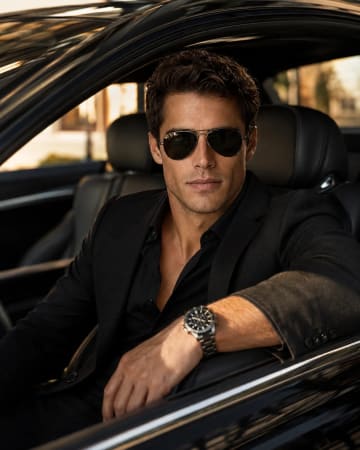 Luxury Car Golden Hour Editorial Portrait PromptLuxury Car Golden Hour Editorial Portrait Prompt