5 AI Streetwear Portrait Prompts for the Red Jacket Look (2026)
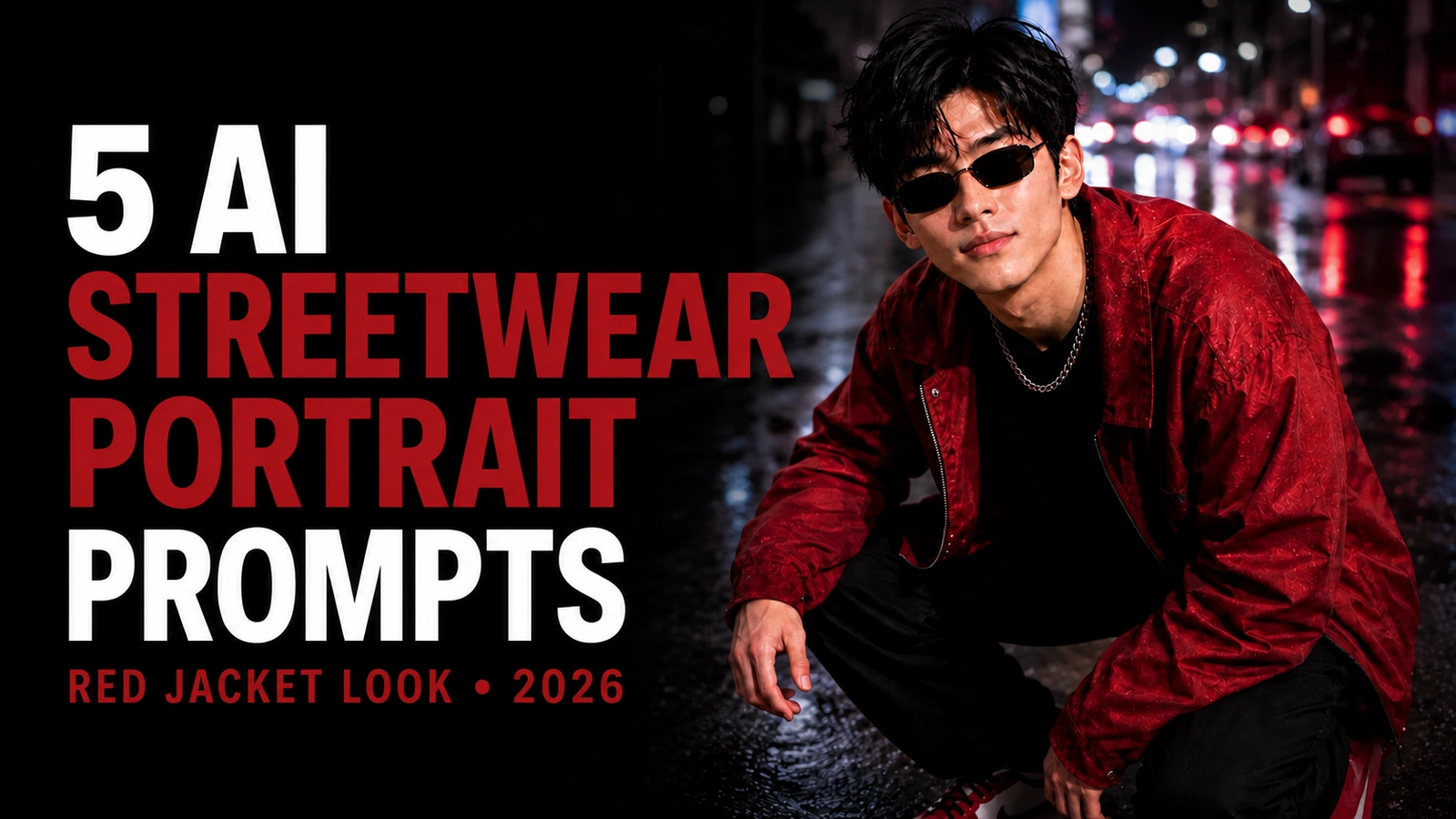
Create cinematic red jacket streetwear portraits with five professional AI photo prompts.
AI streetwear portraits combine clothing, pose, environment, and lighting in one composition. A crouching pose can create a low, compact silhouette, while a red jacket gives the model a clear color focal point against darker urban backgrounds.
This guide provides five variations: a cyberpunk alley, a golden-hour rooftop, a dark studio, an industrial warehouse, and a rainy city street. You can also browse the cinematic AI prompt collection for related lighting and atmosphere ideas. The prompt text below is presented as supplied so you can copy it directly and decide which controls belong in your chosen image tool.
Responsible use: Upload only an adult reference photograph you own or have permission to use. A reference image can guide an output but cannot guarantee an exact identity match. Do not use generated portraits to impersonate another person or imply a real endorsement or event. See the AQPrompts editorial policy for the site's review and disclosure standards.
1. Cyberpunk Neon Street Style
This version combines a crouching pose with high-contrast red, magenta, and electric-blue light in a wet futuristic alley.
Prompt
Use the uploaded photo only as the facial identity reference. Preserve the person’s exact facial identity, natural skin tone, age, facial proportions, eyes, nose, lips, jawline, hairstyle and facial-hair pattern with maximum accuracy. Do not generate a different face. Create an ultra-realistic cinematic streetwear portrait of the same young man crouching confidently in a futuristic cyberpunk alley at night. Show his full crouching pose in a vertical 4:5 composition, photographed from a slightly high angle while he looks upward toward the camera with a calm, serious and effortlessly cool expression. Style his hair in thick, layered black strands with soft volume and a slightly messy fringe. Add slim rectangular black sunglasses with dark lenses and thin metallic frames. Dress him in a bold red oversized bomber jacket layered over a black fitted T-shirt, paired with loose black cargo trousers and premium red-and-white sneakers. Add a chunky silver chain necklace for a modern edgy look. The background should feature a wet neon-lit alley with glowing signs, soft reflections on the ground, blurred urban lights and subtle atmospheric mist. Use vivid red, magenta and electric-blue neon lighting to create dramatic contrast. Add blue rim light on one side of the body and red rim light on the other, with soft frontal light illuminating the face. Keep the image highly detailed, with realistic fabric folds, sharp facial focus, accurate hands, cinematic shadows and premium urban editorial styling.
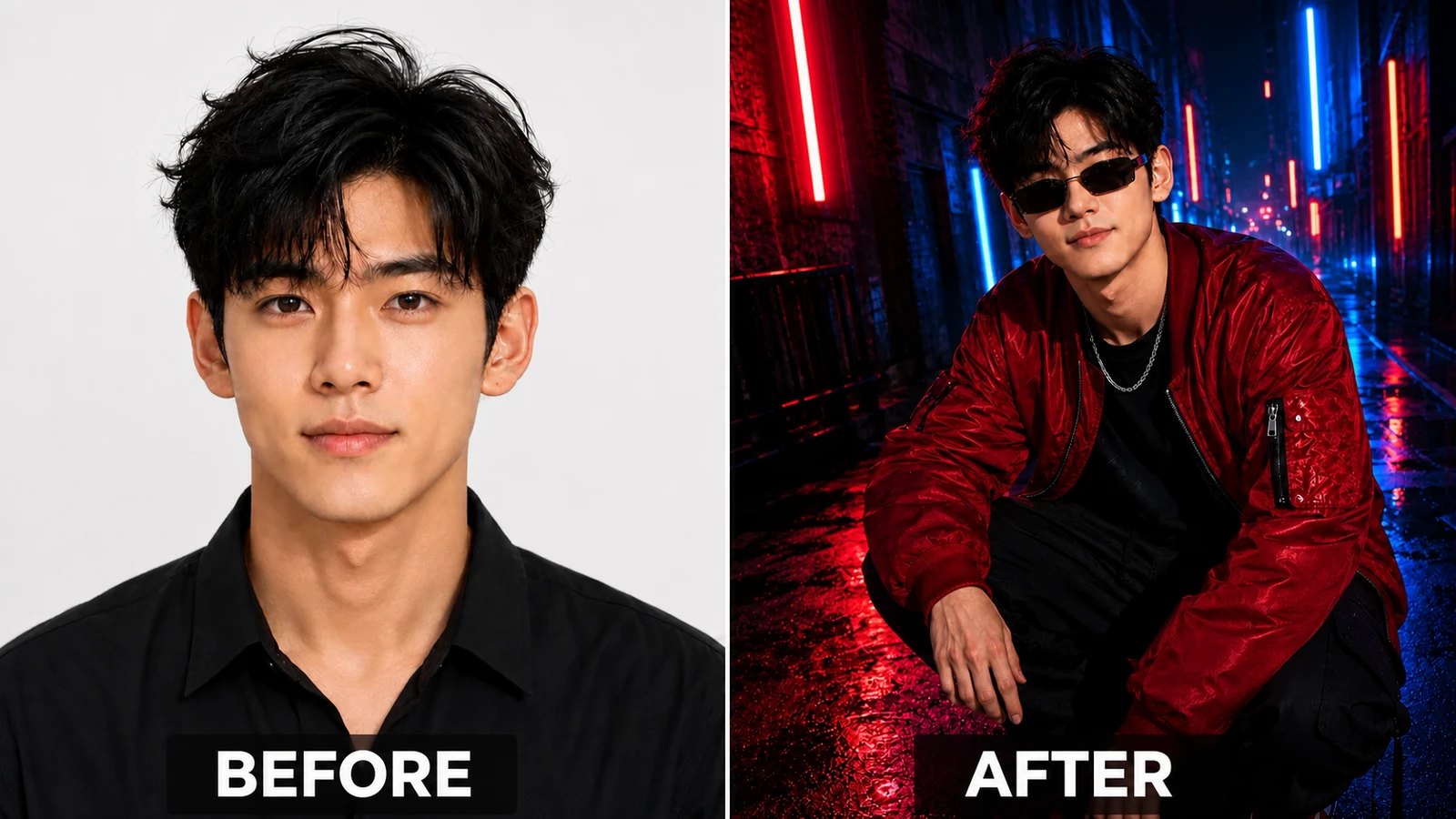
Illustrative AI-edited comparison of a portrait and a cyberpunk streetwear scene with neon lighting.
2. Golden Hour Rooftop Style
This variation moves the red-jacket look to a concrete rooftop with distant buildings and warm sunset light.
Prompt
Use the uploaded photo only as the facial identity reference. Preserve the person’s exact facial identity, natural skin tone, age, facial proportions, eyes, nose, lips, jawline, hairstyle and facial-hair pattern with maximum accuracy. Do not generate a different face. Create an ultra-realistic fashion portrait of the same young man crouching in a stylish rooftop setting during golden hour. Show him in a relaxed crouching pose, photographed from a high perspective, looking up toward the camera with a calm, confident and slightly intense expression. Style his hair in thick, voluminous black layers with natural texture and soft movement. Add narrow black sunglasses with clean modern frames. Dress him in a deep red casual jacket over a black T-shirt, black tapered trousers and fashionable red-and-white sneakers. Add a silver chain necklace for a premium streetwear touch. The background should show a softly blurred rooftop environment with concrete textures, distant city buildings and a warm sunset sky. Use glowing golden sunlight from behind and one side to create beautiful highlights around the hair and shoulders. Add warm orange rim lighting and soft natural shadows for a premium editorial look. Keep the color grading warm and cinematic, with realistic skin texture, accurate anatomy, detailed clothing folds and a luxury streetwear aesthetic.
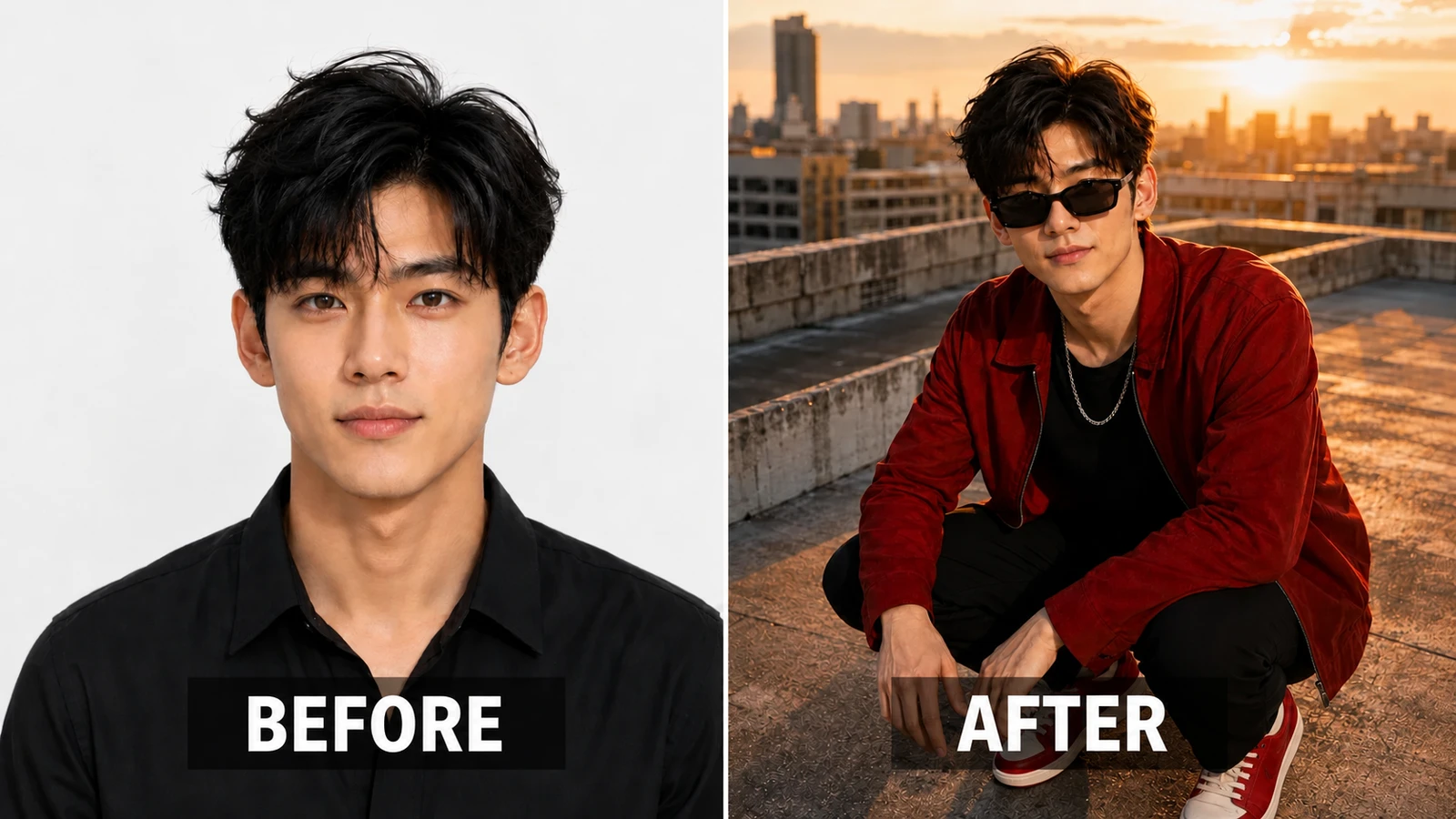
Illustrative AI-edited comparison of a studio portrait and a warm rooftop streetwear scene at sunset.
3. Dark Luxury Studio Portrait
This controlled studio concept uses a black-to-burgundy background, overhead light, and red halo to keep attention on the crimson jacket and pose.
Prompt
Use the uploaded photo only as the facial identity reference. Preserve the person’s exact facial identity, natural skin tone, age, facial proportions, eyes, nose, lips, jawline, hairstyle and facial-hair pattern with maximum accuracy. Do not generate a different face. Create an ultra-realistic luxury studio portrait of the same young man crouching confidently in a dark minimalist studio. Show his full crouching pose in a vertical 4:5 composition from a dramatic top-down angle, with his face tilted upward toward the camera and a calm, serious and sophisticated expression. Style his hair in thick black textured layers with a soft side-parted fringe. Add sleek narrow sunglasses with dark lenses. Dress him in a rich crimson-red oversized fashion jacket over a fitted black crew-neck shirt, with black tailored trousers and premium sneakers. Add a thick silver Cuban-link chain necklace. The background should be a deep black-to-burgundy studio gradient with a subtle red spotlight glow behind him. Use dramatic studio lighting with a focused overhead spotlight, red halo backlight and soft frontal fill light on the face. Add elegant shadows and high contrast for a premium fashion-magazine look. The overall result should feel luxurious, clean and powerful, with sharp details, refined lighting, realistic textures and a high-end editorial aesthetic.
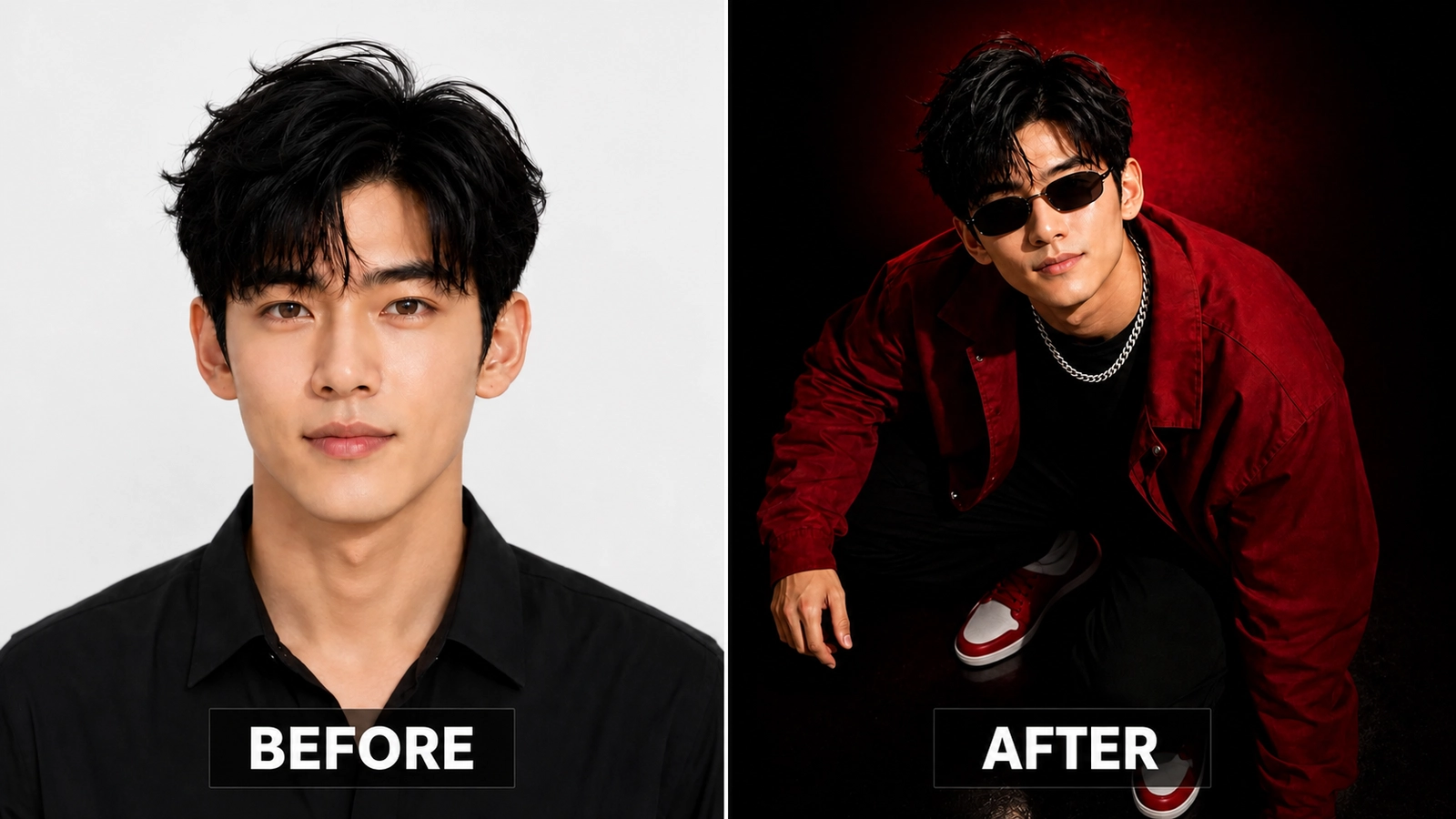
Illustrative AI-edited comparison of a portrait and a red-and-black studio fashion scene.
4. Industrial Warehouse Mood
Concrete walls, metal beams, restrained haze, and mixed cold-white and red light give this version a grittier urban setting.
Prompt
Use the uploaded photo only as the facial identity reference. Preserve the person’s exact facial identity, natural skin tone, age, facial proportions, eyes, nose, lips, jawline, hairstyle and facial-hair pattern with maximum accuracy. Do not generate a different face. Create an ultra-realistic edgy streetwear portrait of the same young man crouching inside a moody industrial warehouse. Show him in a natural crouching pose from a slightly elevated camera angle, looking upward toward the camera with a calm, bold and self-assured expression. Style his hair in slightly messy, layered black strands with soft texture. Add narrow rectangular sunglasses with dark lenses and thin metallic frames. Dress him in an oversized red utility jacket with subtle zipper details, layered over a black T-shirt, loose black cargo pants and modern red-and-white sneakers. Add a silver chain necklace. The background should feature a dark industrial setting with concrete walls, metal beams, faint smoke, dim atmospheric haze and blurred warehouse lights. Use cold white industrial side lighting mixed with red accent lighting to create a gritty modern feel. Add subtle floor reflections and dramatic shadows. Keep the image realistic and cinematic, with accurate anatomy, detailed fabric textures, sharp facial definition and a bold urban-industrial aesthetic.
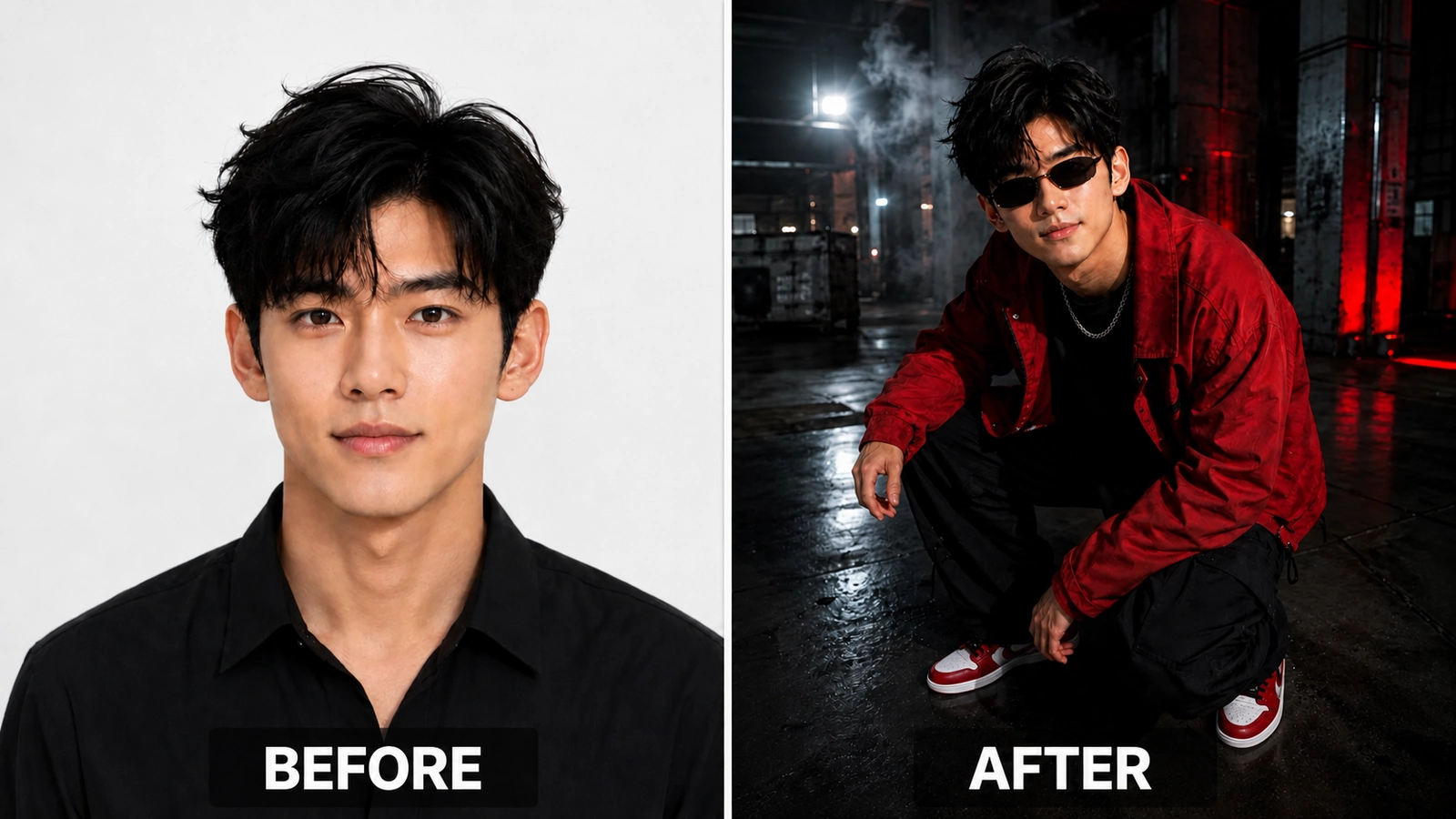
Illustrative AI-edited comparison of a headshot and an industrial streetwear scene.
5. Rainy Urban Street Editorial
Wet pavement, traffic lights, distant cars, and cool reflections create the rainy-night setting for the final red-jacket variation.
Prompt
Use the uploaded photo only as the facial identity reference. Preserve the person’s exact facial identity, natural skin tone, age, facial proportions, eyes, nose, lips, jawline, hairstyle and facial-hair pattern with maximum accuracy. Do not generate a different face. Create an ultra-realistic fashion editorial portrait of the same young man crouching confidently on a rainy urban street at night. Show him in a full crouching pose from a slightly high angle, gazing upward toward the camera with a calm, cool and stylish expression. Style his hair in thick black layers with subtle texture and soft volume. Add slim modern sunglasses with dark tinted lenses. Dress him in a deep red oversized streetwear jacket over a black T-shirt, black trousers and premium red-and-white sneakers. Add a bold silver chain necklace. The background should feature a blurred city street with rain reflections, glowing traffic lights, distant cars, wet pavement and soft neon signage. Use cinematic lighting with red street glow, cool blue reflections on the wet ground and subtle mist in the air. Let the rain-slick pavement reflect the subject’s colors for a dramatic editorial look. Use realistic textures, strong contrast, detailed clothing folds and a stylish rainy-night urban atmosphere.
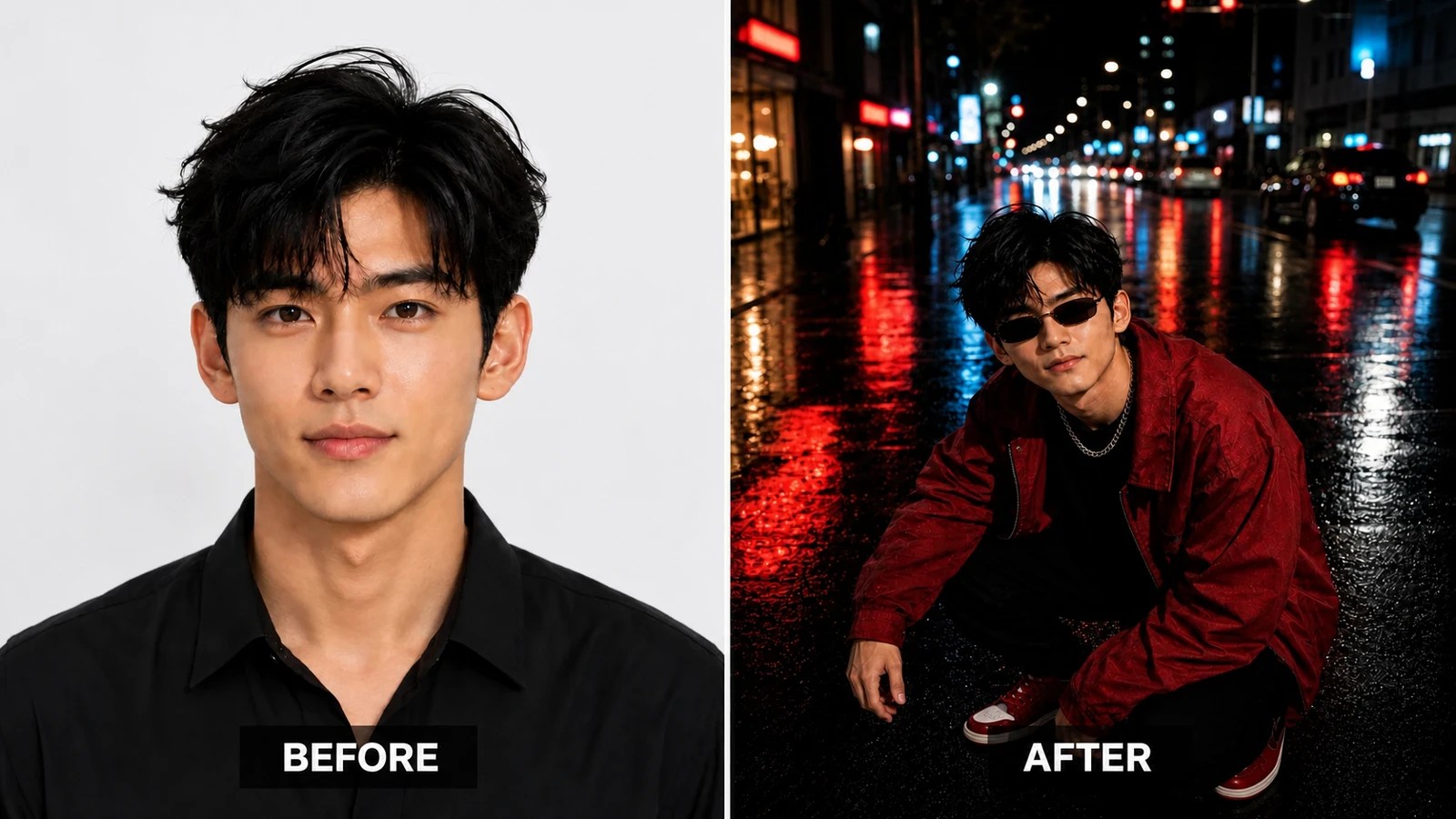
Illustrative AI-edited comparison of a portrait and a cinematic rainy-night streetwear scene.
Four portrait approaches used in these prompts
These five scenes draw from four broad portrait approaches:
- Traditional portrait: Emphasizes the face and expression. The male AI portrait prompt collection provides more face-led examples.
- Environmental portrait: Uses the setting to add context, as in the warehouse scene.
- Lifestyle portrait: Suggests an everyday location or moment, as in the rooftop scene.
- Fashion editorial portrait: Makes clothing, styling, pose, and visual direction central to the image.
Seven posing details to review
AI image instructions cannot guarantee correct anatomy, so inspect these areas before using an output:
- Eyes: Check focus, alignment, and believable reflections.
- Jaw and neck: Look for merging edges or unnatural proportions.
- Shoulders: Confirm that the crouching pose does not compress or twist them unnaturally.
- Hands: Count the fingers and inspect their grip, scale, and placement.
- Spine: Check that the torso follows a plausible crouching posture.
- Chin: Look for distorted transitions between the face and neck.
- Hips, knees, and feet: Confirm that the lower body supports the pose and makes believable contact with the ground.
Practical generation notes
Aspect ratio
The supplied prompts request a vertical 4:5 composition. Keep that ratio for a portrait-oriented image, or change it to match the intended placement. For more editing-oriented examples, visit the AI photo-editing prompt collection.
Negative prompt
If the selected tool supports negative prompts, start with a short list such as plastic skin, distorted hands, extra fingers, duplicate limbs, unreadable text, logo, watermark. Negative wording can communicate intent but does not guarantee a clean result.
Reference-image controls
Use the tool's dedicated reference or identity controls when available. A clear, permitted adult photograph with the face visible generally provides more usable guidance than a heavily filtered or obstructed image. For tool-specific instructions, consult Adobe's official guide to using reference images for consistent results or Google's official guide to generating and editing images with Gemini Apps.
Final thoughts
Each prompt keeps the red jacket and crouching pose while changing the environment and lighting. Choose the version whose setting supports your intended composition, review the result at full size, and simplify the pose or accessories when anatomy, clothing, or reflections become incoherent.
Explore the full AI prompt library for more portrait concepts, or read how AQPrompts reviews prompt guides before choosing a workflow.
Learn how we review our guides →
Common Questions
Frequently Asked Questions
What visual styles suit AI streetwear portraits?
Cyberpunk alleys, golden-hour rooftops, dark studios, industrial warehouses, and rainy streets provide distinct lighting and environmental directions for a streetwear portrait.
How can I keep a face recognizable while changing the scene?
Use a permitted, clear adult reference image and the selected tool's identity-reference controls. A reference may guide facial features, but it cannot guarantee an exact match.
What should I check in a crouching-pose AI image?
Review the hands, knees, feet, spine, clothing folds, sunglasses, and contact with the ground. Simplify the pose or accessories when the anatomy is incoherent.
Which software can use these portrait prompts?
Adapt them for image generators that accept natural-language scene descriptions. Reference-image, negative-prompt, and aspect-ratio controls vary by tool and model version.
Topics:
Abdul Qudoos creates and reviews AQPrompts guides and prompt-library content for creators using AI image tools.