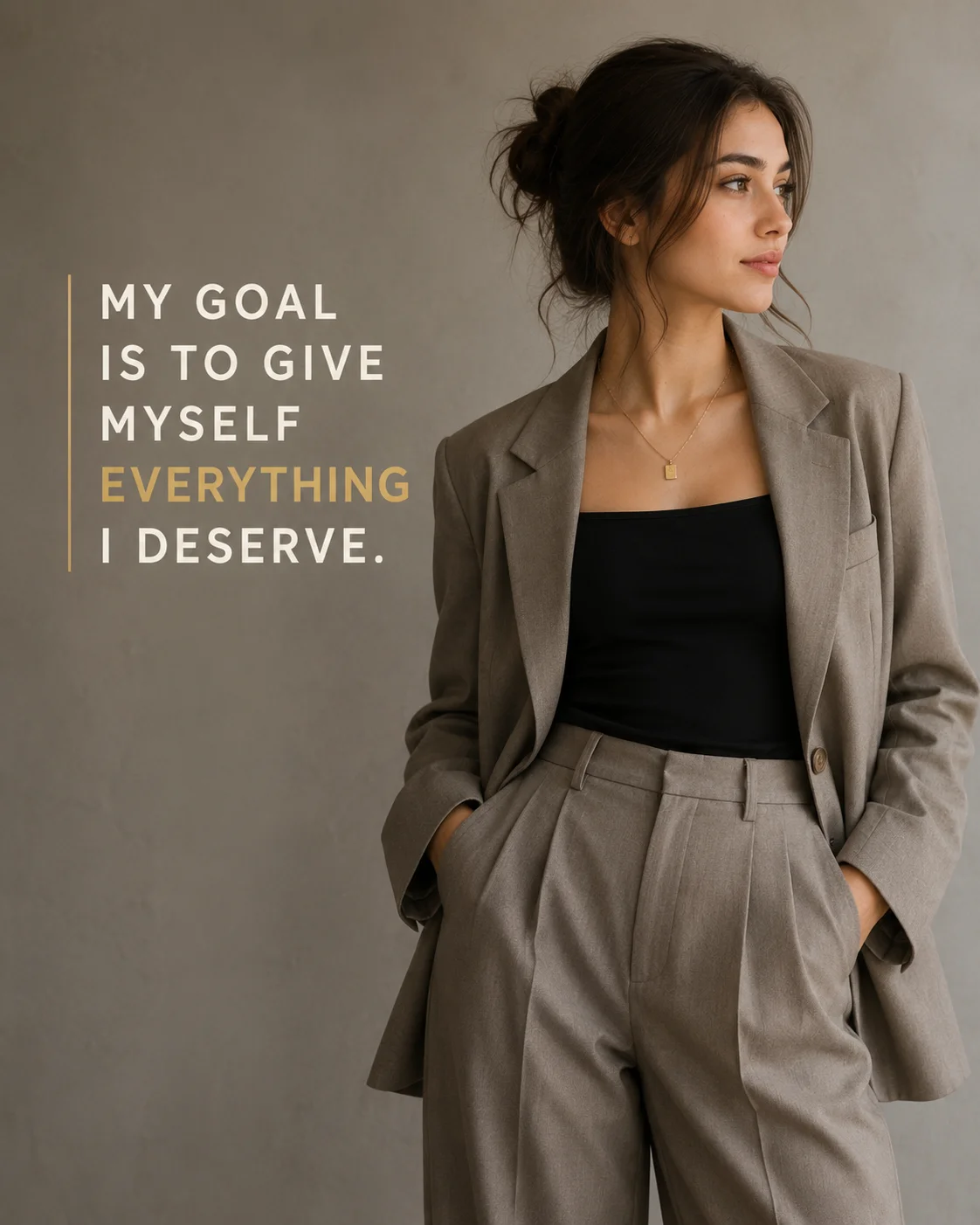
Taupe Blazer Asymmetrical Magazine Layout Gold Text Prompt
Female Portraits
Dominate high-end aesthetic lifestyle niches with this editorial-grade asymmetrical layout prompt. By anchoring the subject to the right third of the composition and reserving a expansive, clean textured wall zone for gold-accented typography, this template perfectly targets the 'Quiet Luxury' corporate minimalist wave. It offers your users a production-ready magazine asset format designed to effortlessly capture attention across personal branding channels.
Identity preservationPhotorealistic outputEditorial lightingDepth of field
Aspect Ratio
Select before copying
Recommended: 4:5 — 4:5 vertical frame accommodates the text overlay and the subject without either element feeling cramped or cropped.
Rate this prompt
Be the first to rate
Free prompt — one-click copy, no login required
Visual Character
Lighting
Soft diffused studio lighting from the upper left, shot on an 85mm full-frame lens, f/2
Color
Set against a seamless warm grey studio wall with a subtle plaster texture
Composition
', with the word 'EVERYTHING' in a muted metallic gold and the rest in warm ivory, flanked by a thin vertical gold accent line
Mood
Ultra-realistic luxury editorial fashion photograph of a young woman, preserving 100% exact facial structure, hairstyle, and identity from a
Full Prompt
Best For
Pinterest personal manifestation pinspremium corporate media kit dividersluxury lifestyle lookbook headersand authoritative personal branding graphics.
How To Use This Prompt
Step 01
Copy the prompt
Use the copy button above to grab the complete prompt with your selected aspect ratio.
Step 02
Open your AI tool
Use a generator that supports the input and reference-image features you need.
Step 03
Generate your image
Create variations, pick the best result, then download and use it in your content.
Common Output Problems
Issues you may encounter and how to fix them
The Asymmetrical element appears visually disconnected from the overall composition+
Why it happens
AI generators may render the Asymmetrical element without proper spatial integration into the scene.
Fix
Ensure the Asymmetrical element is properly anchored in the composition with correct perspective and scale.
The suit lapels render asymmetrically, breaking the formal symmetry of the portrait+
Why it happens
Structured garments like a suit require precise bilateral symmetry that AI generators often approximate unevenly.
Fix
Add perfectly symmetrical tailored suit details and regenerate to select the cleanest frame.
Customize This Prompt
Adapt these elements to fit your vision
Swap the wool blazer for a black alternative to shift the mood — different fabric colors dramatically change the overall tone of the portrait.
Move the setting outdoors to a park or urban location to add environmental context and natural lighting variation.
Add a colored rim light (warm amber or cool teal) to introduce cinematic color contrast without changing the composition.
Change the expression from calm to direct eye contact for a more engaging, connection-driven portrait.
Which AI Tools Can I Use?
This prompt works with popular AI image generators.
Links to official tool websites. Not a claim that this prompt was tested in every tool or model version.
Frequently Asked Questions
Quick answers before you copy this prompt
Do I need to upload a reference photo to use this prompt?+
Yes, this prompt is designed for reference-image workflows. Upload a clear, well-lit photo of the subject. If you remove the identity-preservation instructions, the model will generate a new face instead.
Why does the text in the generated image look wrong or misspelled?+
AI image generators struggle with text rendering. Keep text to 1-3 words maximum, use simple fonts, and add "clean sharp text, no placeholder characters" to improve accuracy. For perfect text, consider adding it in post-processing.
What aspect ratio works best for this composition?+
4:5 is recommended for Instagram feeds and portrait-style layouts. Use 1:1 for profile pictures or square-format social posts. 9:16 works for Stories and Reels covers, but may crop important composition elements.
How do I get more dramatic lighting on the face?+
Specify the light position and intensity: "dramatic key light from 45-degree angle, deep shadows on the opposite side, subtle fill light to prevent total blackness" for more cinematic, moody studio lighting.