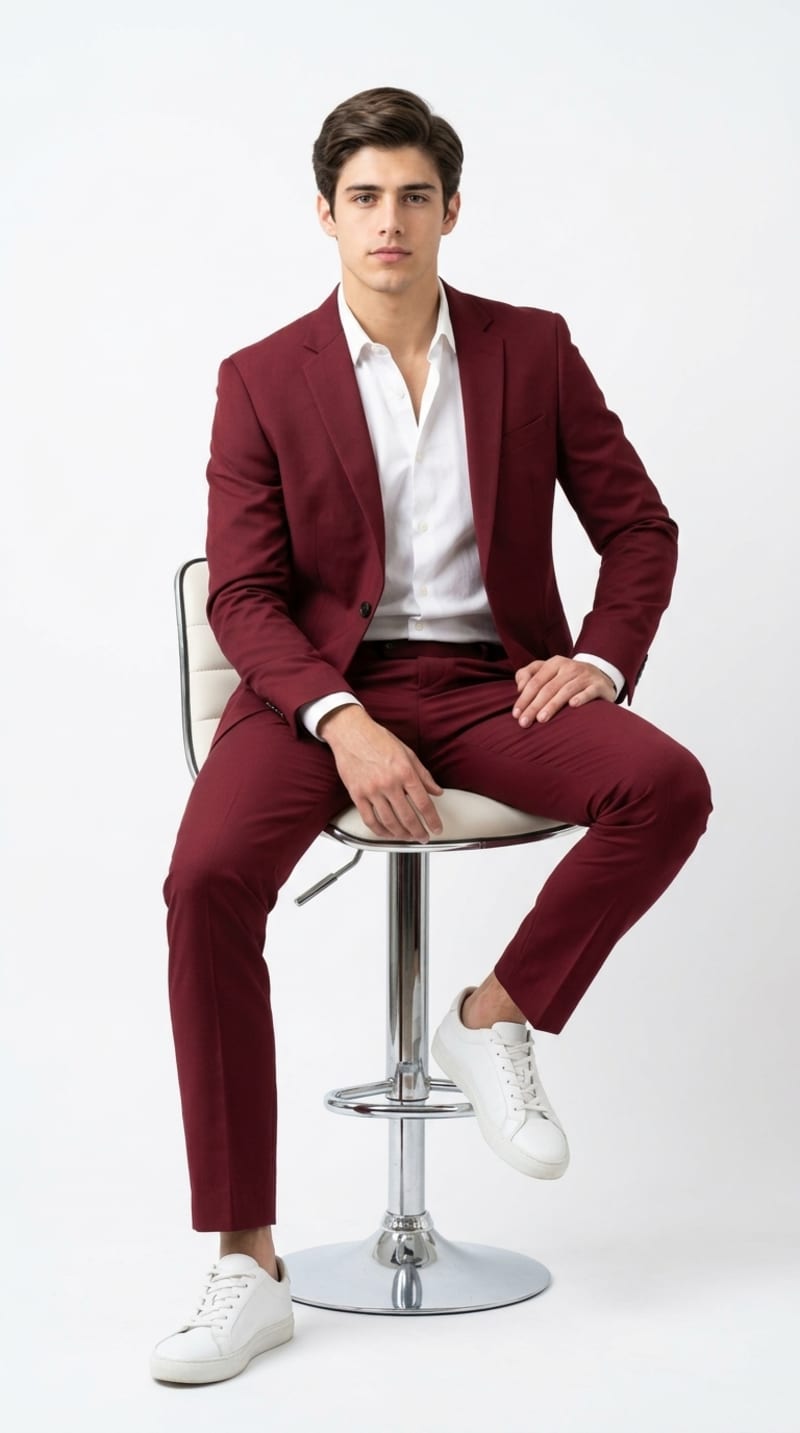
A confident young man with neatly side-parted brown hair sits casually on a modern adjustable bar stool with a white leather seat and chrome base, photographed for a high-fashion editorial cover. He wears a tailored burgundy red two-piece suit with a slim, modern cut, paired with a crisp white button-down dress shirt left open at the collar, and clean white leather sneakers that add a contemporary, off-duty edge to the formal outfit. His pose is relaxed yet polished: one leg crossed over the other knee, one hand resting on his raised knee and the other hand casually placed on his opposite thigh, shoulders angled slightly toward the camera, chin level, and a calm, direct gaze that conveys quiet confidence and approachability. The setting is a seamless, bright white studio background with no distracting props, allowing the vivid red suit to become the clear focal point of the composition. Lighting is soft, even, and diffused, resembling a large softbox or beauty dish setup positioned slightly above and in front of the subject, minimizing harsh shadows while preserving gentle natural-looking contouring on the face and fabric folds of the suit for a premium, magazine-quality finish. The camera angle is a straight-on, eye-level full-body shot, composed as a vertical portrait-orientation cover image, shot on a lens style equivalent to an 85mm portrait lens for flattering compression and subtle background softness. The mood is stylish, self-assured, and modern, blending classic tailoring with streetwear-inspired footwear, ideal for fashion, lifestyle, or menswear branding content. The color palette centers on a bold burgundy red suit contrasted against a crisp white shirt, white sneakers, white stool, and a bright white backdrop, creating a clean, high-contrast, editorial color story with red as the dominant accent tone. This concept works well for Midjourney with cover-magazine and editorial-fashion style modifiers, for ChatGPT image generation with detailed pose and lighting descriptions, and for Leonardo AI using photorealistic portrait presets and studio lighting settings., aspect ratio 4:5
How to Use This Prompt
Step 1: Copy the prompt using the Copy button above.
Step 2: Open your preferred AI tool (ChatGPT, Midjourney, Leonardo AI, Gemini, or Stable Diffusion).
Step 3: If the tool supports reference images, upload your photo first, then paste the prompt.
Step 4: Select the recommended aspect ratio before generating.
Step 5: Adjust keywords like clothing color, background, or lighting to personalize the result.





 Executive Portrait Prompt with Dramatic Studio LightingExecutive Portrait Prompt with Dramatic Studio Lighting