Use the reference face exactly. Create a cinematic luxury lifestyle photo, 4:5 aspect ratiovertical, of a young man stepping out of a black luxury sedan and walking confidently toward the camera, keeping his facial features, skin tone and hairstyle identical to the reference photo. POSE AND EXPRESSION: He steps out of the car and walks toward the camera with a confident, powerful stride. One hand adjusts his cuff. His expression is calm, composed and commanding. Upright posture, full body visible from head to shoes. HAIR AND ACCESSORIES: Short dark curly textured hair. Dark rectangular sunglasses, a silver chain necklace and a silver luxury wristwatch. OUTFIT: A charcoal-grey three-piece suit with a matching waistcoat, a crisp white shirt, a black tie, a white pocket square and polished black leather shoes. Tailoring is sharp and well fitted. BODYGUARDS: On both sides of him stand two bodyguards in all-black suits with earpieces. One of them holds the open car door. Both have serious expressions, and they are slightly softer in focus so the main subject stays dominant. THE CAR: A black Rolls-Royce style car with the door open and chrome alloy wheels. The paint is glossy and reflects the city lights. BACKGROUND: A white marble floor with black stripes, blurred modern skyscrapers and a city skyline at dusk. Soft warm bokeh lights glow in the distance. LIGHTING AND COLOUR: Blue-hour cinematic lighting with cool tones, balanced by small warm accents from the city lights. Soft highlights on the suit, sunglasses and car body. CAMERA AND QUALITY: Shallow depth of field with sharp focus on the main subject, realistic skin texture, visible suit fabric detail, photorealistic detail, premium film-still quality, high-resolution.
How to Use This Prompt
Step 1: Copy the prompt using the Copy button above.
Step 2: Open your preferred AI tool (ChatGPT, Midjourney, Leonardo AI, Gemini, or Stable Diffusion).
Step 3: If the tool supports reference images, upload your photo first, then paste the prompt.
Step 4: Select the recommended aspect ratio before generating.
Step 5: Adjust keywords like clothing color, background, or lighting to personalize the result.





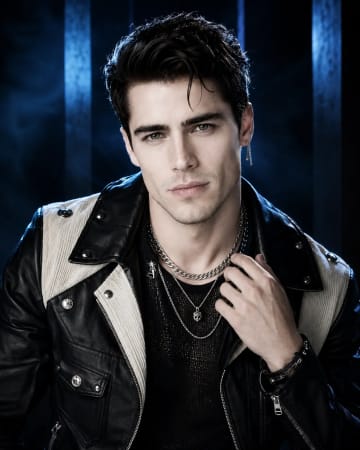 Black and Cream Cinematic Luxury Fashion Portrait PromptBlack and Cream Cinematic Luxury Fashion Portrait Prompt

