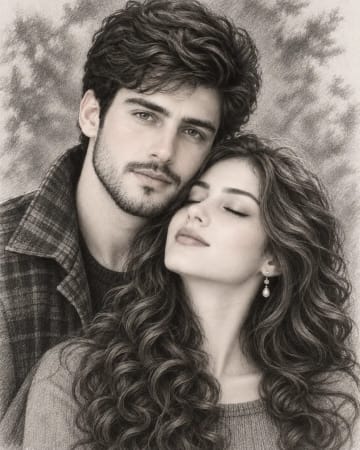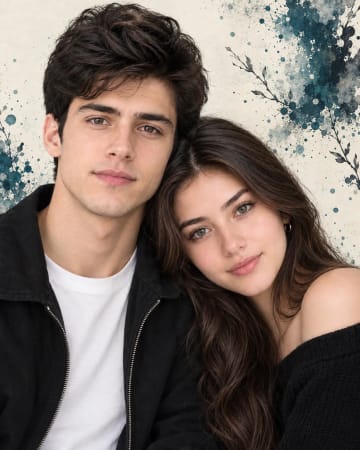
AI-generated example image for demonstration purposes. AI-generated example image for demonstration purposes.
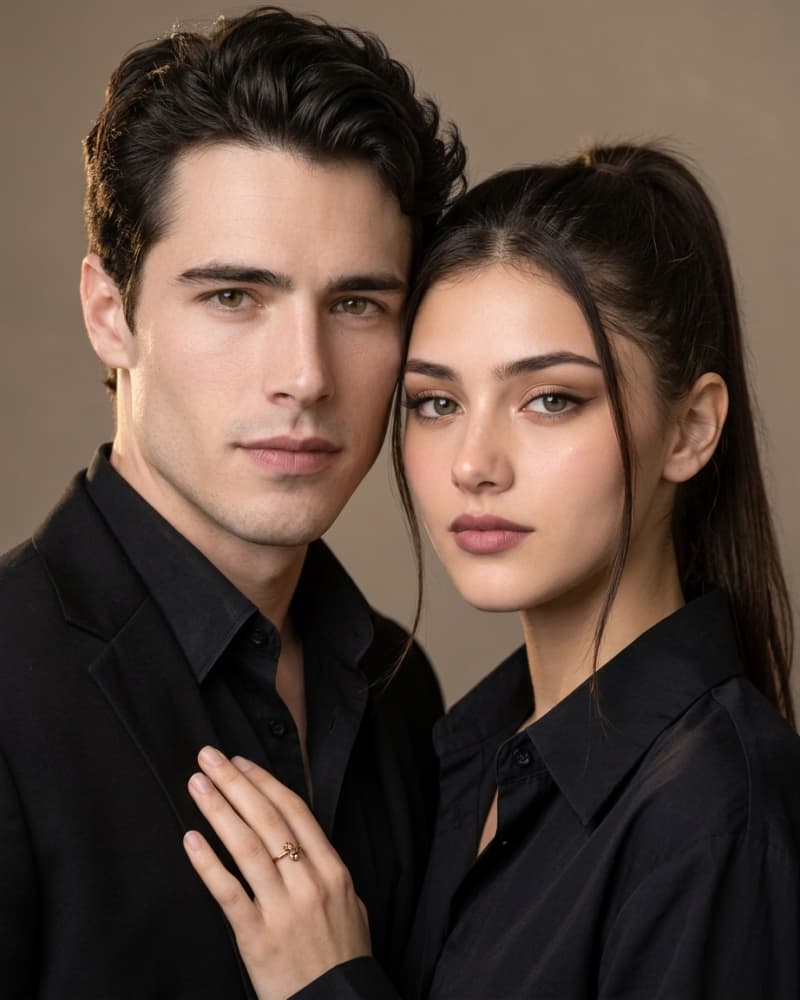
A close-up editorial portrait of a young couple posed cheek to cheek against a softly lit warm taupe background. The man stands slightly behind and to the left, with thick, glossy dark hair swept back off his face, a well-groomed short beard and mustache, and warm brown eyes gazing directly at the camera with a calm, confident expression. He wears a fully buttoned matte black shirt with a structured collar layered under a black blazer, the fabric smooth and unwrinkled to emphasize a sleek, minimal aesthetic. The woman is positioned in front and slightly lower, her dark hair pulled back into a sleek high ponytail with a few soft face-framing strands left loose. Her makeup is polished and soft-glam: defined winged eyeliner, warm neutral eyeshadow, sculpted brows, dewy skin with subtle contour and highlight, and a matte mauve-pink lip. She wears a matching black button-up shirt with a wide open collar, coordinating with the man's outfit to unify the palette. Her hand rests gently on his chest, fingers relaxed, wearing a delicate gold ring with a small ornate design, drawing a subtle focal point of warmth against the monochrome clothing. Both subjects have neutral, composed expressions that suggest quiet intimacy and confidence rather than overt emotion. The composition is a tight vertical crop focusing on the upper bodies and faces, shot as if with an 85mm portrait lens at a wide aperture, producing soft background blur and a shallow depth of field that keeps both faces crisply in focus. Lighting is soft and directional, coming from the upper left, creating gentle highlights on the cheekbones and a subtle rim light along the hair, with soft shadow falloff for a moody yet flattering look. The color palette is warm and restrained: deep blacks, warm skin tones, and a muted brown-taupe backdrop, with the gold ring as the only accent color. The overall mood is sophisticated, intimate, and cinematic, evoking a high-end editorial or engagement-style photoshoot rather than a casual snapshot. Fine details such as skin texture, hair strands, and fabric folds should remain sharp and realistic, avoiding an overly airbrushed or plastic look., aspect ratio 4:5
Engagement announcement photos or couple-themed social media content for creators wanting a moody, high-end editorial look.
This prompt captures a tightly framed, editorial-style portrait of a couple dressed in coordinating all-black outfits against a warm neutral backdrop. It's designed for creators who want a moody, romantic, and polished aesthetic reminiscent of high-fashion engagement shoots. The soft directional lighting and shallow depth of field give it a cinematic, intimate feel
Identity preservationPhotorealistic outputEditorial lightingDepth of field
Aspect Ratio
Select before copying
Recommended: 4:5 — This vertical ratio suits the tight upper-body couple composition and displays well on Instagram and Pinterest feeds.
Rate this prompt
Be the first to rate
Free prompt — one-click copy, no login required
Visual Character
Lighting
Lighting is soft and directional, coming from the upper left, creating gentle highlights on the cheekbones and a subtle rim light along the
Color
A close-up editorial portrait of a young couple posed cheek to cheek against a softly lit warm taupe background
Texture
Fine details such as skin texture, hair strands, and fabric folds should remain sharp and realistic, avoiding an overly airbrushed or plasti
Camera
The man stands slightly behind and to the left, with thick, glossy dark hair swept back off his face, a well-groomed short beard and mustach
Technique
The prompt relies on shallow depth of field paired with directional soft lighting to isolate the subjects from the background while keeping
Variations
Swapping the background to a solid charcoal studio backdrop keeps the moody tone while simplifying rendering. Changing the pose to both subj
Full Prompt
Best For
Use this when creating engagement announcementscouple aesthetic moodboardsor social media content that needs a sophisticatedintimate feel rather than a bright or casual tone. It also works well for testing how different AI models render matched clothingskin tonesand soft studio lighting on two subjects at once.
How To Use This Prompt
Step 01
Copy the prompt
Use the copy button above to grab the complete prompt with your selected aspect ratio.
Step 02
Open your AI tool
Use a generator that supports the input and reference-image features you need.
Step 03
Generate your image
Create variations, pick the best result, then download and use it in your content.
Common Output Problems
Issues you may encounter and how to fix them
The two faces render with inconsistent lighting direction.+
Why it happens
Some models process multi-subject portraits independently, causing mismatched shadow angles.
Fix
Explicitly state "single unified light source from upper left affecting both subjects equally" in the prompt.
Skin texture appears overly smooth or waxy.+
Why it happens
Many models default to a beautified, airbrushed skin rendering style.
Fix
Add "visible natural skin texture, subtle pores, no airbrushing" directly into the prompt.
Customize This Prompt
Adapt these elements to fit your vision
Swap the all-black outfits for neutral beige or white tones for a softer, daytime editorial mood. Change the ponytail to loose waves or an updo to vary the woman's styling without altering the composition.
Adjust the background to an outdoor golden hour setting for a warmer, more romantic engagement-style result.
Prompt Breakdown
What each part of this prompt means
Core technique
The prompt relies on shallow depth of field paired with directional soft lighting to isolate the subjects from the background while keeping a cinematic, editorial tone.
Recommended base models
Midjourney tends to render the lighting and skin texture most photorealistically with strong stylization defaults. ChatGPT image gen handles the coordinated outfits and composition accurately but may soften facial detail slightly. Leonardo AI reproduces the warm color palette well but may need extra emphasis on "shallow depth of field" to avoid a flatter background.
Suggested negative prompt
harsh flash lighting, overexposed skin, plastic or airbrushed texture, mismatched outfit colors, cluttered background, cartoonish rendering, extra limbs, asymmetrical eyes
Variation notes
Swapping the background to a solid charcoal studio backdrop keeps the moody tone while simplifying rendering. Changing the pose to both subjects facing forward rather than cheek-to-cheek also tests well for a more formal, symmetrical composition.
Which AI Tools Can I Use?
This prompt works with popular AI image generators.
Links to official tool websites. Not a claim that this prompt was tested in every tool or model version.
Tags
#moody lighting
Frequently Asked Questions
Quick answers before you copy this prompt
Will this prompt work well for solo portraits instead of a couple?+
Yes, you can remove one subject's description and adjust the pose language to "three-quarter portrait" for a strong solo editorial result.
Does this prompt require specifying ethnicity or features precisely?+
No, the prompt uses general descriptive language for hair, skin tone, and features, so you can adjust these details freely without breaking the composition.
Can I change the black outfits to another color palette?+
Yes, swapping "black shirt and blazer" for another color like deep emerald or burgundy will retain the same composition and mood while shifting the palette.