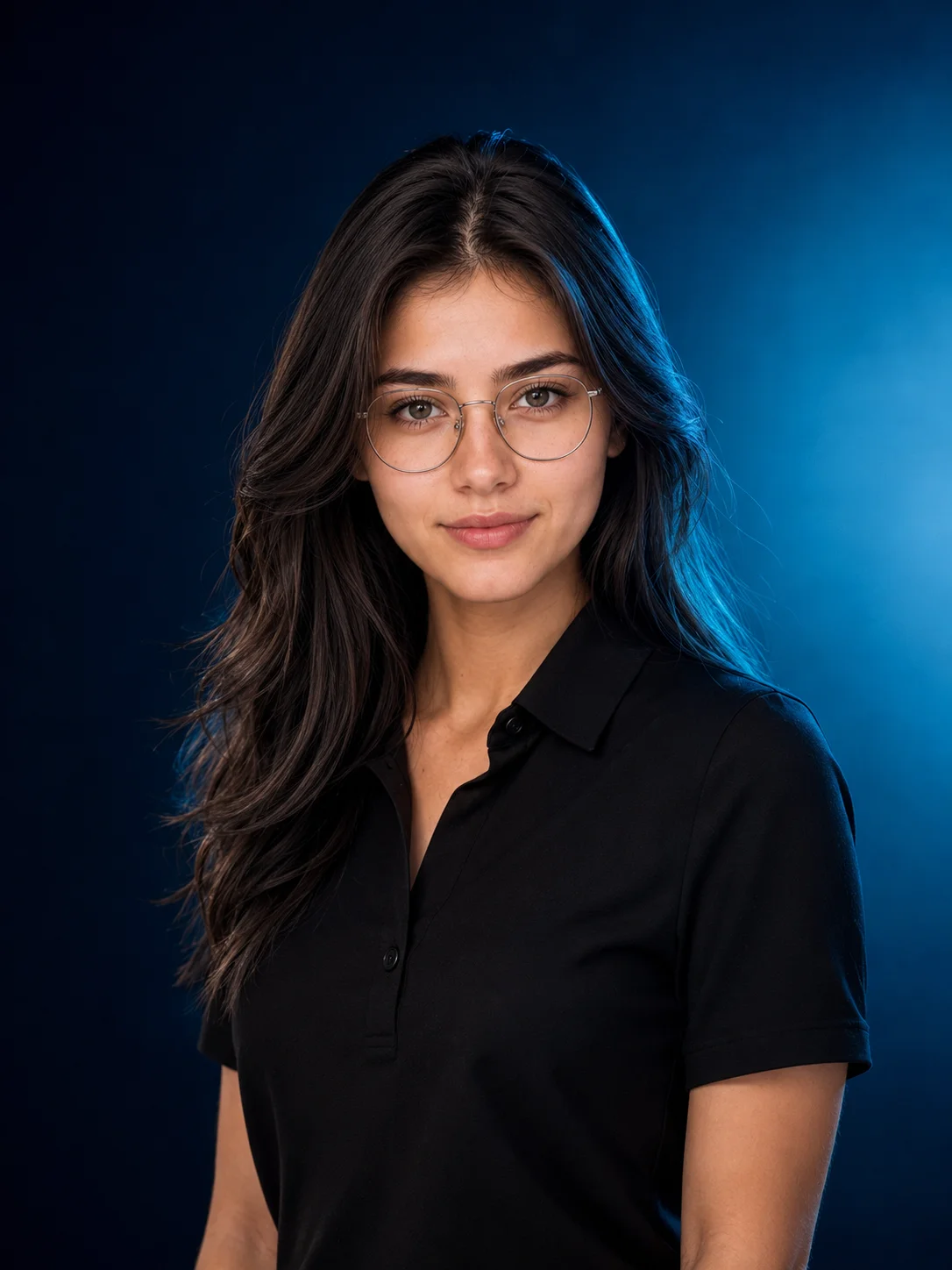
Anchor your professional branding category with this elite, tech-inspired executive headshot prompt. Emulating the clean, sophisticated visual style utilized in keynotes by industry giants like Apple and OpenAI, this template balances a relaxed matte-black polo with a deep navy-and-cyan ambient gradient. The precise calculation of a soft neon rim light paired with crisp eyeglass reflections projects an immediate image of modern intelligence, innovation, and corporate leadership—making it a top-tier choice for high-end LinkedIn profile overhauls.
Use the copy button above to grab the complete prompt with your selected aspect ratio.
Step 02
Open your AI tool
Use a generator that supports the input and reference-image features you need.
Step 03
Generate your image
Create variations, pick the best result, then download and use it in your content.
Common Output Problems
Issues you may encounter and how to fix them
The color contrast between the black garment and deep element flattens when converted to monochrome+
Why it happens
Colors that appear distinctly different in color mode may produce nearly identical grayscale values, removing the intended visual hierarchy.
Fix
Specify luminance contrast between the black and deep elements to ensure distinct tonal separation in the monochrome output.
The shirt fabric appears physically disconnected from the camera, as if composited rather than naturally interacting+
Why it happens
AI generators may render the subject and furniture as separate visual layers without proper shadow interaction and weight distribution at contact points.
Fix
Specify natural shadow contact between the shirt and camera with consistent lighting across both surfaces.
Customize This Prompt
Adapt these elements to fit your vision
Tighten the crop to exclude shoulders for intimate face-only study, or include collarbone for editorial headshot.
Shift the crop slightly off-center — rule of thirds placement creates more dynamic facial framing.
Use a shallow depth of field to keep only the eyes sharp, softening the rest of the face for dreamy quality.
Which AI Tools Can I Use?
This prompt works with popular AI image generators.
Links to official tool websites. Not a claim that this prompt was tested in every tool or model version.
Frequently Asked Questions
Quick answers before you copy this prompt
Do I need to upload a reference photo for this prompt to work?+
Yes, this prompt is designed for reference-image workflows. Upload a clear, well-lit photo of the subject's face. A front-facing photo with visible facial features produces the best identity preservation. Removing the identity-preservation instructions will cause the model to generate a new face.
How do I make the studio background less flat and more dynamic?+
Try adding a subtle gradient or texture to the backdrop: "dark grey gradient background with subtle texture, not pure black." You can also specify background lighting like "subtle backlight glow on the backdrop" for more depth.
Can I change the lens focal length without breaking the composition?+
Yes. Replace the lens specification (e.g., "85mm") with a different focal length — wider (35mm) for more environment, tighter (135mm) for more compression. Keep the aperture (f-stop) consistent to maintain similar depth of field.
How do I make the silhouette more defined or more subtle?+
For a sharper silhouette: "strong backlight, crisp edge definition, dark subject against bright background." For a softer look: "soft diffused backlight, gentle edge glow, semi-transparent silhouette effect."