British Shorthair Cat Shoulder Peekaboo Portrait Prompt
Male Portrait Prompts
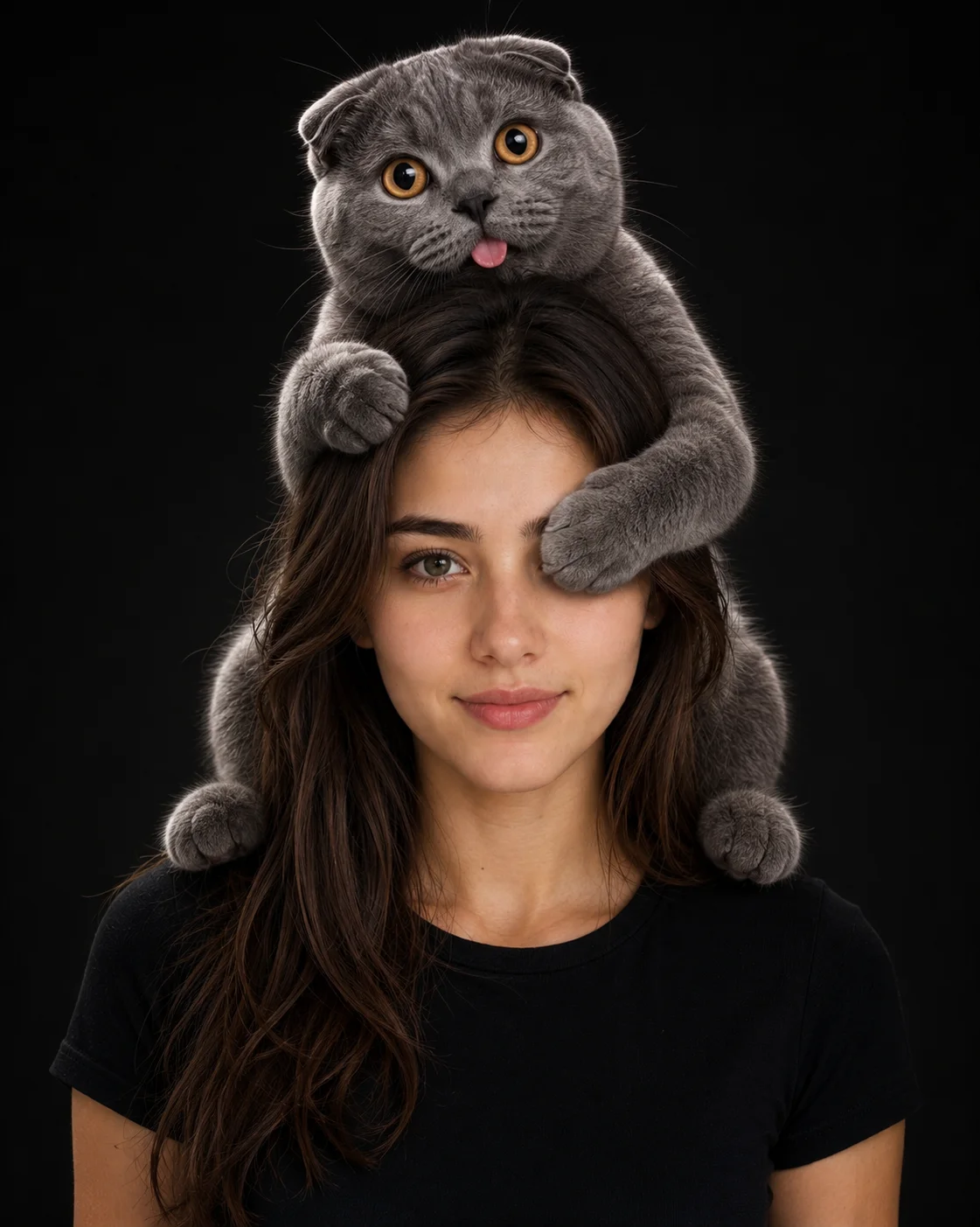
Generate a viral sensation in your image library with this ultra-endearing, high-fidelity playful pet portrait prompt. Moving away from traditional poses, this setup orchestrates a genuinely cute 'peekaboo' interaction where a fluffy British Shorthair cat covers one of the subject's eyes from its perch on his shoulders. Grounded by a sleek, minimal matte black background and sculpted with classic studio Rembrandt lighting, this prompt creates a striking balance between serious professional photography execution and universally loved, lighthearted content.
Identity preservationPhotorealistic outputEditorial lightingSocial-ready format
Aspect Ratio
Select before copying
Recommended: 4:5 — 4:5 vertical framing comfortably accommodates two subjects while maintaining intimate composition and enough headroom for both faces.
Rate this prompt
Be the first to rate
Free prompt — one-click copy, no login required
Visual Character
Lighting
Set against a solid matte black background with soft Rembrandt lighting and a subtle rim light defining their silhouettes
Color
Ultra-realistic cinematic studio portrait photograph of a young man, preserving 100% exact facial structure, hairstyle, beard, skin tone, an
Texture
8 aperture, featuring an ultra-sharp focus on both the face and cat, realistic skin texture, and detailed fur, high-resolution, 4:5 aspect r
Camera
The cat wraps one paw over the top of the subject's head while gently covering one of his eyes with its other paw in a playful peekaboo pose
Full Prompt
Best For
High-engagement social media profile upgradesviral personal branding campaignspet industry advertisement mockupsand creative digital portrait portfolios.
How To Use This Prompt
Step 01
Copy the prompt
Use the copy button above to grab the complete prompt with your selected aspect ratio.
Step 02
Open your AI tool
Use a generator that supports the input and reference-image features you need.
Step 03
Generate your image
Create variations, pick the best result, then download and use it in your content.
Common Output Problems
Issues you may encounter and how to fix them
The Shoulder element competes with the subject for visual attention in the composition+
Why it happens
AI generators may over-emphasize the Shoulder element, drawing focus away from the primary subject.
Fix
Reduce the Shoulder element visual prominence or add clear visual hierarchy with subject as focal point.
The Shoulder element appears visually disconnected from the overall scene+
Why it happens
AI generators may render the Shoulder element without proper integration into the scene lighting and perspective.
Fix
Ensure the Shoulder element shares the same lighting direction and color temperature as the rest of the scene.
Customize This Prompt
Adapt these elements to fit your vision
Swap the black t-shirt for a gray alternative to shift the mood — different fabric colors dramatically change the overall tone of the portrait.
Move the setting outdoors to a park or urban location to add environmental context and natural lighting variation.
Add a colored rim light (warm amber or cool teal) to introduce cinematic color contrast without changing the composition.
Change the expression from playful to direct eye contact for a more engaging, connection-driven portrait.
Which AI Tools Can I Use?
This prompt works with popular AI image generators.
Links to official tool websites. Not a claim that this prompt was tested in every tool or model version.
Frequently Asked Questions
Quick answers before you copy this prompt
Do I need to upload a reference photo to use this prompt?+
Yes, this prompt is designed for reference-image workflows. Upload a clear, well-lit photo of the subject. If you remove the identity-preservation instructions, the model will generate a new face instead.
How do I get both people to look like their reference photos?+
Use separate reference photos for each person and specify which reference corresponds to which person in the prompt. For example: "the woman must match reference photo A, the man must match reference photo B." Quality reference photos with clear facial features work best.
How do I adapt this for different social media platforms?+
Use 4:5 for Instagram feed posts (best vertical coverage), 1:1 for profile pictures and square grids, and 9:16 for Stories and Reels. For landscape platforms like Twitter/X, try 16:9 but note the full-body composition may need adjustment.
How do I get more dramatic lighting on the face?+
Specify the light position and intensity: "dramatic key light from 45-degree angle, deep shadows on the opposite side, subtle fill light to prevent total blackness" for more cinematic, moody studio lighting.