All-White Luxury Riverside Aesthetic Male Portrait
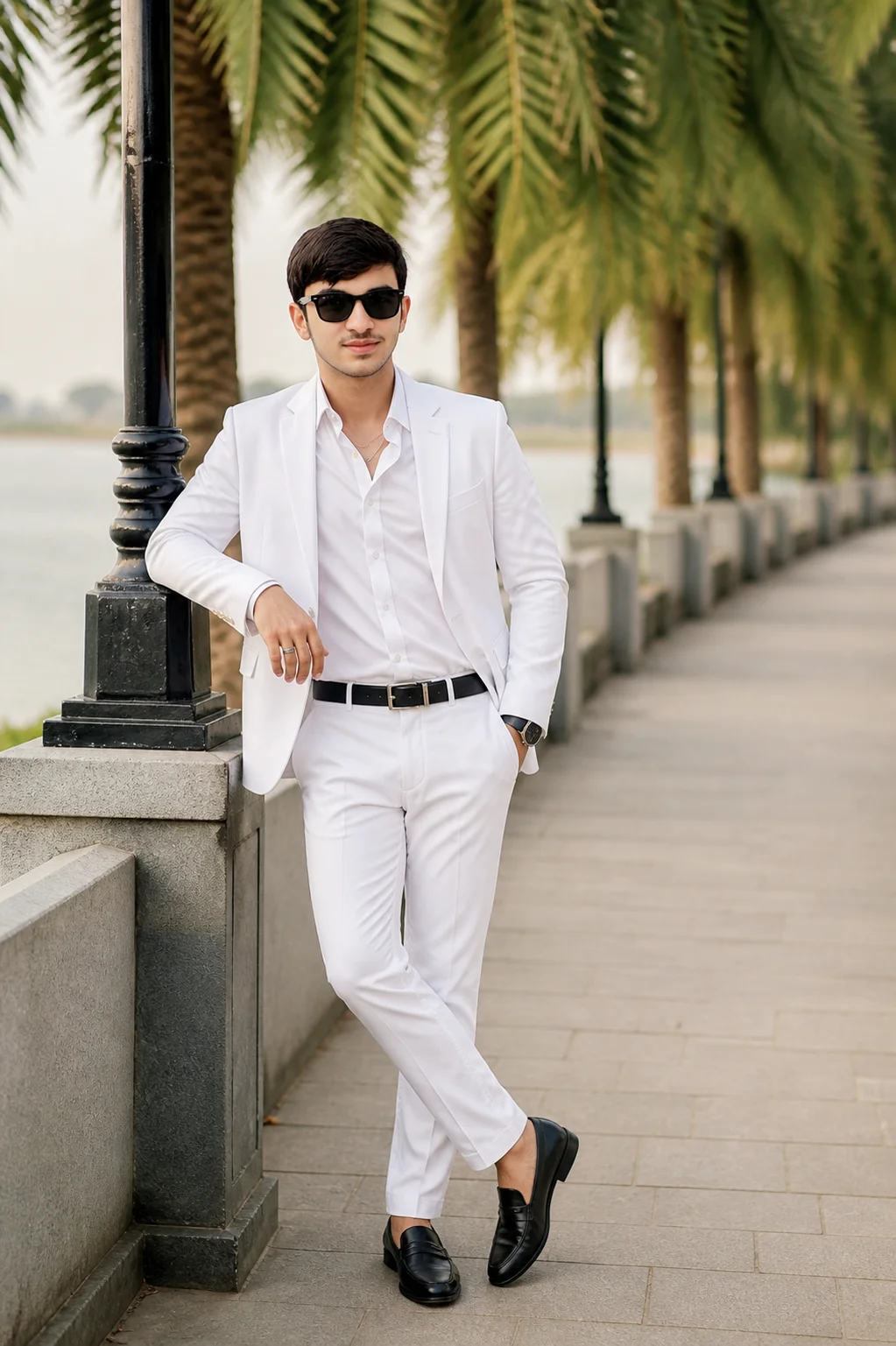
This high-end prompt generates a sophisticated 'old money' aesthetic featuring a South Asian male in a sharp all-white ensemble. Perfect for those looking to recreate luxury travel vibes, the prompt balances the stark whites of the clothing with the lush greens of a riverside palm canopy. The specific focus on accessories like the black loafers and silver jewelry adds a layer of realism that makes the output indistinguishable from a professional fashion editorial.
Identity preservationPhotorealistic outputEditorial lightingDepth of field
Aspect Ratio
Select before copying
Recommended: 4:5 — 4:5 vertical framing comfortably accommodates two subjects while maintaining intimate composition and enough headroom for both faces.
Rate this prompt
Be the first to rate
Free prompt — one-click copy, no login required
Visual Character
Lighting
Lighting: soft, natural, diffused daylight
Color
0 aperture, shallow depth of field, natural golden hour lighting, Kodak Portra 400 color grade, cinematic color grading, photorealistic, hig
Background
Setting: paved path with grey stone balustrade, calm river, and lush tall palm trees forming a canopy
Camera
He looks directly at the camera with a subtle smile, wearing black-framed sunglasses
Composition
A detailed full-body portrait photograph of a confident young adult South Asian male, positioned on a paved riverfront walkway
Full Prompt
Best For
Best for Instagram fashion postsluxury lifestyle brandingand Pinterest mood boards.
How To Use This Prompt
Step 01
Copy the prompt
Use the copy button above to grab the complete prompt with your selected aspect ratio.
Step 02
Open your AI tool
Use a generator that supports the input and reference-image features you need.
Step 03
Generate your image
Create variations, pick the best result, then download and use it in your content.
Common Output Problems
Issues you may encounter and how to fix them
The blazer fabric appears physically disconnected from the necklace, as if composited rather than naturally interacting+
Why it happens
AI generators may render the subject and furniture as separate visual layers without proper shadow interaction and weight distribution at contact points.
Fix
Specify natural shadow contact between the blazer and necklace with consistent lighting across both surfaces.
The shirt visible under the blazer creates an awkward layering effect at the chest area+
Why it happens
AI generators may render the inner shirt as a separate floating element rather than naturally layered beneath the outer blazer.
Fix
Specify natural garment layering with the shirt visible only at the collar and cuffs beneath the blazer.
Customize This Prompt
Adapt these elements to fit your vision
Swap the white blazer for a white alternative to shift the mood — different fabric colors dramatically change the overall tone of the portrait.
Replace the golden hour lighting with cool blue-hour tones for a more moody, twilight atmosphere.
Change the expression from confident to direct eye contact for a more engaging, connection-driven portrait.
Remove the sunglasses for a cleaner, less accessorized look, or swap it for a different style to match your branding.
Which AI Tools Can I Use?
This prompt works with popular AI image generators.
Links to official tool websites. Not a claim that this prompt was tested in every tool or model version.
Frequently Asked Questions
Quick answers before you copy this prompt
Can I use this prompt with a reference photo to preserve someone's face?+
Yes. Add identity-preservation instructions like "preserve exact facial features from the uploaded reference photo" at the beginning of the prompt. This works best with clear, front-facing reference images.
How do I get both people to look like their reference photos?+
Use separate reference photos for each person and specify which reference corresponds to which person in the prompt. For example: "the woman must match reference photo A, the man must match reference photo B." Quality reference photos with clear facial features work best.
How do I adapt this for different social media platforms?+
Use 4:5 for Instagram feed posts (best vertical coverage), 1:1 for profile pictures and square grids, and 9:16 for Stories and Reels. For landscape platforms like Twitter/X, try 16:9 but note the full-body composition may need adjustment.
The skin looks too smooth or artificial. How do I make it more realistic?+
Add "natural skin texture with visible pores, subtle imperfections, realistic skin tone variation" to the prompt. Avoid words like "flawless" or "perfect skin" which push models toward artificial smoothness.