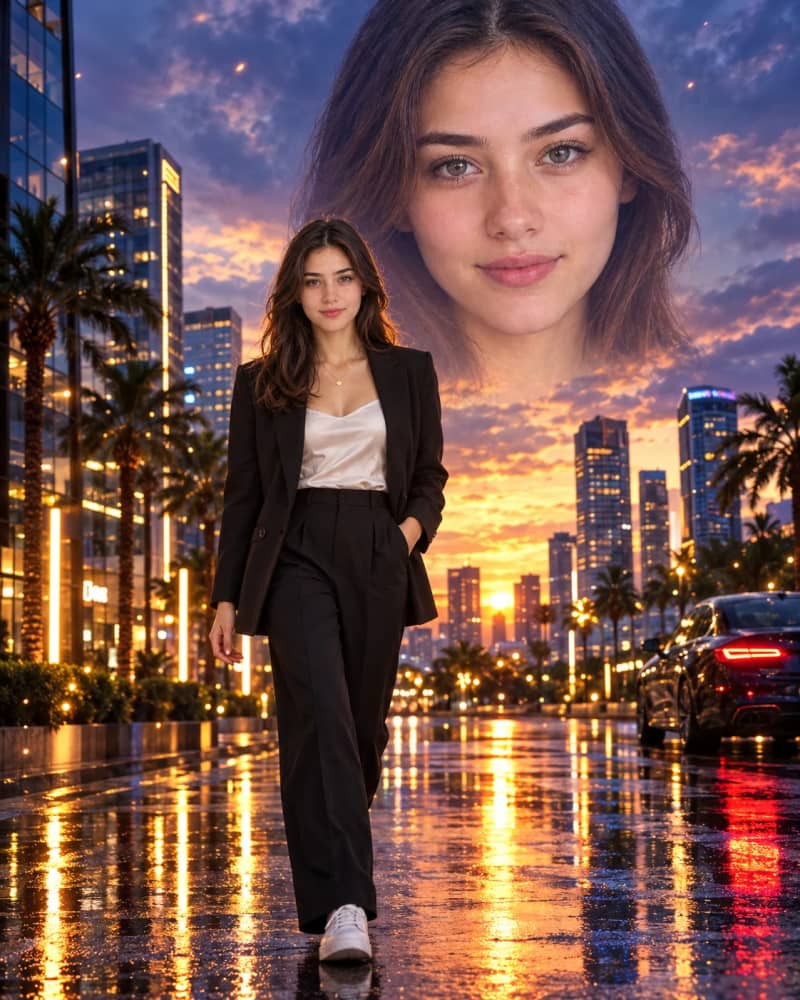
Surreal double-exposure portrait, vertical 4:5 aspect ratiocomposition, of the same young woman shown twice: a full-body figure in the foreground and a giant faded face in the sky behind her. FOREGROUND FIGURE: A full-body young woman walks confidently toward the camera on a wet, reflective city street after rain. One hand is in her pocket, and she has a slight, calm smile. Upright posture, relaxed stride, full body visible from head to sneakers. HAIR AND ACCESSORIES: Shoulder-length dark wavy hair and a delicate gold necklace. OUTFIT: A tailored black blazer, a white satin camisole, black high-waisted trousers and white sneakers. The satin sheen and blazer tailoring are clearly visible. BACKGROUND FACE: A giant close-up of her face fades softly into the dramatic dusk sky above the skyline. Her eyes look at the camera, and the edges blend gently into the clouds like a double exposure. The face is translucent and dreamy, never harsh. CITY SCENE: Modern glass buildings with warm glowing windows, palm trees, glowing vertical LED light pillars and a parked sedan on the right with glowing tail lights. SKY: Purple-blue and golden sunset clouds, with soft light spreading across the skyline. GROUND AND REFLECTIONS: The wet pavement shows warm reflections, bokeh lights and tiny floating light sparks drifting in the air. LIGHTING: Cinematic dusk lighting with warm golden highlights on the figure and cool purple-blue tones in the sky. Soft glow on the skin and gentle rim light on the hair. CAMERA AND QUALITY: Shallow depth of field with sharp focus on the walking figure, and the city softly blurred behind her. Realistic skin texture, ultra-detailed, photorealistic, clear layering between the figure, the city and the giant sky face, high-resolution.
How to Use This Prompt
Step 1: Copy the prompt using the Copy button above.
Step 2: Open your preferred AI tool (ChatGPT, Midjourney, Leonardo AI, Gemini, or Stable Diffusion).
Step 3: If the tool supports reference images, upload your photo first, then paste the prompt.
Step 4: Select the recommended aspect ratio before generating.
Step 5: Adjust keywords like clothing color, background, or lighting to personalize the result.





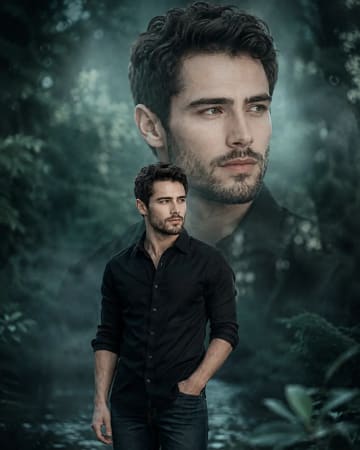 Cinematic Teal Double Exposure Man Portrait PromptCinematic Teal Double Exposure Man Portrait Prompt