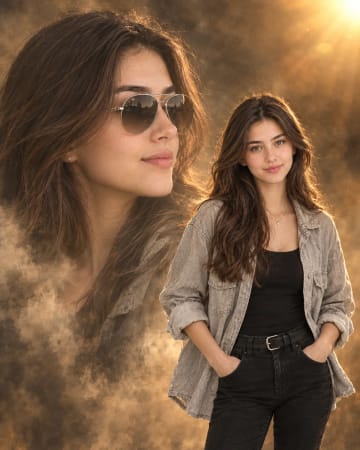
Use the reference face exactly. Create a creative mixed-media photo, of the same young woman shown twice, keeping her facial features, skin tone and hairstyle identical to the reference photo in the real version. LEFT SIDE (REAL WOMAN): A photorealistic version of her standing full-length against a plain beige wall. Both index fingers point toward the embroidered neckline of her kurti. She looks sideways toward her sketch double with a shy, soft smile. She has shoulder-length soft wavy dark brown hair with side-swept bangs and soft natural makeup. RIGHT SIDE (SKETCH DOUBLE): A large black ink pencil-sketch version of the same woman, drawn directly on the wall. She winks with her tongue out and makes finger-gun gestures with both hands. One leg is kicked up playfully behind her, and her hair is in a messy high ponytail with loose strands. The sketch uses detailed black ink linework with no colour at all. DOODLE ACCENTS: Hand-drawn black ink doodles surround the sketch: stars, a big heart, a small heart, sparkles and motion lines, adding a fun, energetic mood. OUTFIT (BOTH VERSIONS): A mint-green chikankari-style short kurti with navy blue embroidery on the neckline and cuffs and wide, long sleeves, paired with light-blue ripped wide-leg jeans. The real version shows clear embroidery detail and fabric folds, while the sketch shows the same outfit in line art only. BACKGROUND: A plain beige wall with a clean floor and no distractions, so the contrast between the photo and the sketch stands out. LIGHTING: Soft warm sunlight casting diagonal window shadows across the wall. The shadows fall gently on the real woman, while the sketch stays as pure ink lines with no colour or shading. QUALITY: Realistic skin texture and fabric detail on the real woman, detailed black ink sketch linework, clean mixed-media composition, photorealistic, premium creative social-media photo style, high-resolution., aspect ratio 4:5
How to Use This Prompt
Step 1: Copy the prompt using the Copy button above.
Step 2: Open your preferred AI tool (ChatGPT, Midjourney, Leonardo AI, Gemini, or Stable Diffusion).
Step 3: If the tool supports reference images, upload your photo first, then paste the prompt.
Step 4: Select the recommended aspect ratio before generating.
Step 5: Adjust keywords like clothing color, background, or lighting to personalize the result.





 Motivational Mixed-Media Photo Real Woman and Joyful Sketch Double AI PromptMotivational Mixed-Media Photo Real Woman and Joyful Sketch Double AI Prompt