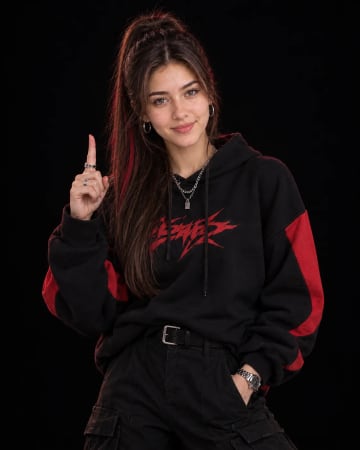
Use the reference face exactly. Create a cinematic studio fashion portrait of a young woman walking confidently toward the camera, keeping her facial features, skin tone and hairstyle identical to the reference photo. FRAMING AND POSE: A three-quarter-length shot with her body slightly angled to the camera. She walks forward with a confident stride. One hand holds her blazer lapel and the other hand holds a smartphone. She looks at the camera with a cool, confident smile. HAIR AND FACE: Long sleek black hair with soft waves. Soft glam makeup with defined brows and nude-pink lips. Clean, realistic skin with natural texture. ACCESSORIES: Black cat-eye sunglasses and a black smartwatch, both catching small highlights from the coloured lights. OUTFIT: A light grey tailored two-piece pantsuit, a black satin open-collar shirt, a black pocket square and a black belt. The sharp tailoring and the satin sheen are clearly visible. BACKGROUND AND SMOKE: A pure black studio background. Glowing purple-magenta smoke drifts on the left side and deep red smoke on the right side, creating a dramatic two-colour atmosphere behind her. LIGHTING: Dramatic purple and red colour-gel rim lights glow on the edges of the suit and hair, matching the smoke on each side. A soft front light gently illuminates the face and the grey suit. High contrast with deep shadows and clean highlights. CAMERA AND QUALITY: Sharp focus on the subject, realistic skin texture, visible suit fabric detail, photorealistic detail, premium fashion editorial photography style, high-resolution., aspect ratio 4:5
How to Use This Prompt
Step 1: Copy the prompt using the Copy button above.
Step 2: Open your preferred AI tool (ChatGPT, Midjourney, Leonardo AI, Gemini, or Stable Diffusion).
Step 3: If the tool supports reference images, upload your photo first, then paste the prompt.
Step 4: Select the recommended aspect ratio before generating.
Step 5: Adjust keywords like clothing color, background, or lighting to personalize the result.





 Beige Satin Bomber Jacket Studio Fashion Portrait Hand on Hip AI PromptBeige Satin Bomber Jacket Studio Fashion Portrait Hand on Hip AI Prompt