Use the uploaded photo's face and likeness for the woman in the image, keeping her facial features accurate. Create a vertical 4:5 aspect ratiostudio fashion portrait of a young woman against a dark black-to-deep-navy gradient background, with the same facial features, skin tone and hairstyle as the reference photo. BACKGROUND: A dark black-to-deep-navy gradient with a soft electric-blue glow on the left edge. No other objects, so the blue light and the figure stay the focus. FRAMING AND POSE: A medium shot from head to hips, with her body slightly angled toward the camera. Both hands are tucked into her pockets. She looks at the camera with a calm, cool expression and a subtle closed-lip look. HAIR AND FACE: Long straight black hair with wispy bangs. A glowing electric-blue rim light runs along the hair edges, separating her from the dark background. Clean, realistic skin with natural makeup. SUNGLASSES AND JEWELLERY: Small oval blue-tinted sunglasses with thin black frames. A delicate silver necklace with a letter pendant "A". OUTFIT: An oversized black V-neck t-shirt with a bold, distressed electric-blue grunge graphic reading "STAY WILD", with a smaller line "Never Settle" underneath. She wears white trousers and a black smartwatch. The fabric folds and the worn texture of the graphic are clearly visible. COLOUR PALETTE: A strict blue and black palette, with the white trousers and silver necklace adding small bright contrasts. LIGHTING: Dramatic low-key lighting with a strong blue backlight and a soft frontal fill on the face. Deep shadows, rich contrast and gentle highlights on the skin and sunglasses. CAMERA AND QUALITY: Cinematic look, 85mm lens, shallow depth of field, sharp focus on the face and hands, ultra-detailed skin texture, photorealistic detail, premium fashion editorial style, high-resolution. CUSTOMISE: Replace "A", "STAY WILD" and "Never Settle" with your own initial, text and subtext.
How to Use This Prompt
Step 1: Copy the prompt using the Copy button above.
Step 2: Open your preferred AI tool (ChatGPT, Midjourney, Leonardo AI, Gemini, or Stable Diffusion).
Step 3: If the tool supports reference images, upload your photo first, then paste the prompt.
Step 4: Select the recommended aspect ratio before generating.
Step 5: Adjust keywords like clothing color, background, or lighting to personalize the result.





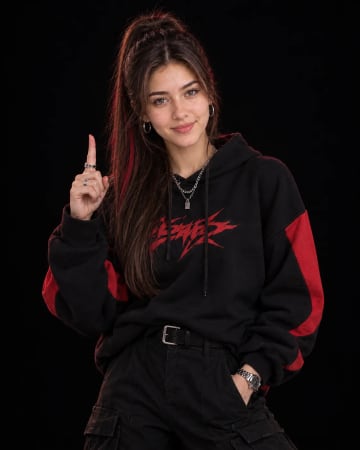 Black Hoodie Red Graphic Studio Fashion Portrait Low-Key AI PromptBlack Hoodie Red Graphic Studio Fashion Portrait Low-Key AI Prompt


